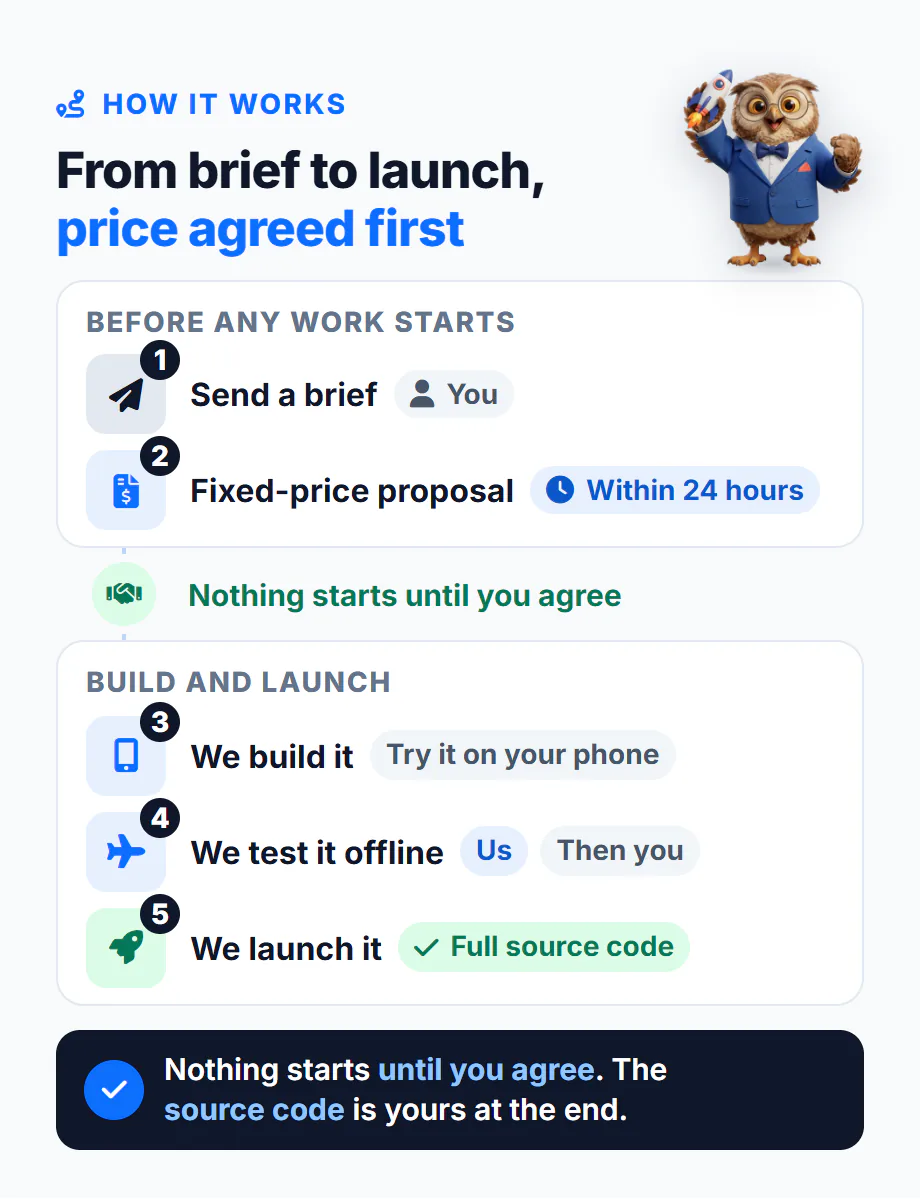
Is this for you?
It is if you run a salon, a shop, a rental portfolio, a cleaning round, a farm or a clinic, and the apps you have tried don't fit. Some stop the moment the internet does. Some charge every month for as long as you use them. Some keep your customers' phone numbers and notes on a server you have never seen. You want an app built around how your business actually runs, that works with no signal, and that you own.
It's also for you if you are a founder with an app idea that has to work where the signal is bad: field teams, market stalls, rural areas, warehouses, anywhere a spinning wheel costs you a customer. You need an offline app developer who has already solved the local storage, reminders and backup problems, not one who will learn them on your budget.
It isn't the right fit if your app is mostly about things that need the internet by nature: customers booking themselves online, live chat, or taking card payments. Those need a connection however the app is built, so an offline-first design is the wrong starting point, and the proposal will tell you so. If you are still working out what “works offline” should mean for your business, our plain-language guide to offline business apps explains the three kinds of app and what still needs a connection, written for owners rather than developers.
Three problems an offline-first app solves
No signal, no work
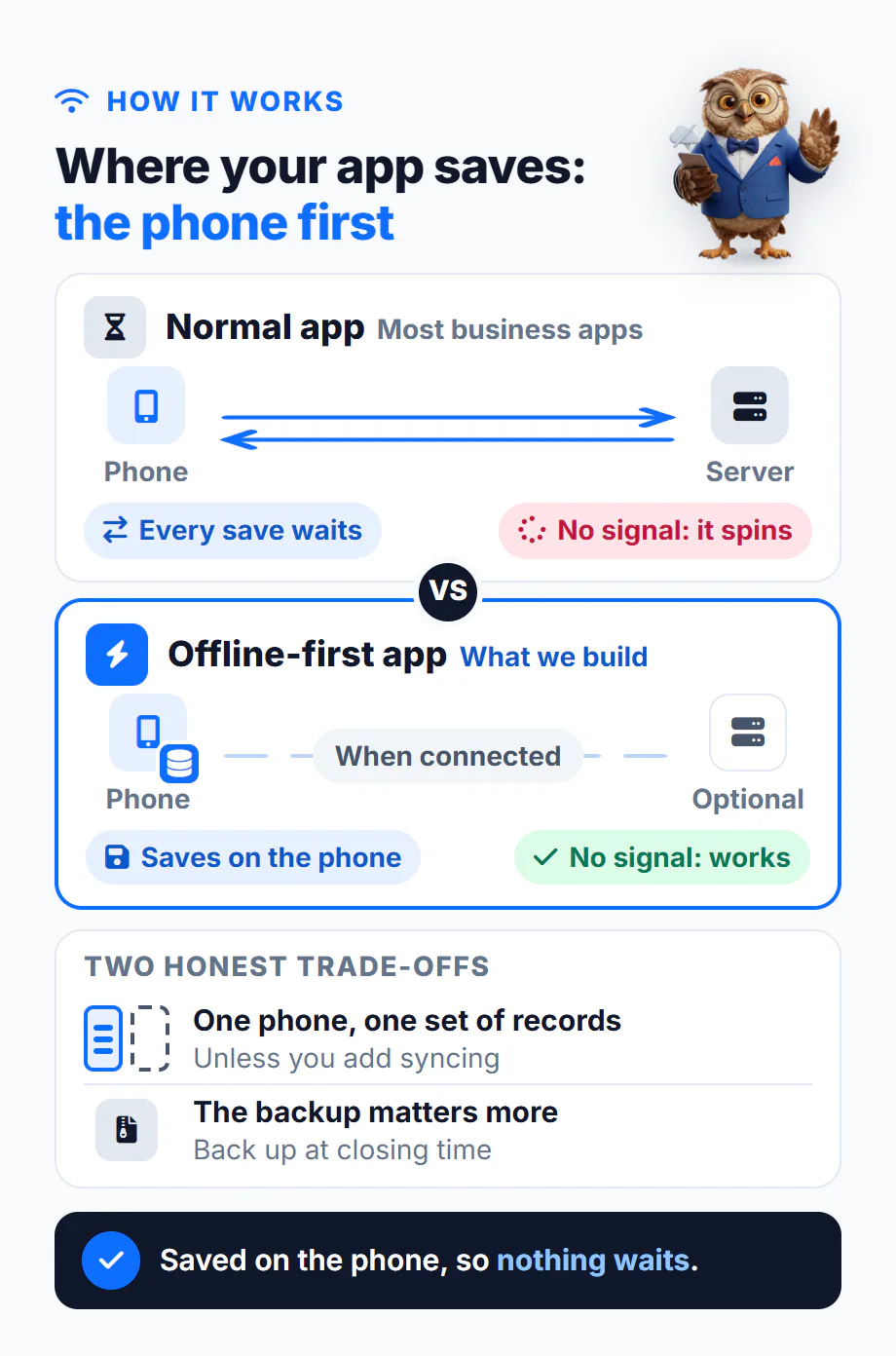
Most business apps treat your phone as a window onto someone else's server. Every save goes across the internet and waits for an answer. When the router drops on a Saturday morning, the booking screen spins and the queue at the door grows. An offline-first app saves to the phone first, so the screen updates straight away whether you have full signal or none.
The monthly bill
An app whose records live on the phone doesn't need a server to keep it running, so there is no hosting bill behind it. You pay for the build once. The costs that remain are developer accounts if the app goes on the stores, and our time if you want changes later. The exception is syncing between phones, covered below, which brings a server and its bill back.
Your customers' data
Client notes, tenants' phone numbers, gate access codes and pet records stay on your device instead of on a company's server. Nobody else can see them, and nobody else can lose them for you. The flip side is that the phone becomes the lock, so it needs a PIN and a backup routine. We build the backup in; the routine is yours.
What we build
Every custom Flutter app we build starts from the same offline-first foundation, then gets the screens and records your business needs. The proposal lists exactly which of these your app includes.
- One app for Android and iOS. Flutter builds both from a single codebase, so you are not paying for the same app twice.
- Screens built around your day. Bookings, stock counts, jobs, tenants, patients, fields: whatever your paper book or spreadsheet holds today, laid out in the order you actually use it.
- A local database on the phone. Every save is written to the device first. Our own apps use Hive CE and Isar Community, and we choose for your records rather than out of habit.
- PDF receipts, invoices, estimates and reports, made on the phone with no signal. Sending them to a customer by WhatsApp or email waits until you are connected again.
- Reminders scheduled by the phone itself, with no server involved, so an appointment or rent reminder still goes off when the shop has no signal.
- Backup and restore to a single file that you can send off the phone, with a restore that checks the file before it changes any records.
- Your name, logo and colours, plus the languages and currency your business uses.
- Optional: syncing between phones. If two staff need the same records, the app still works offline and sends its changes to a server when the connection returns. That needs a backend, which runs on hosting you pay for every month, and we price it as a separate line. If you already bought an app that came with its own server and only need it deployed, that's our backend setup for purchased app templates, not a custom build.
- Finished builds, ready for Google Play and the App Store, or installed straight onto your own phones with no public listing if the app is only for you and your staff.
How offline-first works, in plain words
Think of a paper appointment book that also happens to copy itself. You write in the book, not in a letter you post to head office and wait for a reply. The app reads and writes its own records on the phone, so nothing waits for the internet. If your app has a server, the phone sends its changes in the background whenever a connection is available, and nobody has to watch it happen.
That design has two honest trade-offs:
- One phone, one set of records, unless you add syncing. Without it, a second phone starts empty.
- The backup matters more. A lost phone with no backup takes its records with it. No feature fixes that after the fact; a habit of backing up at closing time does.
A few things still need a connection in any app: card payments (the bank has to approve them), sending a receipt or backup to someone else, app updates, and ads if an app shows them. Everything else keeps going. If someone on your side wants the technical version, hand them our offline-first architecture blueprint for Flutter apps. It is written for developers, so you don't need to read it yourself.