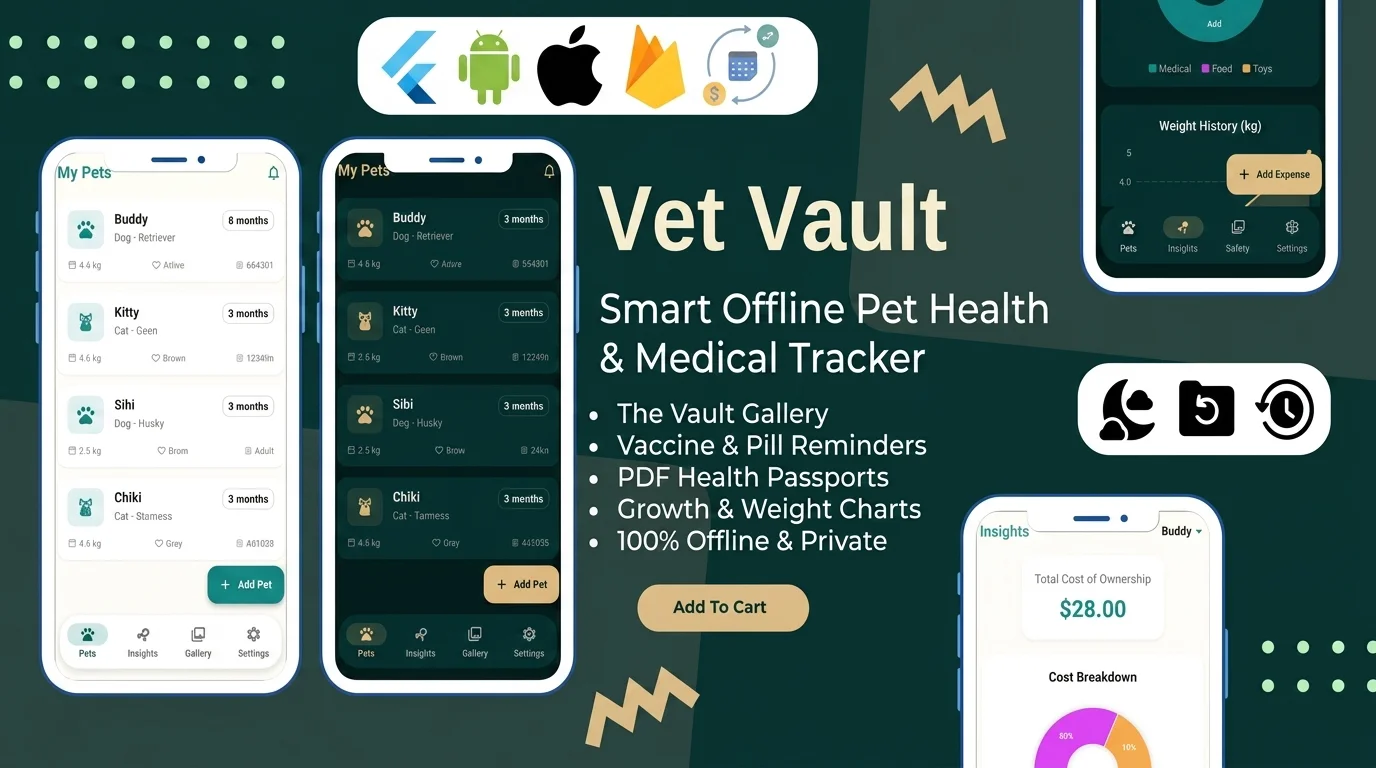
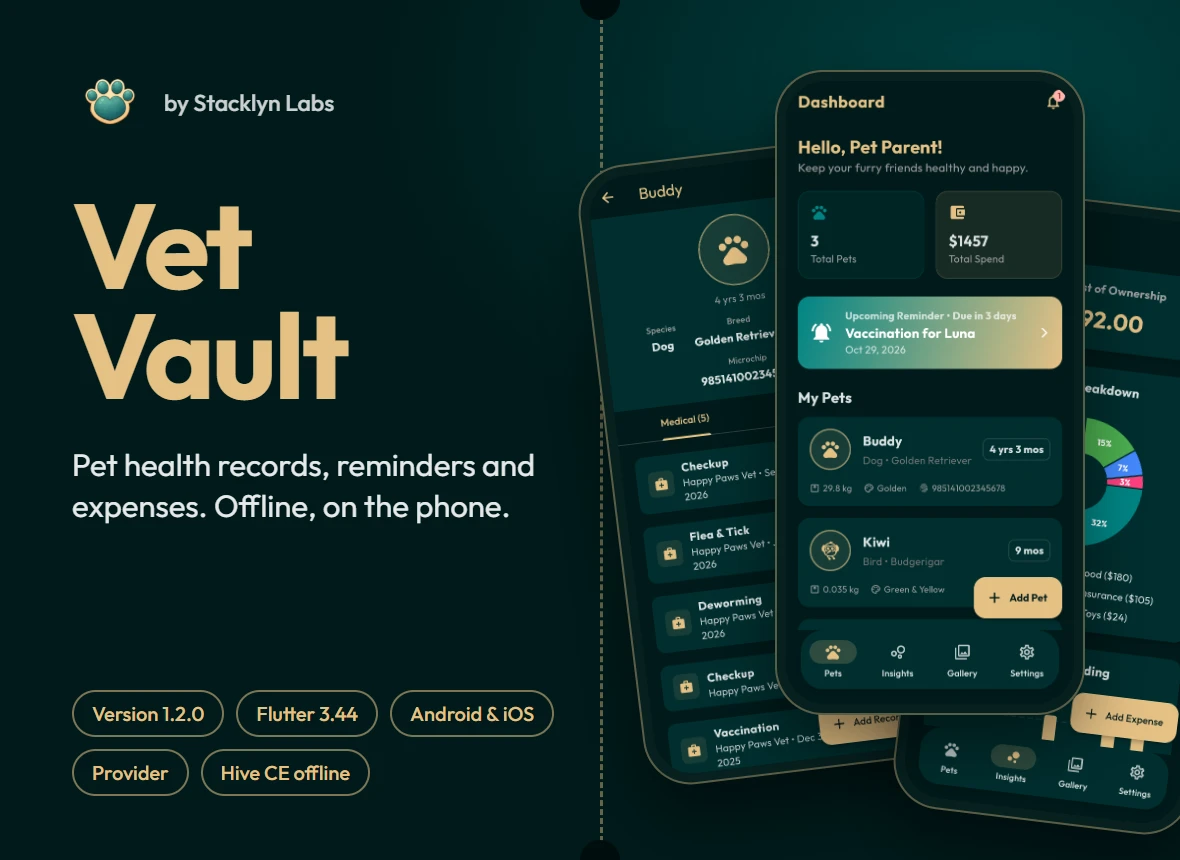
Vet Vault is an offline-first Flutter app template for pet owners who want every vet visit, vaccination, expense and document for their pets in one place, without an account or a server. It combines pet profiles, medical records, vaccination and vet appointment reminders, expense tracking, charts and a shareable PDF Health Passport in one codebase for Android and iOS.
All data lives in a local Hive CE database on the device. There is no backend, no login, no ads and no analytics, and the release Android manifest has no internet permission. A fresh install works without an internet connection, you have no hosting bill, and your users' pet records stay on their phone.
For a developer, Vet Vault is a ready-to-publish pet care app for Google Play and the App Store. For a freelancer with a vet clinic, groomer, boarding facility or shelter as a client, it means starting from working records, reminders and PDF export, with branding kept in one AppConfig file.
What's New in v1.2.0
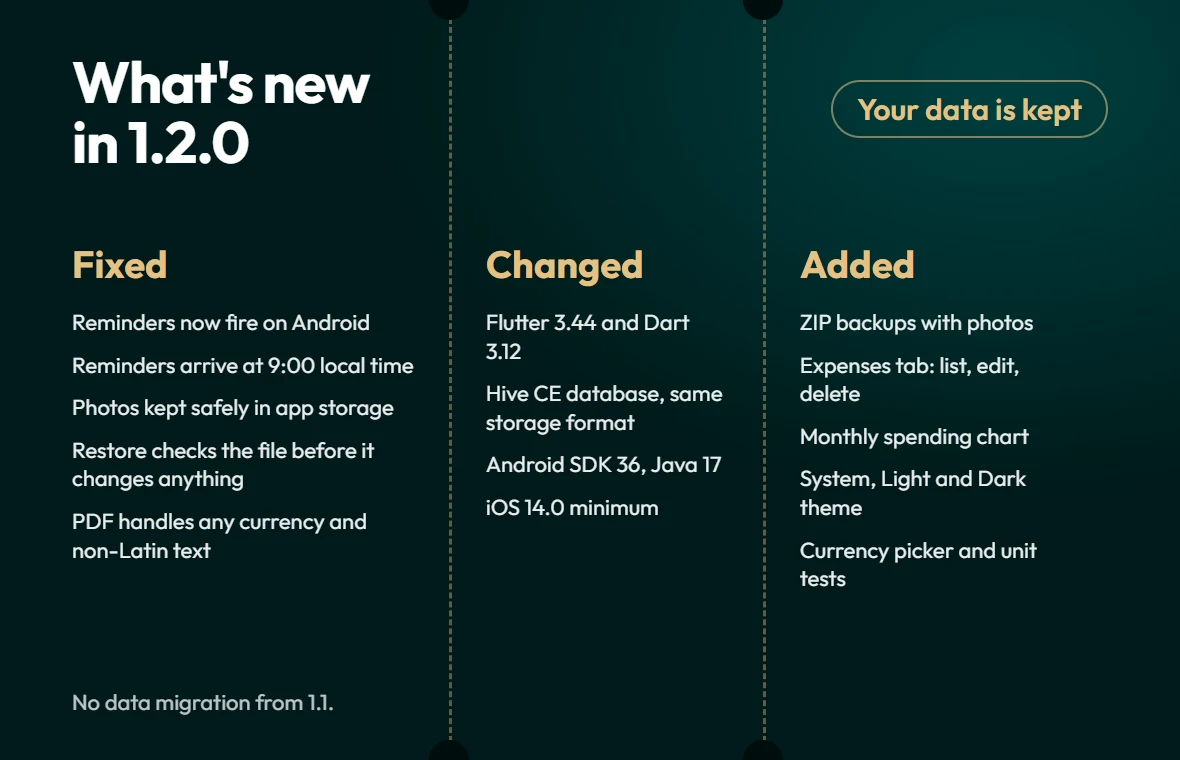
Version 1.2.0 is a stability and update release. Existing data is kept, and no migration is needed.
- Fixed: Reminders on Android, reminder time now 9:00 local instead of UTC, reminders cancelled when records or pets are deleted, the pet photo on the detail screen, photos stored in the cache that could disappear, a crash on the Insights tab after deleting a pet, restore that wiped data before checking the file, fonts downloaded at runtime in release builds, PDF currency, page numbers and non-Latin text, and comma decimals such as 12,50.
- Changed: Flutter 3.44 and Dart 3.12, the maintained Hive CE database (same storage format), Android compile and target SDK 36 with Java 17, and iOS minimum 14.0.
- Added: ZIP backups with photos, an Expenses tab with edit and delete, a monthly spending chart, a System, Light and Dark theme setting, a currency picker, a species dropdown, gallery labels with zoom and share, a richer PDF, Android release signing support and unit tests.
Core App Features
Multi-Pet Profiles and Medical Records
Add as many pets as you like. Each profile shows the pet's age, breed, weight and microchip ID above a full medical history.
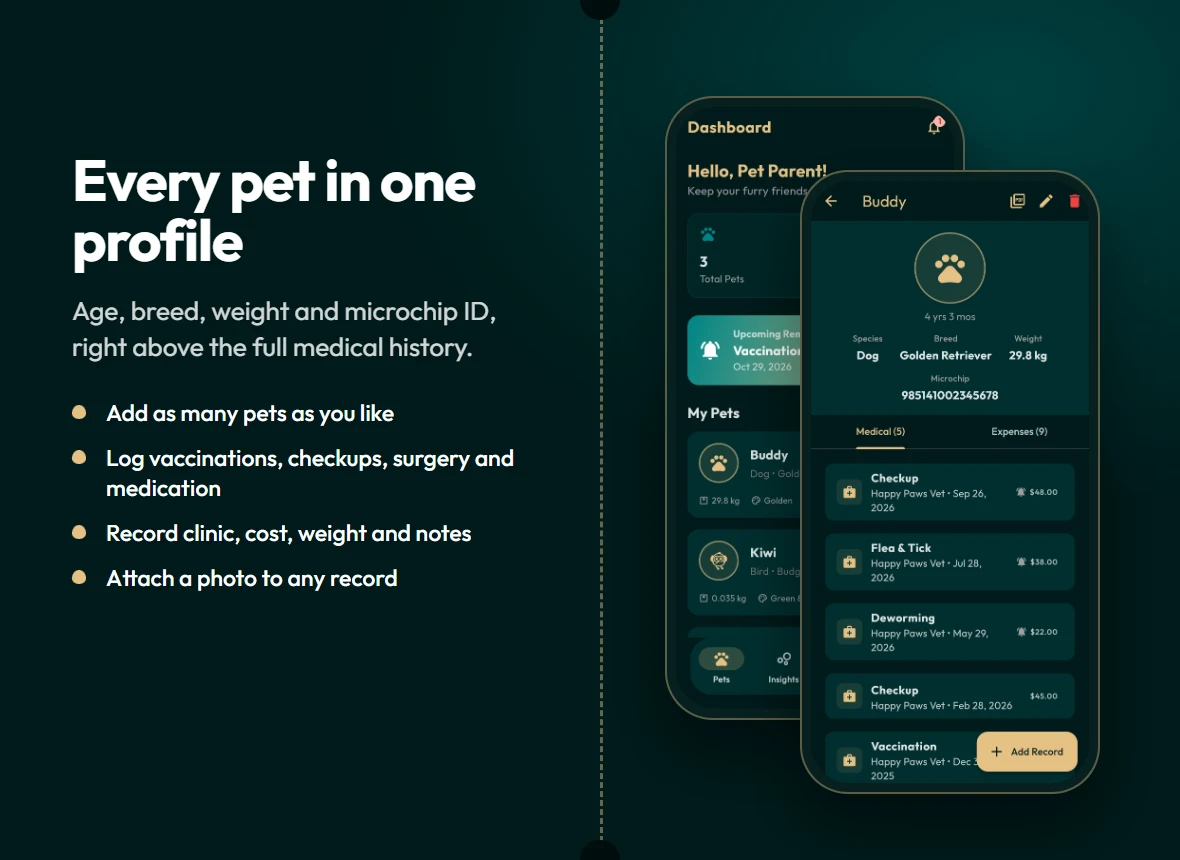
- Species: Dog, Cat, Bird, Rabbit, Fish, Reptile and Other (with a free-text name). Breed and colour are optional.
- Age: Calculated from the date of birth and shown in years and months, or in weeks for young pets.
- Record Types: Vaccinations, checkups, surgery, medication, deworming and flea and tick treatments, or any record type you type in.
- Record Details: The vet clinic, date, cost, weight, notes and an attached photo.
- Edit & Delete: Any pet, record or expense.
Vaccination and Vet Appointment Reminders
Switch on a reminder when you save a record and pick the next due date. The app schedules a local notification for 9:00 on that day, with no internet needed.
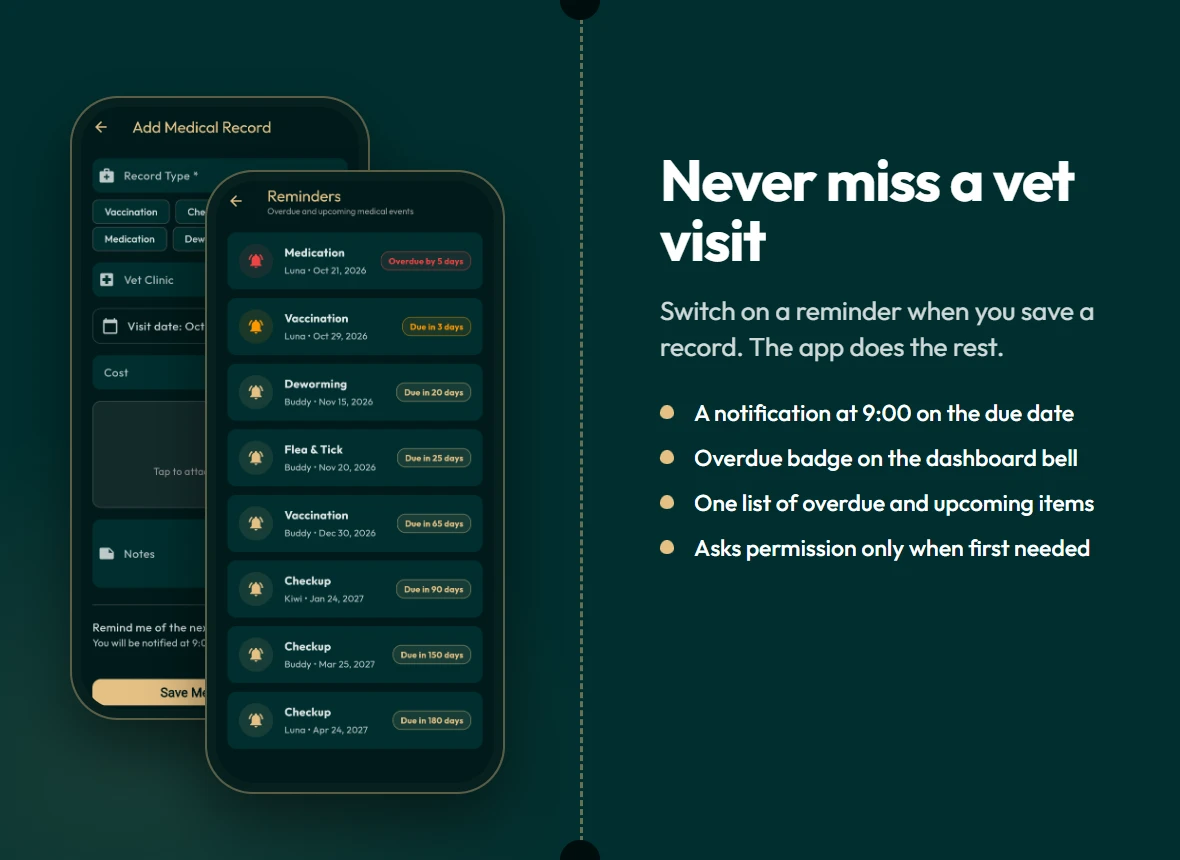
- Reminders List: Overdue and upcoming items with colour-coded labels such as "Overdue by 5 days" and "Due in 3 days".
- Dashboard Alerts: The bell shows an overdue badge, and a card shows the next upcoming reminder. Tapping a reminder opens its record.
- Permission When Needed: Notification permission is requested the first time a reminder is turned on. If it is denied, the reminder still appears in the app.
- Reminder Upkeep: Reminders are cancelled when a record or pet is deleted, and rescheduled after a restore.
Pet Expense Tracker and Weight Chart
Record what each pet costs and see it in charts. The Insights tab has a pet selector and a total cost of ownership card.
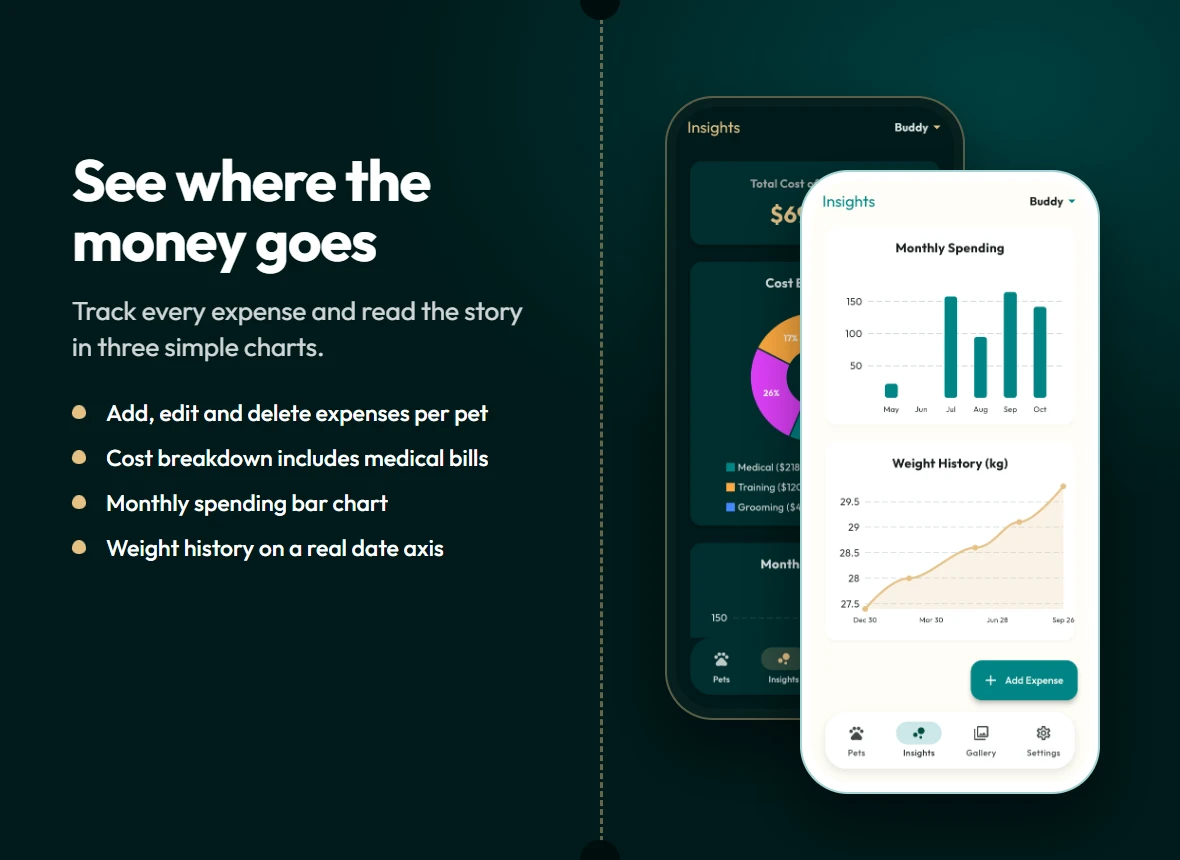
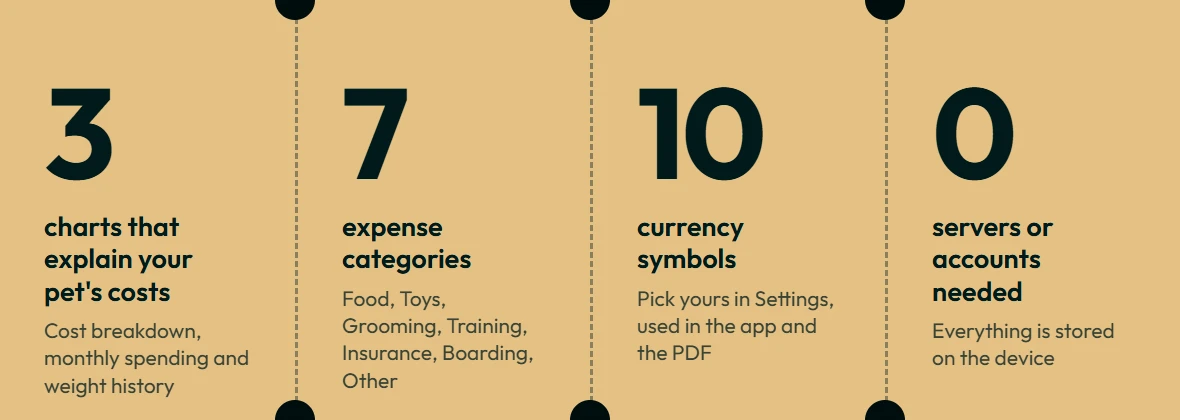
- Expense Categories: Food, Toys, Grooming, Training, Insurance, Boarding and Other.
- Cost Breakdown: A donut chart that includes medical costs from your records, with a legend and percentages.
- Monthly Spending: A bar chart of spending per month.
- Weight History: A line chart on a real date axis, built from the weights entered in medical records.
- Currency Picker: Ten symbols: $, €, £, ¥, ₹, Rs, A$, C$, CHF and kr.
The Vault: Photo Gallery for Pets and Records
The Vault tab shows every pet photo and every image attached to a medical record in one grid, so users do not have to search their camera roll.
- Labels: Each image is labelled with the pet name and record type.
- Full Screen: Open any image full screen, pinch to zoom up to 5x, and share it.
- App Storage: Photos are copied into the app's own storage and removed together with their pet or record.
- Images Only: The gallery supports images, not PDF files.
PDF Pet Health Passport and ZIP Backup
Create a PDF of a pet's history to share with a vet, a boarding facility, a pet sitter or an insurer. Back up and restore all data without any cloud service.
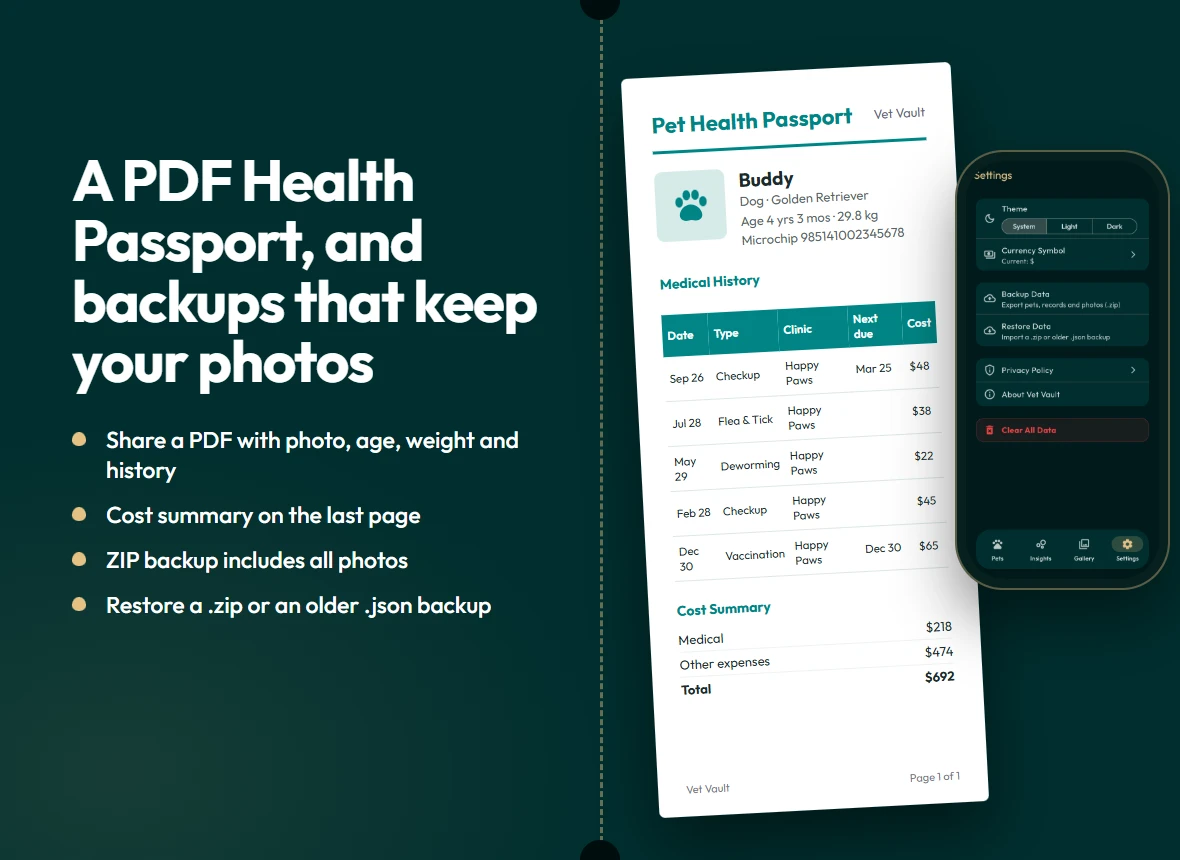
- A4 Health Passport: The pet photo, age, weight, microchip ID, a medical history table (date, type, clinic, notes, next due, cost) and a cost summary with page numbers. It uses your chosen currency symbol and supports non-Latin text.
- ZIP Backups: Backups are .zip files that include all photos. The app shows what a backup contains and asks before restoring.
- Safe Restore: Restore accepts .zip files and older .json backups. The file is checked before any data is changed, and backups from a newer app version are rejected.
- Sharing: Files are shared through the system share sheet.
Lofi Teal and Sand Theme with Light and Dark Mode
The interface uses a calm Lofi Teal and Sand palette built on Material 3, with the Outfit font bundled inside the app so it also works offline in release builds.
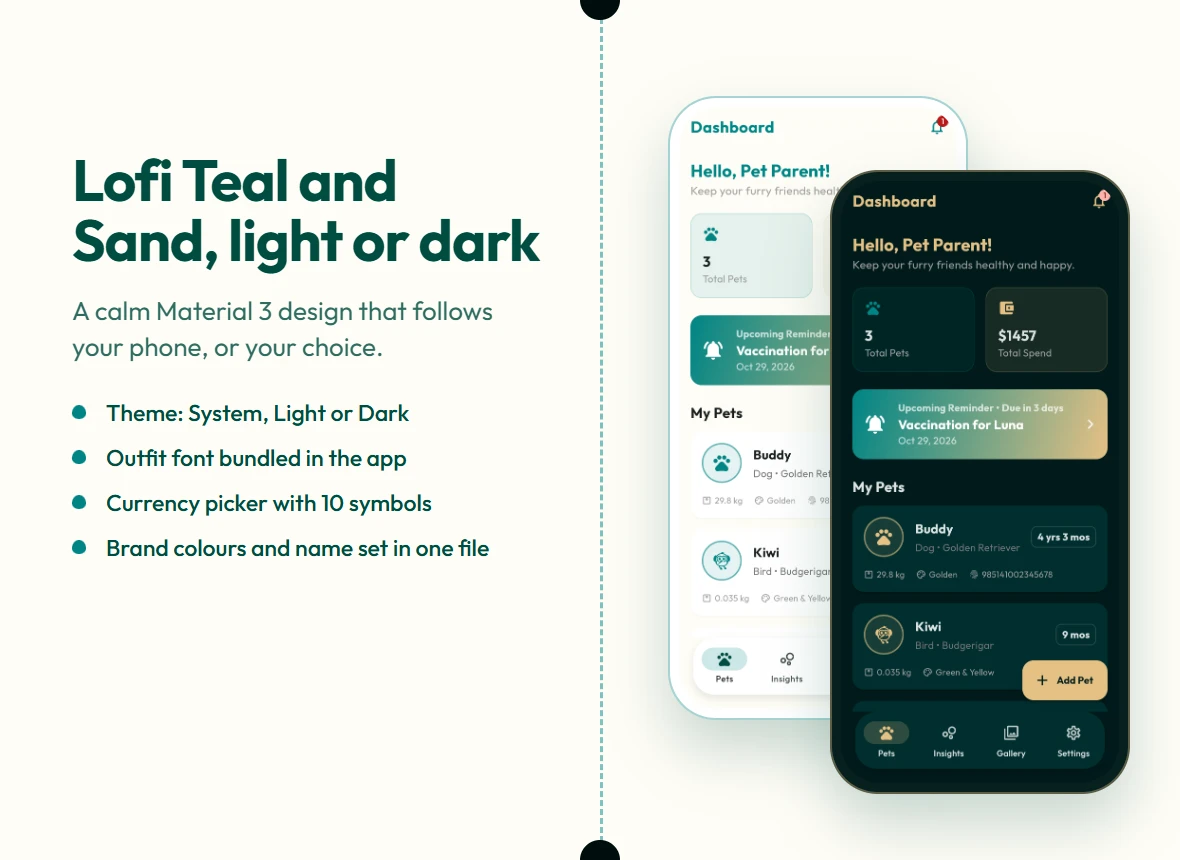
- Theme Setting: System, Light and Dark.
- Navigation: A floating pill navigation bar with four tabs: Pets, Insights, Gallery and Settings.
- Also Included: A three-page onboarding, a privacy policy screen and a "Clear All Data" action with confirmation.
Why Buy Vet Vault? (Developer & Business Value)
- Offline by Design: A local Hive CE database, a bundled font and no internet permission in the release Android manifest. A fresh install works without a connection.
- Zero Backend Infrastructure Costs: No backend, no login and no server to keep running, so there is no monthly cloud bill.
- Clean, Predictable Codebase: Null-safe Material 3 code with Provider (
PetProvider,StatsProviderandSettingsProvider), Hive CE with generated type adapters, and unit tests for backups, models, reminders and utilities. - Easy Rebranding: The app name, tagline, brand colours, font family, reminder hour and default currency are set in one config file (
AppConfig), and the theme reads from it. To change the font, replace the font files and update one setting. Replace the icon and logo inassets/branding, then regenerate the launcher icons and splash screen with the included configuration.
Technical Specifications For Developers
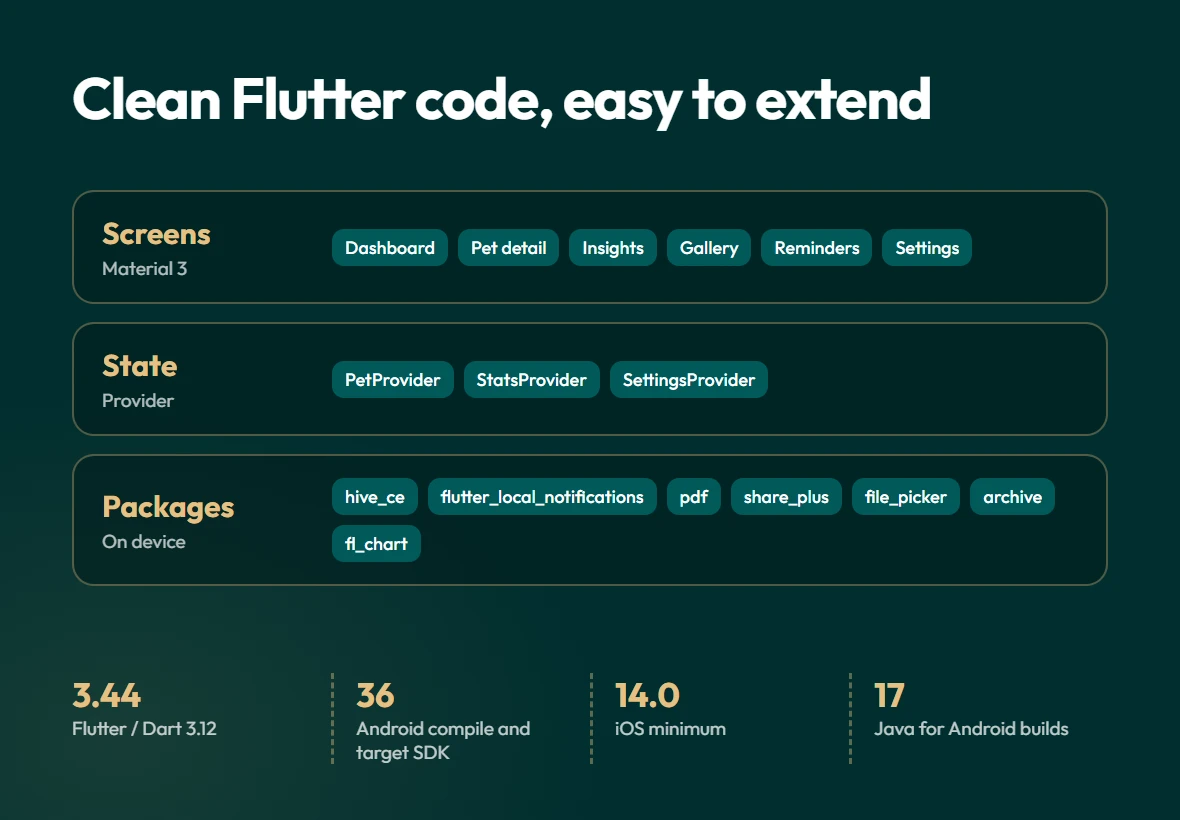
- Framework: Flutter 3.44 and Dart 3.12 (
sdk: ^3.12.0), null safe, Material 3. - Programming Language: Dart.
- State Management: Provider (
PetProvider,StatsProviderandSettingsProvider). - Local Database: Hive CE with generated type adapters.
- Main Packages:
fl_chart,flutter_local_notifications,timezone,flutter_timezone,pdf,share_plus,file_picker,archive,intl,uuidandpackage_info_plus. - Platforms: Android (compile and target SDK 36) and iOS (deployment target 14.0).
- Android Build: Java 17, with release signing through a
key.propertiesfile and an included template. - Privacy: No ads, analytics, backend or login. The release Android manifest has no internet permission.
- Tests: Five unit test files covering backups, models, reminders and utilities.
What Is Included in Your Purchase?
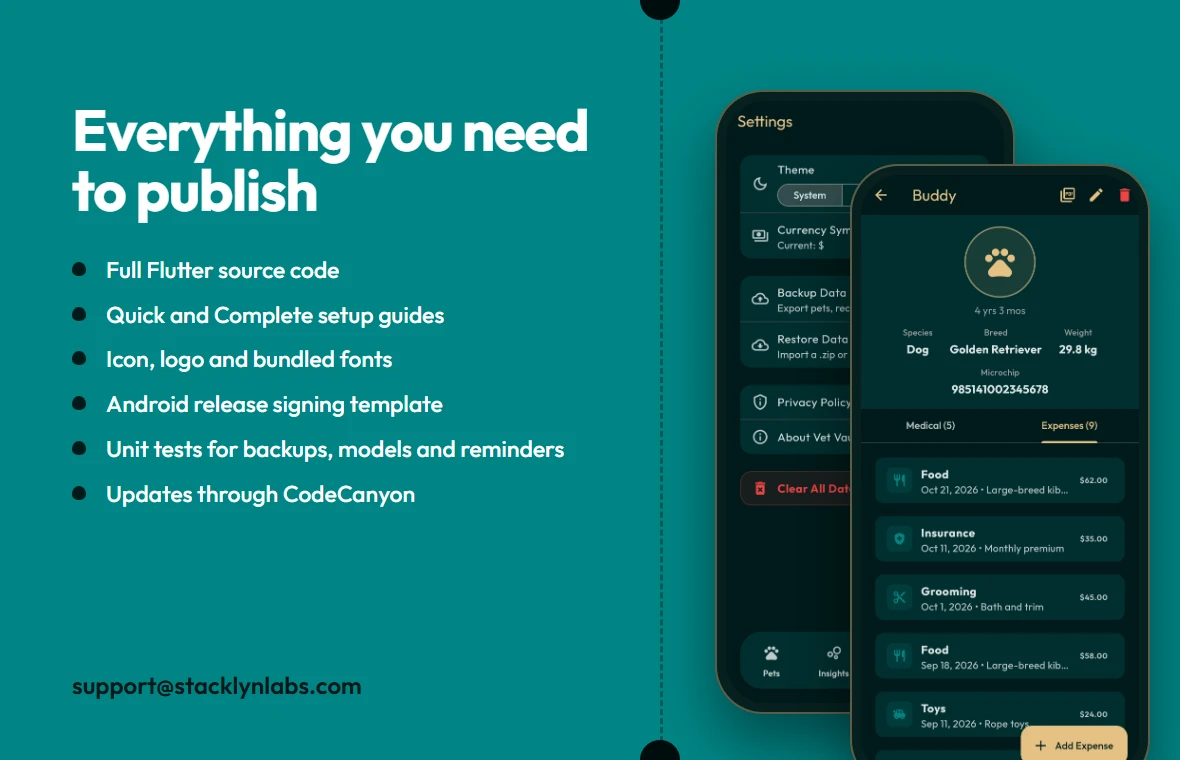
- Complete Flutter Source Code (Android & iOS)
- Quick Setup Guide and Complete Setup Guide, including upgrade steps from 1.1 and store publishing
- Icon, logo and bundled fonts
- Android release signing template
- Unit tests for backups, models, reminders and utilities
- Free lifetime updates
Requirements
- Flutter SDK: 3.44 or later (Dart 3.12 or later).
- Android Build: Java 17.
- Backend: none required.
Not Included
- Ads, analytics, a backend or user login.
- PDF files in the gallery (images only).
- Notifications, photo attachments, PDF sharing and backups in the web live preview. These are mobile features, and the web preview shows the main screens only.
Launch your own offline pet health app with Vet Vault.
Developed by Stacklyn Labs developers.
 CodeCanyon
 Codester