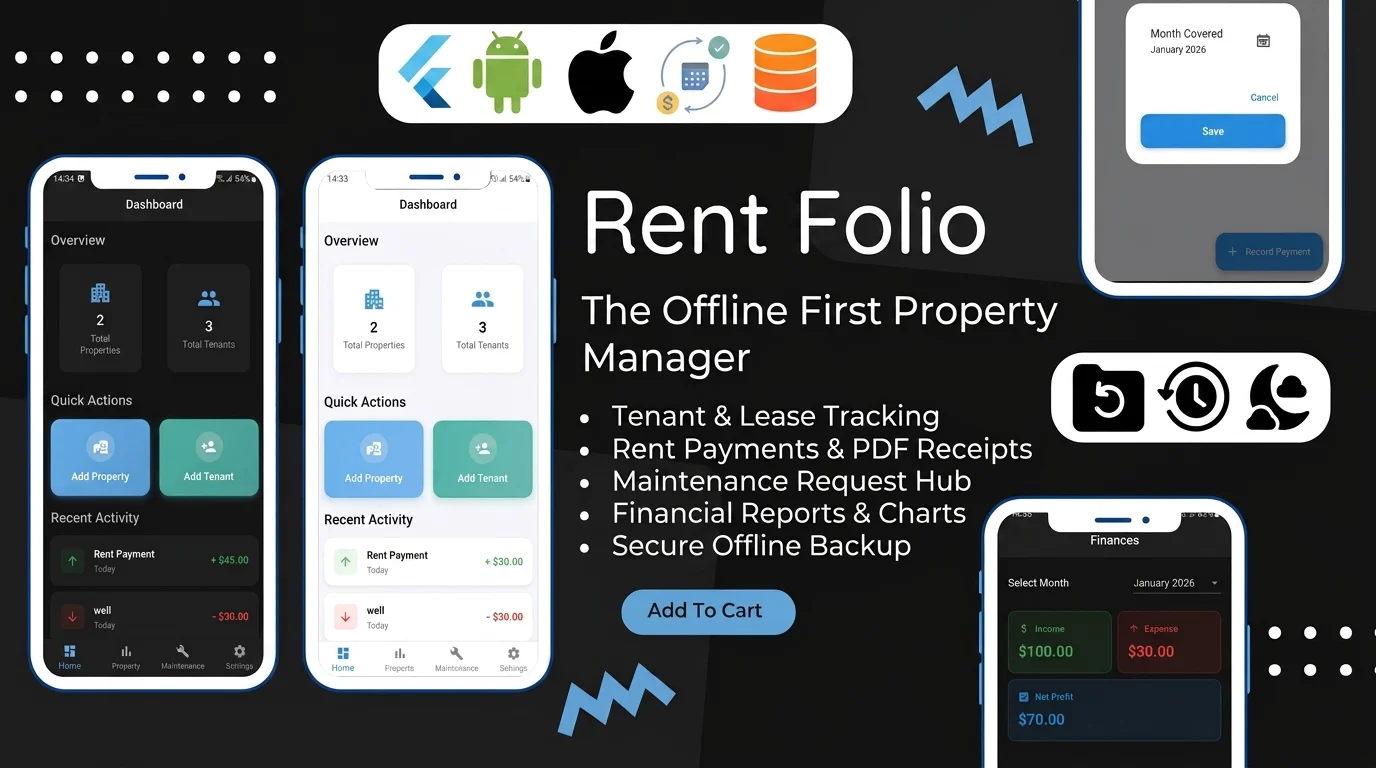
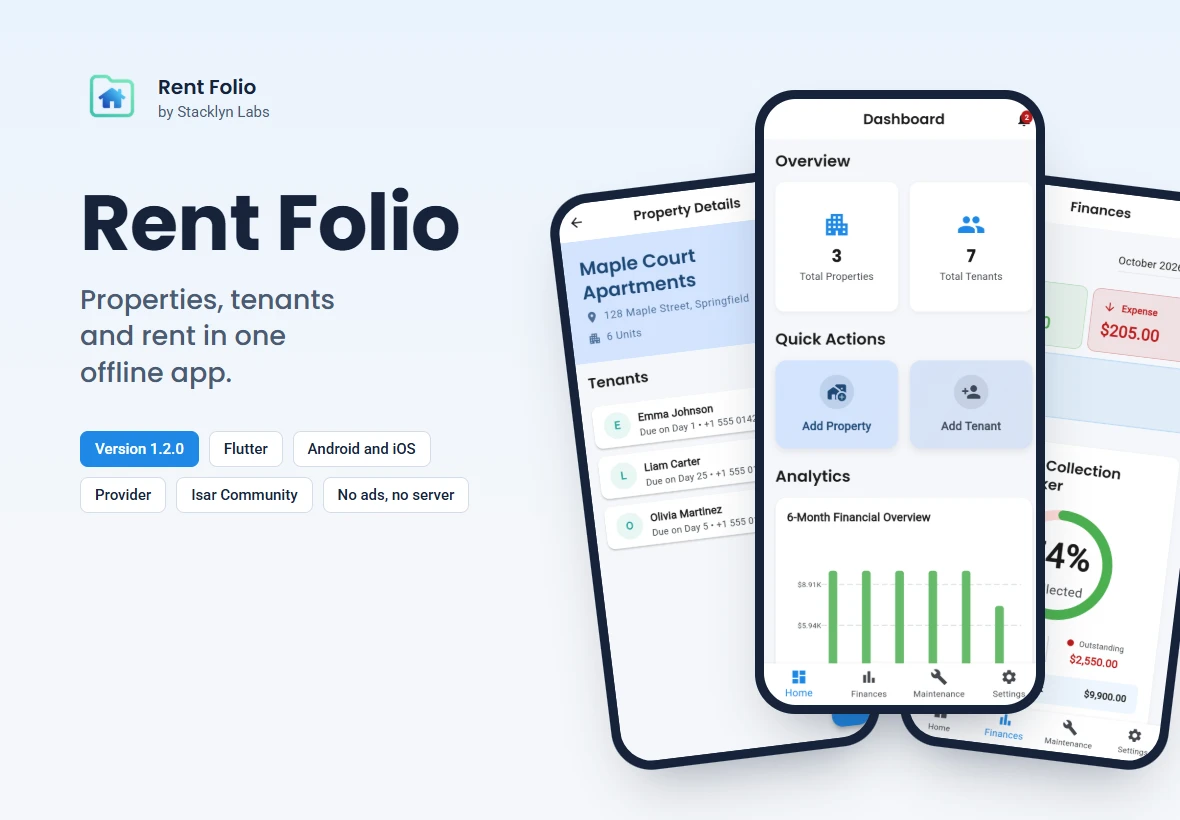
Rent Folio is an offline-first Flutter app template for landlords, real estate investors, and property managers. It gives them one app to manage properties, tenants and leases, rent payments and maintenance costs. Every property, tenant and payment is stored on the phone in a local Isar database, so there is no server to run, no account, no monthly cloud fee to pass on to your users, and no ads or analytics.
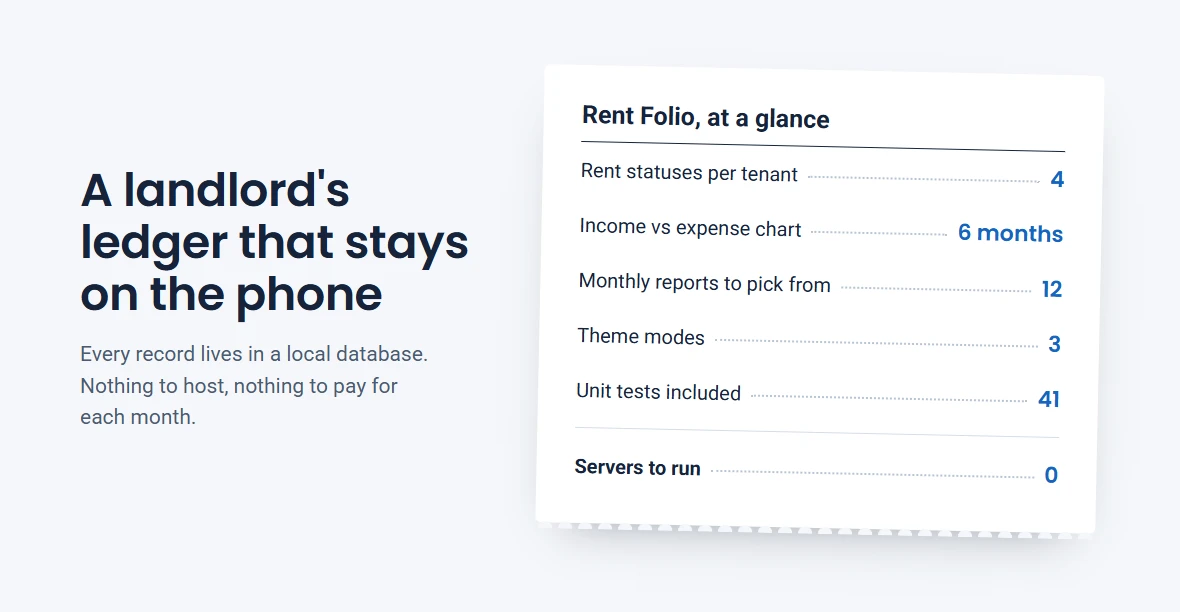
For a Flutter developer, Rent Folio is a finished property management app to publish or extend on Android 7.0+ and iOS 14.0+. For an agency or freelancer with a landlord or real estate client, it means starting from working rent tracking, overdue status and PDF receipts, built on Provider and the maintained isar_community database and covered by 41 unit tests.
What's New in v1.2.0
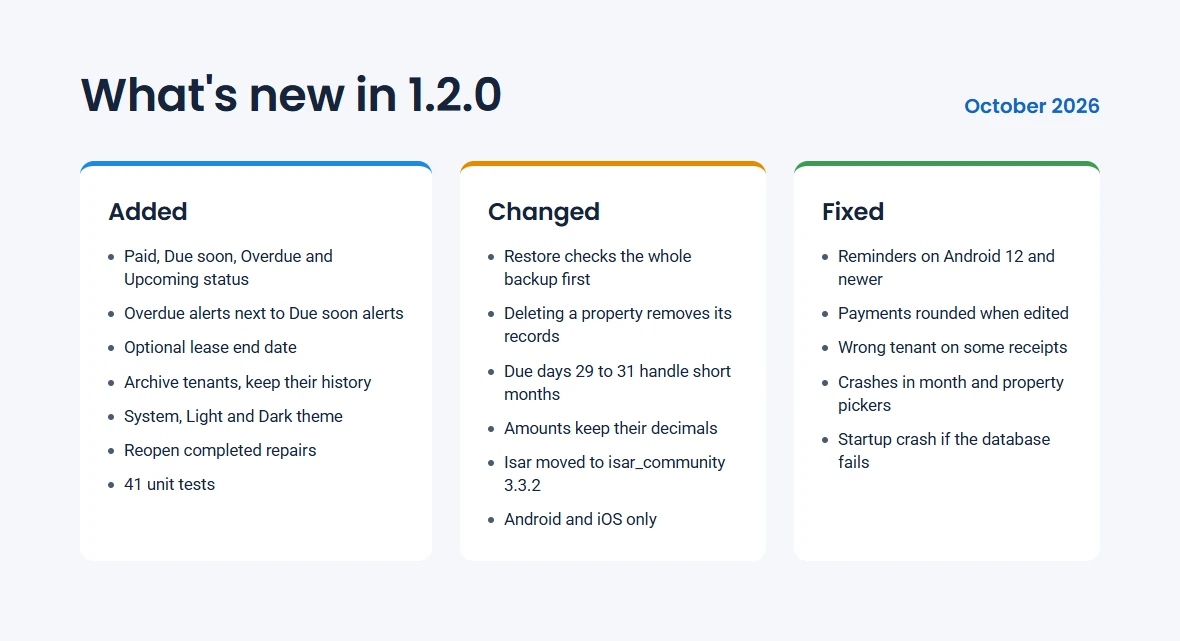
Version 1.2.0 is a major update. Existing 1.1.0 data is kept on upgrade, and version 1.1.0 backups still restore.
- Added: Rent status per tenant, overdue alerts, an optional lease end date, tenant archiving, a System / Light / Dark theme, reopening completed repairs, pull-to-refresh, receipt numbers and 41 unit tests.
- Changed: Safer all-or-nothing restore, cascading property delete, correct due dates in short months, rent counted in the month it covers, decimal-safe amounts and bundled fonts.
- Fixed: Reminders that never fired on Android 12 and newer, payments rounded when edited, a wrong tenant on some receipts, crashes in the month and property pickers, and a startup crash when the database could not open.
- Updated:
isar3.1.0 replaced byisar_community3.3.2 for the Google Play 16 KB page size rule, all packages on current versions, Android Gradle Plugin 8.11, Kotlin 2.2 and Java 17, and iOS 14.0 as the minimum. - Removed: Web and desktop targets. Rent Folio now ships for Android and iOS only.
Why Choose Rent Folio? (Core Business Value)
- Zero Server Costs & No Subscriptions: No backend, no account, no ads and no analytics. Everything runs on the device, so there is no server to host and no monthly fee.
- Rent Status at a Glance: Rent Folio works out what each tenant owes from their due day, lease dates and recorded payments, and shows Paid, Due soon, Overdue or Upcoming for every tenant.
- PDF Rent Receipts: Turn any payment into a PDF rent receipt with a receipt number, the tenant, the property, the payment date, the month covered and the amount, then print it or save it as a PDF.
- Real Estate Business Intelligence: A rent collection ring and a 6-month income vs expense chart show landlords how their portfolio is performing.
Comprehensive Management Features
Property and Tenant Management
Add as many properties as you need, each with its address and number of units. Open a property to see its tenants, their rent, due day and current rent status.
- Unlimited Properties: Each with a name, address and total units.
- Tenant Profiles: Name, phone number, monthly rent and due day (1 to 31).
- Lease Dates: A lease start date and an optional lease end date. Expected rent and reminders stop after the lease ends.
- Archive Tenants: Tenants who move out leave the active list, but their payments stay in reports.
- Cascade Delete: Deleting a property also removes its tenants, payments, alerts and repairs, and cancels their reminders.
Rent Tracking with Overdue Status
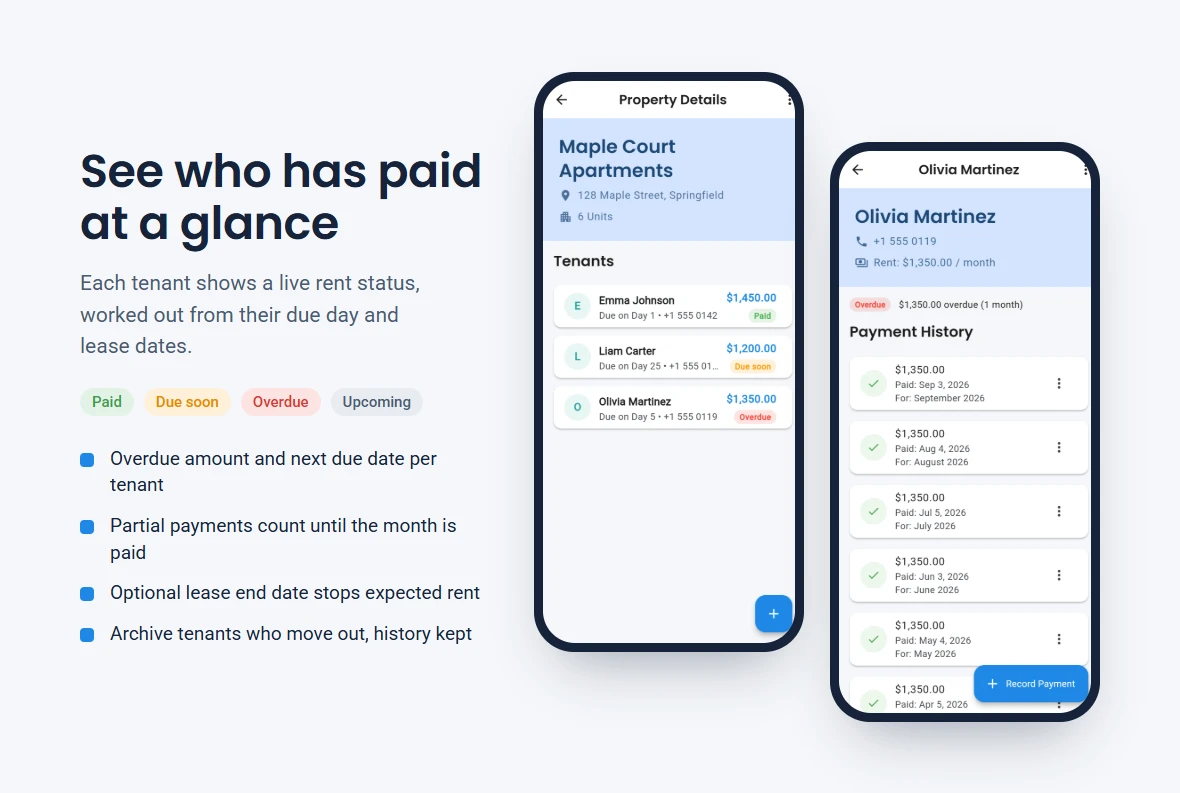
- Four Rent Statuses: Paid, Due soon, Overdue and Upcoming for each tenant.
- Overdue Details: The overdue amount, number of months overdue and next due date on the tenant screen.
- Partial Payments: Recorded, and a month stays overdue until it is fully paid.
- Short Months: Due days 29 to 31 fall on the last day of shorter months.
- Fair Start Date: Rent is owed only from the day the tenant is added, or the lease start if later.
Rent Payments and PDF Rent Receipts
Record each payment with the amount, the date it was paid and the month it covers. Any payment can be turned into a PDF rent receipt from the system print and preview screen, where it can be printed or saved as a PDF.
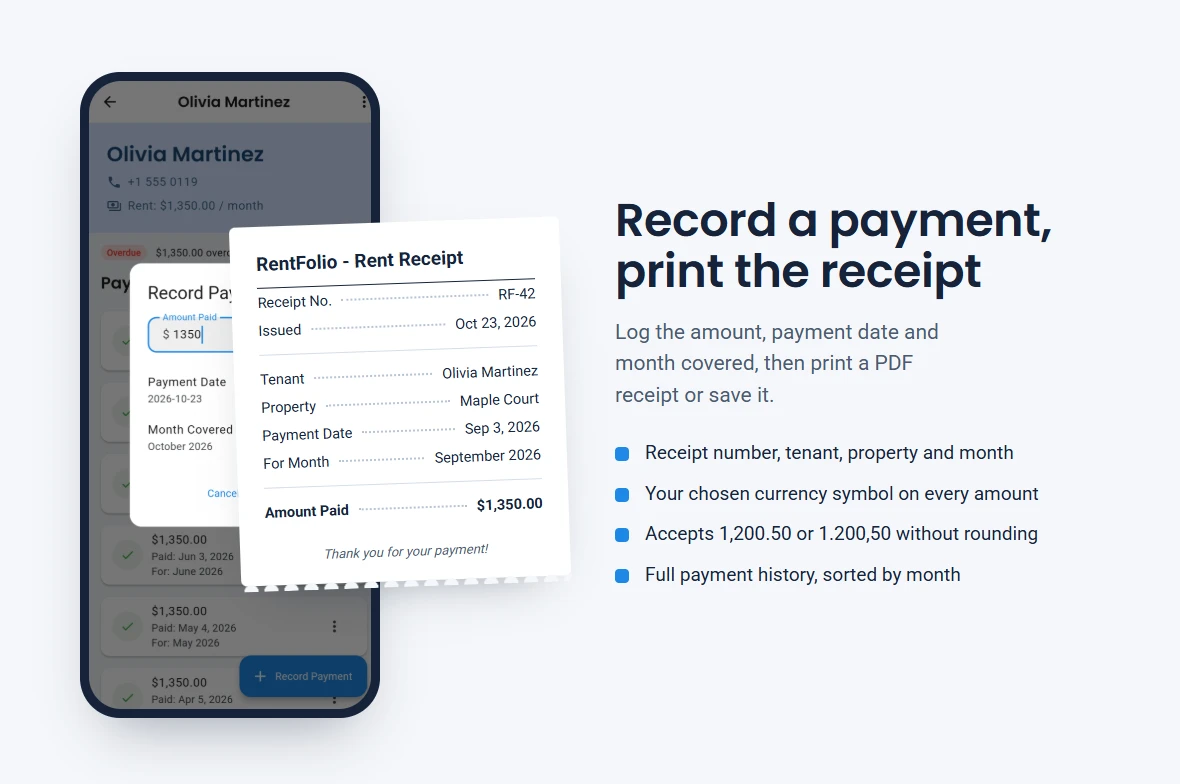
- Payment History: Per tenant, sorted by the month covered. Any payment can be edited or deleted.
- Receipt Contents: A receipt number, tenant, property, payment date, month covered and amount.
- Currency Formatting: Amounts use your chosen currency symbol, with thousands separators.
- Decimal-Safe Amounts: Amount fields accept 1,200.50, 1.200,50 or 12,50 and are never rounded.
Rental Income and Expense Reports
The Finances screen shows one month at a time. Pick any of the last 12 months to see what came in, what repairs cost and how much rent is still outstanding.
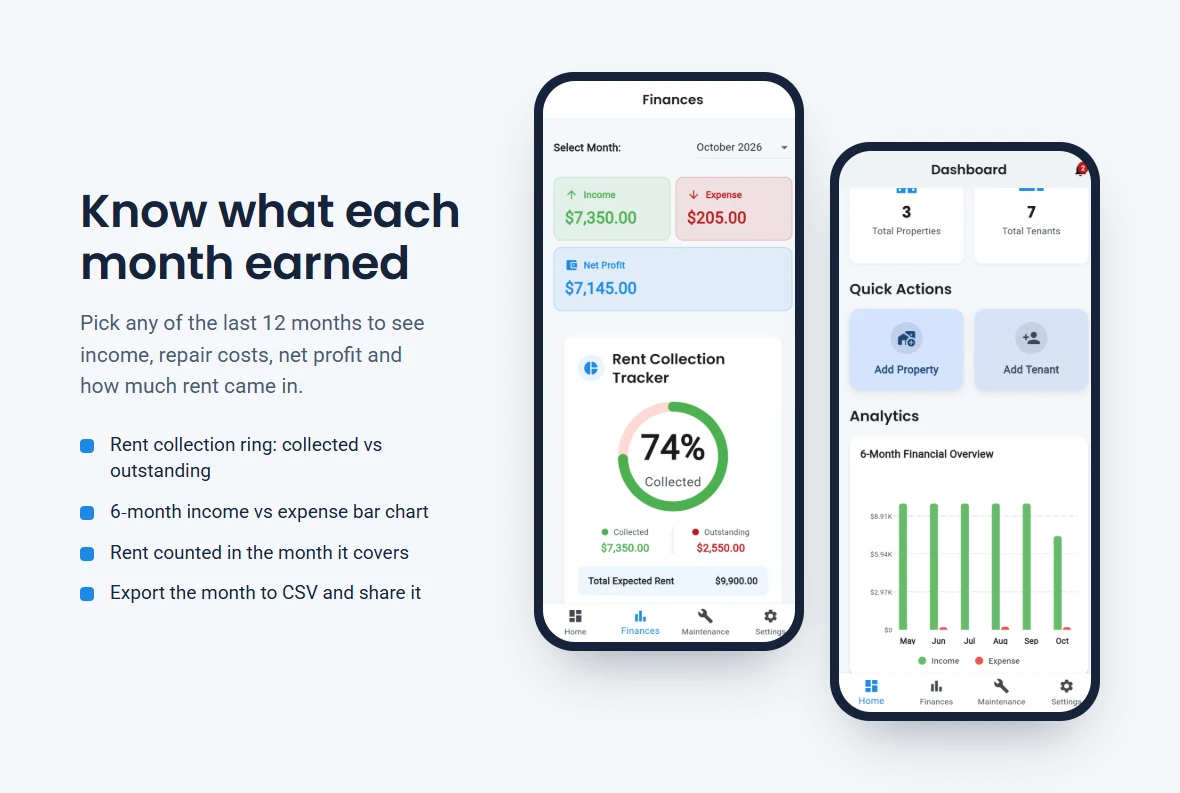
- Monthly Totals: Income, expense and net profit for the selected month.
- Rent Collection Ring: Collected, outstanding and total expected rent.
- Correct Months: Rent counts in the month it covers, and repairs count in the month they were completed.
- Dashboard Chart: A 6-month income vs expense bar chart.
- CSV Export: Export the monthly report to CSV (tenant, month covered, amount, currency) and share it.
Property Maintenance Tracker
Log repair requests against a property and keep them in one list. When a job is done, enter what it cost and it is added to that month's expenses.
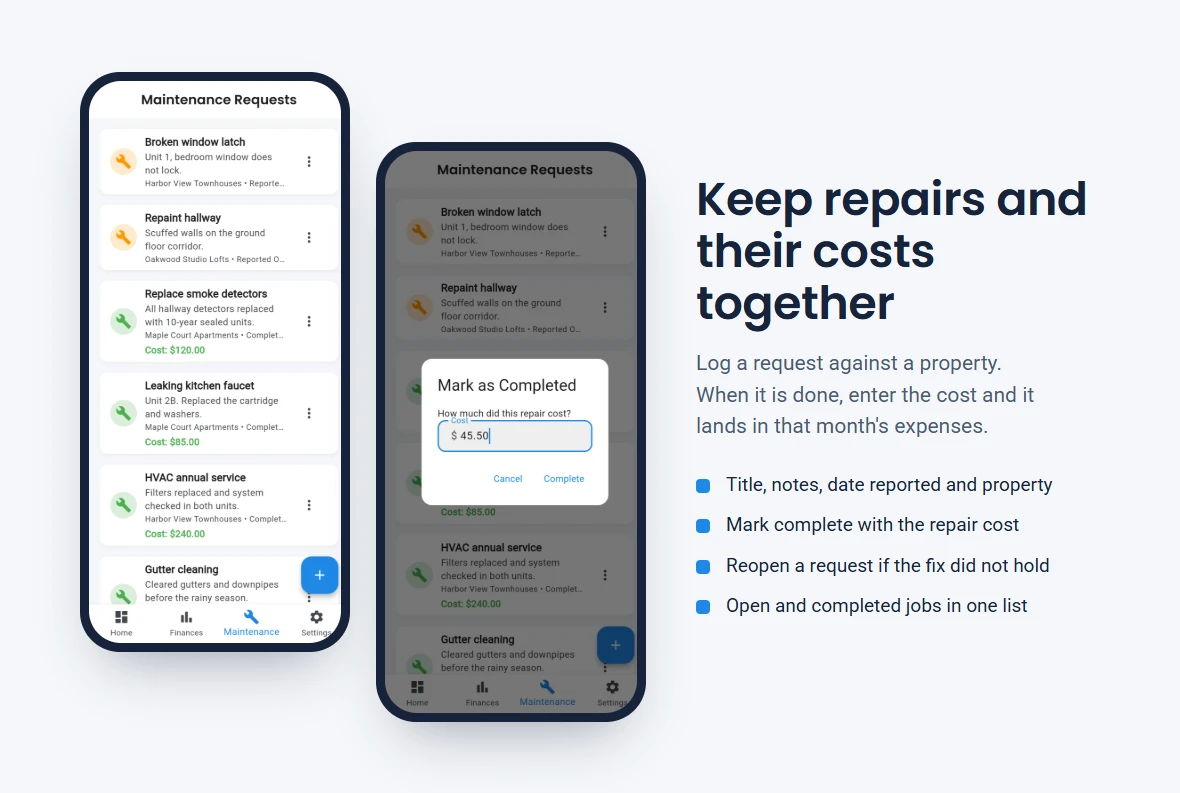
- Repair Requests: A title, optional description, date reported and property. Each card shows its property and date.
- Mark Complete: Enter the repair cost when the job is done.
- Reopen: Reopen a completed request if the problem comes back.
Rent Reminders, Backup and Dark Mode
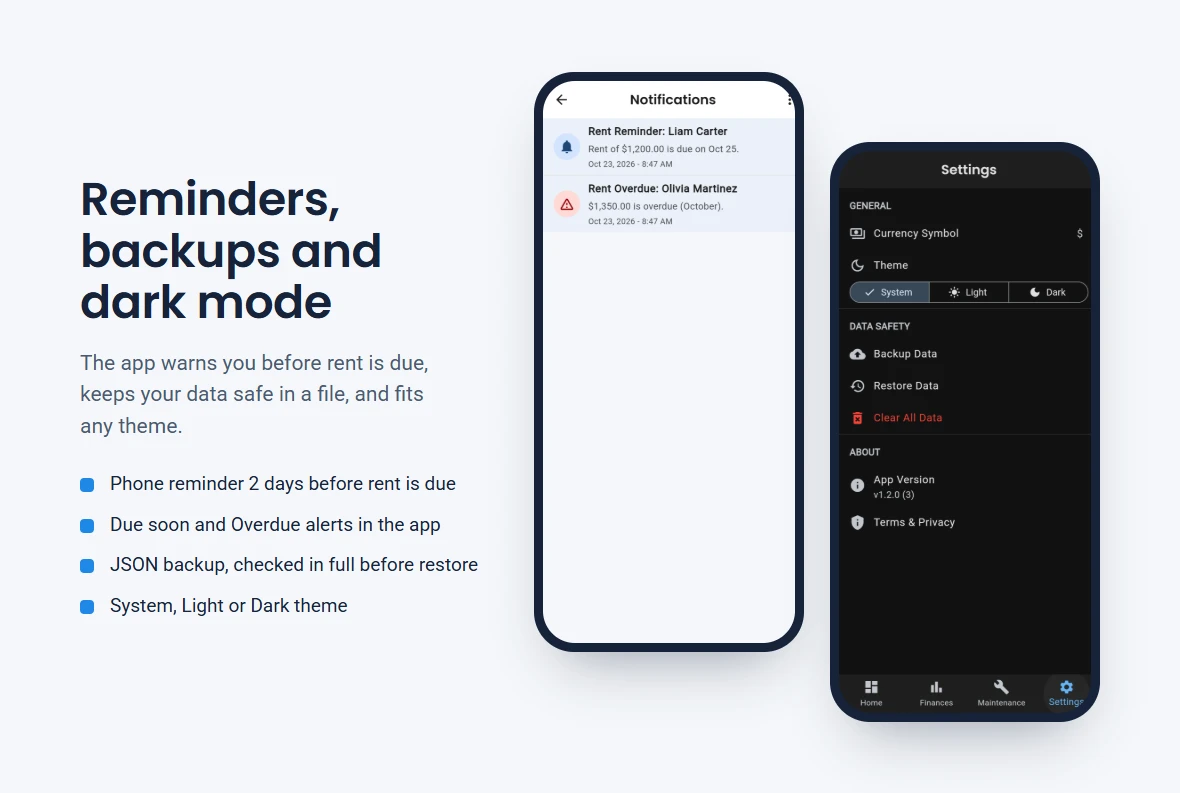
- Rent Reminders: A local phone notification 2 days before each rent due date. No server or push service is involved.
- Notification Center: Due soon and Overdue alerts, with mark all as read and clear.
- Backup: Back up all data to a JSON file and share it to any app or storage.
- Safe Restore: The whole backup is checked before anything changes. Damaged files and files from a newer version are rejected.
- Themes: System, Light or Dark, with dark mode on every screen.
- Currency: A free-text currency symbol, such as $, €, LKR or Rs.
Technical Specifications For Developers
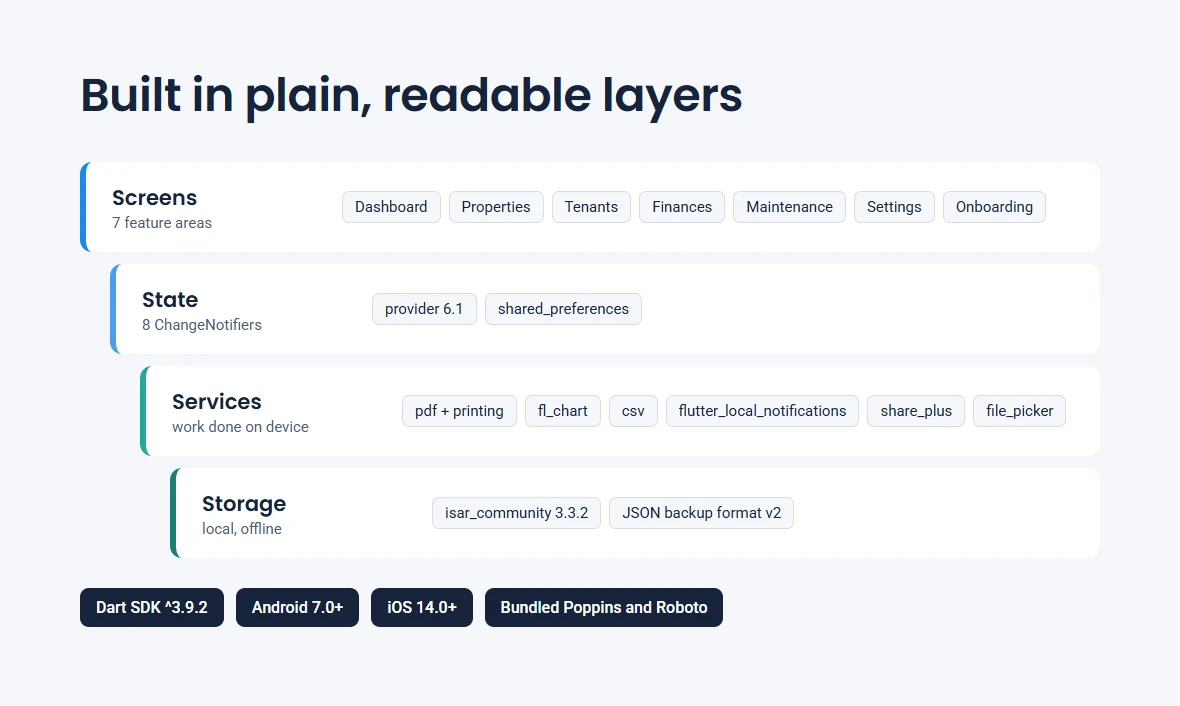
- Platforms: Android 7.0+ and iOS 14.0+.
- Dart SDK: ^3.9.2. App version 1.2.0+3.
- State Management: Provider 6.1 with 8 ChangeNotifier providers.
- Local Database:
isar_community3.3.2 with generated schemas. No backend required. - Key Packages:
pdfandprinting(receipts),fl_chart(charts),csv,share_plus,file_picker,flutter_local_notificationswithtimezone,shared_preferences,google_fonts,intl,package_info_plusandintroduction_screen. - Project Structure:
lib/core(theme, utils, notification service),lib/data(models and services),lib/providers,lib/screensandlib/widgets. - Android Toolchain: Android Gradle Plugin 8.11, Kotlin 2.2 and Java 17, with release signing through a
key.propertiesfile. - Code Quality:
flutter_lints, input validation on every form, and 41 unit tests for rent status, due dates, reminder scheduling, amount parsing and the backup format. - Easy Rebranding: Change the app name and package name (default
com.stacklynlabs.rentfolio), replace the icon and splash screen with the already configuredflutter_launcher_iconsandflutter_native_splash, and change the brand colours from one seed colour in the theme file. Poppins and Roboto are bundled, so the app looks the same offline. The Complete Setup Guide walks through each step. - Monetization: None built in. No ads and no analytics.
What Is Included in Your Purchase?
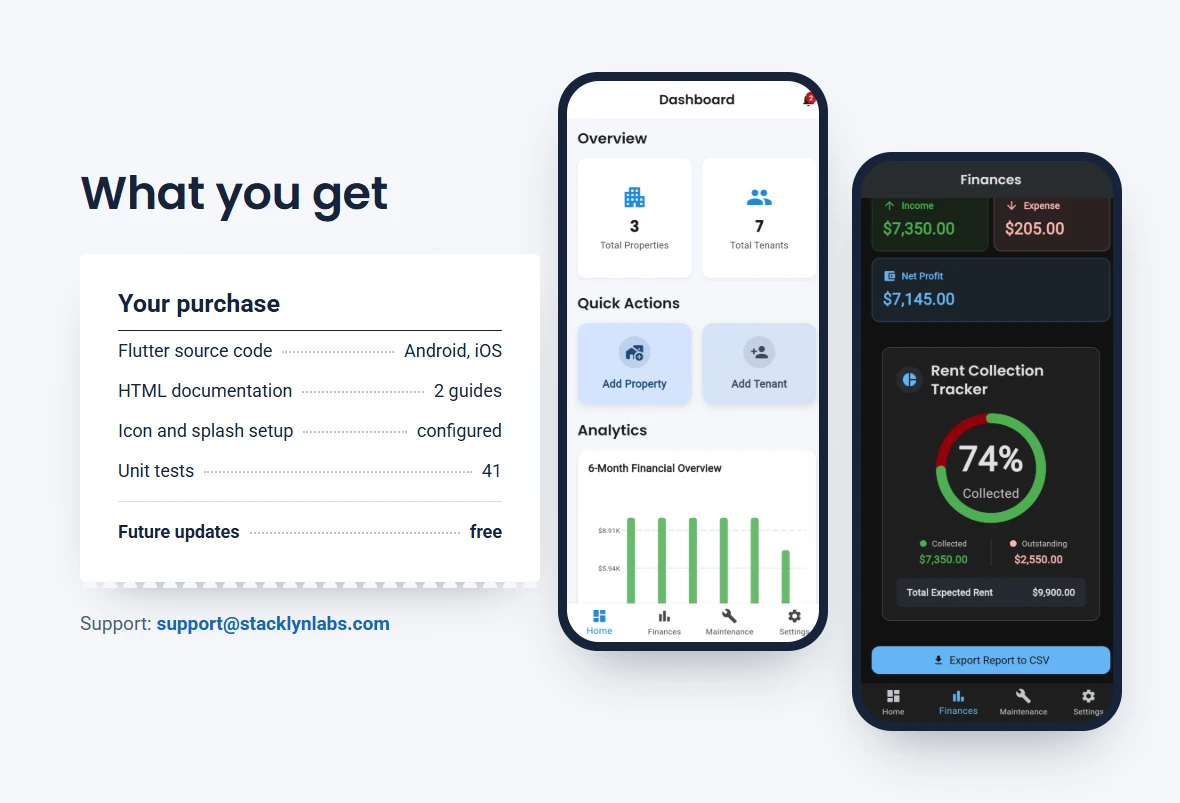
- Complete Flutter Source Code (Android & iOS)
- HTML documentation: a Quick Setup guide and a Complete Setup guide
- App icon and splash screen generator configuration
- 41 unit tests
- Free lifetime updates
Requirements
- Dart SDK: ^3.9.2.
- Android Build: Java 17.
- Targets: Android 7.0 or later and iOS 14.0 or later.
- Backend: none required.
Not Included
- Web and desktop builds (Android and iOS only). The Web Live Preview is a browser build with sample data for previewing only, and phone notifications and the print dialog behave natively only on a device.
- Ads, analytics or any other monetization.
- A backend or user accounts.
Start your property management app with the Rent Folio Flutter template.
Developed by Stacklyn Labs developers.
 CodeCanyon
 Codester