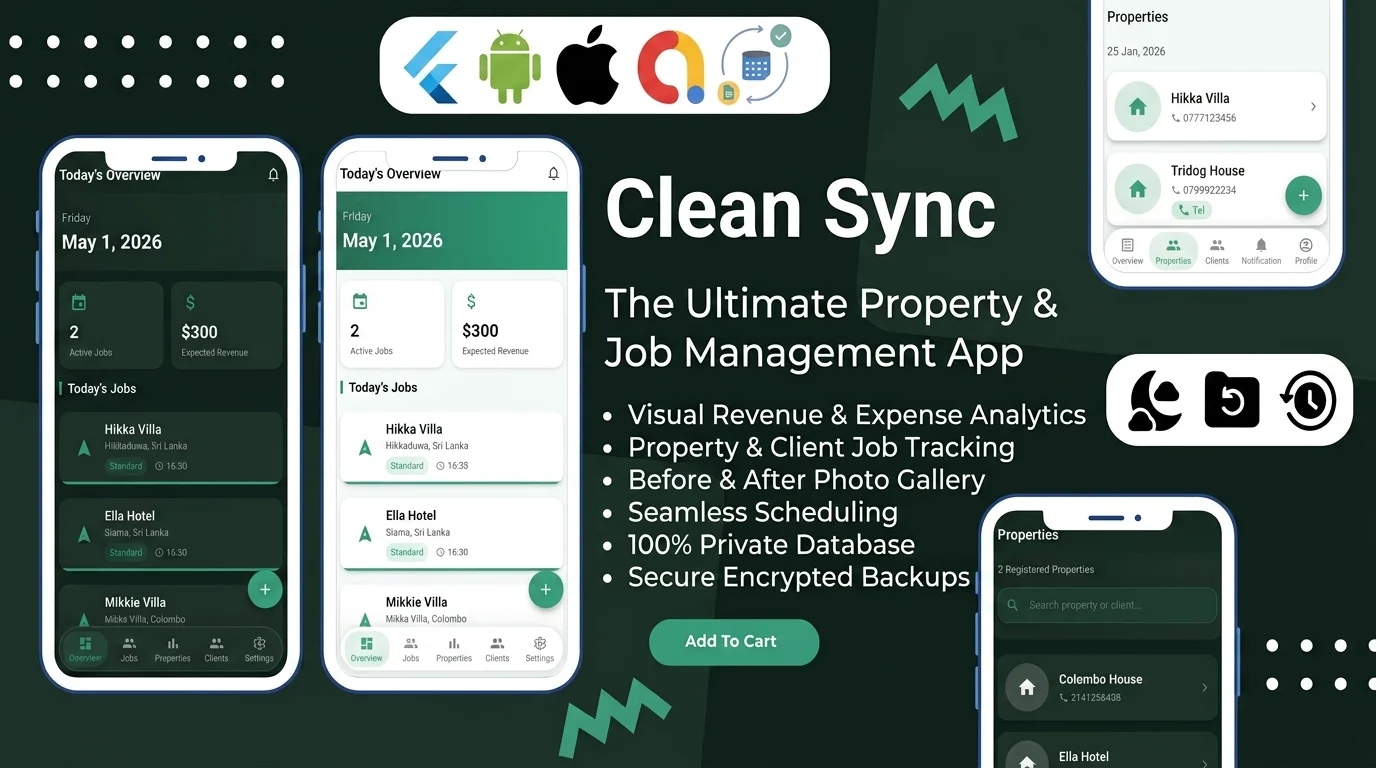
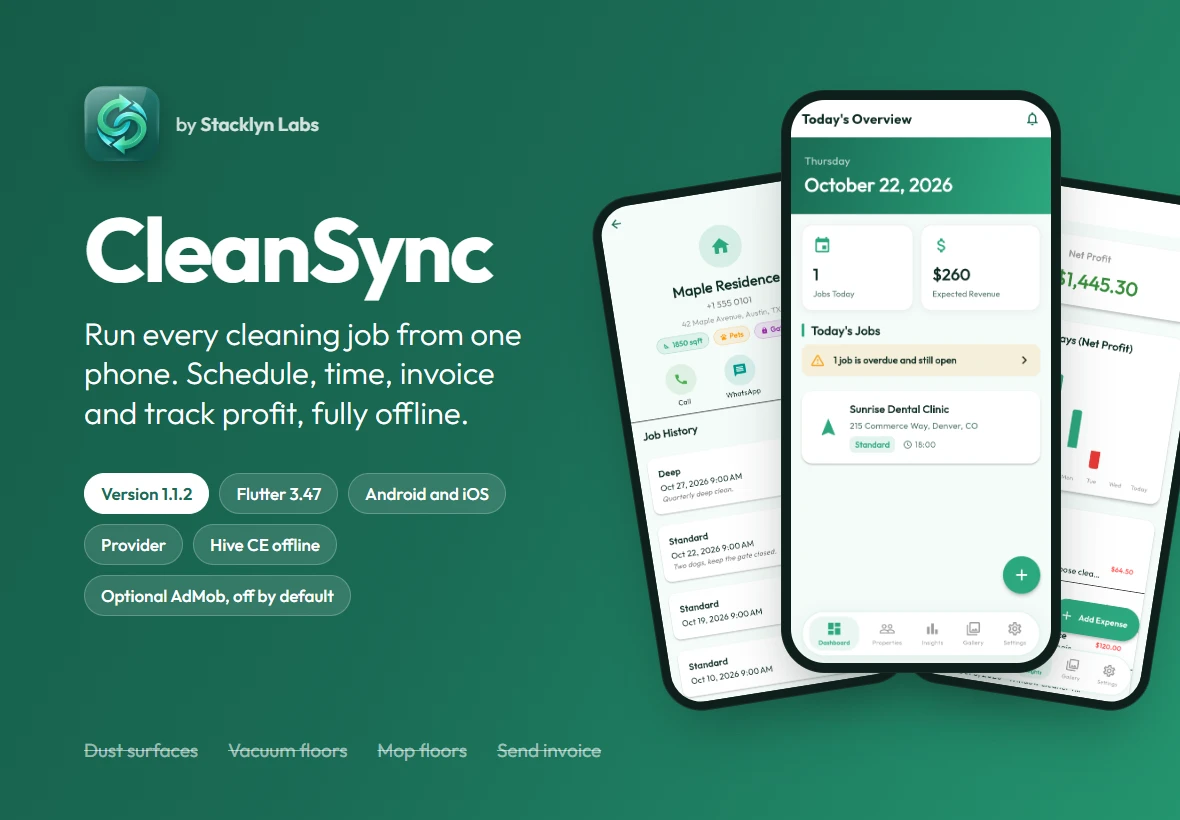
CleanSync is an offline-first Flutter app template for independent cleaners, cleaning agencies, property managers and maintenance professionals. It brings together job scheduling with a timer and checklist, property (client) management, PDF estimates and invoices, and profit and expense tracking in one app. All business data is stored on the device in a fast Hive CE database, and all fonts are bundled. There is no backend, no Firebase project, no user accounts and no monthly hosting cost, so the app works without an internet connection from the first launch.
For a developer or agency building a job and invoice app for a cleaning client, the parts a cleaner uses every day are already built, and branding lives in one config file and one theme file. Client addresses, phone numbers and gate access codes stay on the phone rather than on a server, and there is no hosting bill to pass on.
What's New in v1.1.2
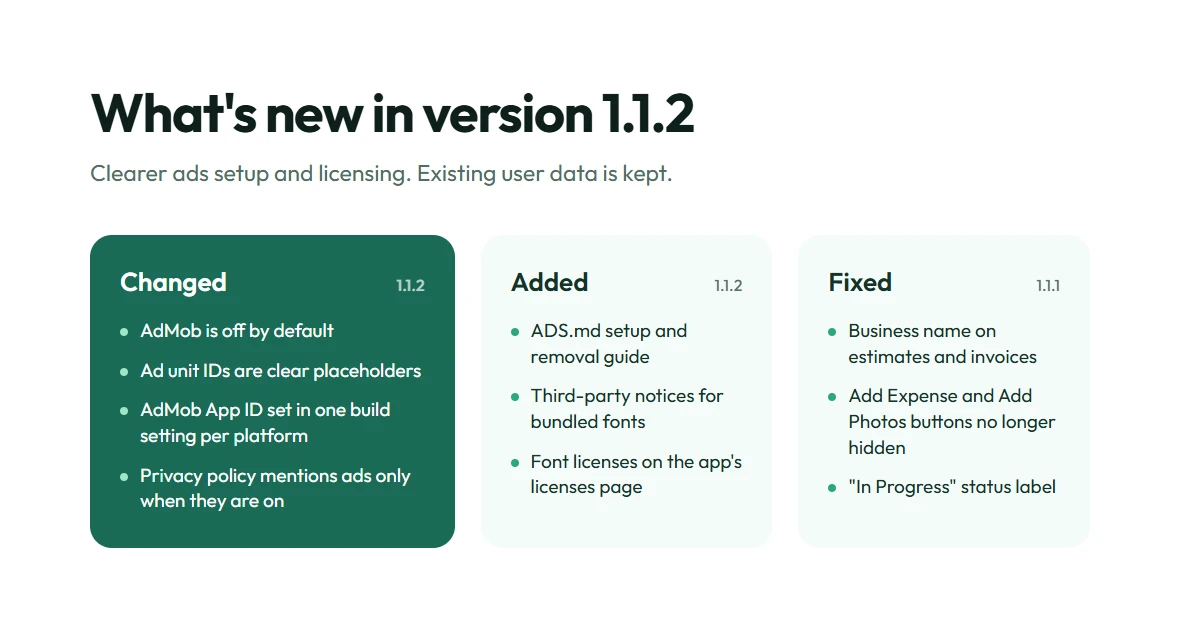
Version 1.1.2 makes the optional Google AdMob integration off by default, replaces every ad ID with a clear placeholder, and adds full third-party notices for the bundled fonts.
- Ads off by default: AdMob is now disabled by default (
AdConfig.enabled = false). - Placeholder ad IDs: Release ad unit IDs are clear placeholders, and no ad is requested while a placeholder is set.
- One AdMob App ID setting: The App ID is set in one labelled build setting per platform (
build.gradle.ktsand the iOS xcconfig files). - Accurate privacy policy: The in-app privacy policy mentions AdMob only when ads are enabled.
- New docs:
ADS.md(AdMob disclosure, setup and removal) andTHIRD_PARTY_NOTICES.md(font attribution). - Font licences: The bundled fonts' SIL OFL 1.1 licences appear on the app's licences page.
Core App Features
Cleaning Job Scheduling with Timer and Checklist
Each job belongs to a property and has its own job type, date and time, status, price, notes, checklist and photos.
- Job Types: Standard, Deep, Move-In and Post-Construction.
- Job Statuses: Pending, In Progress, Completed and Cancelled.
- Job Timer: Start, pause and reset. The time is saved with the job.
- Checklist: Tick every task and the job is marked Completed automatically.
PDF Estimates and Invoices
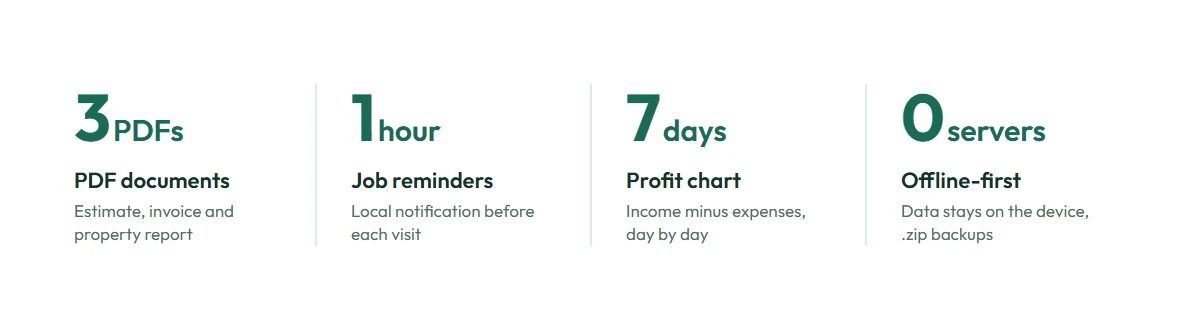
A quote before the visit and a numbered invoice afterwards, both printed with the business name from Settings.
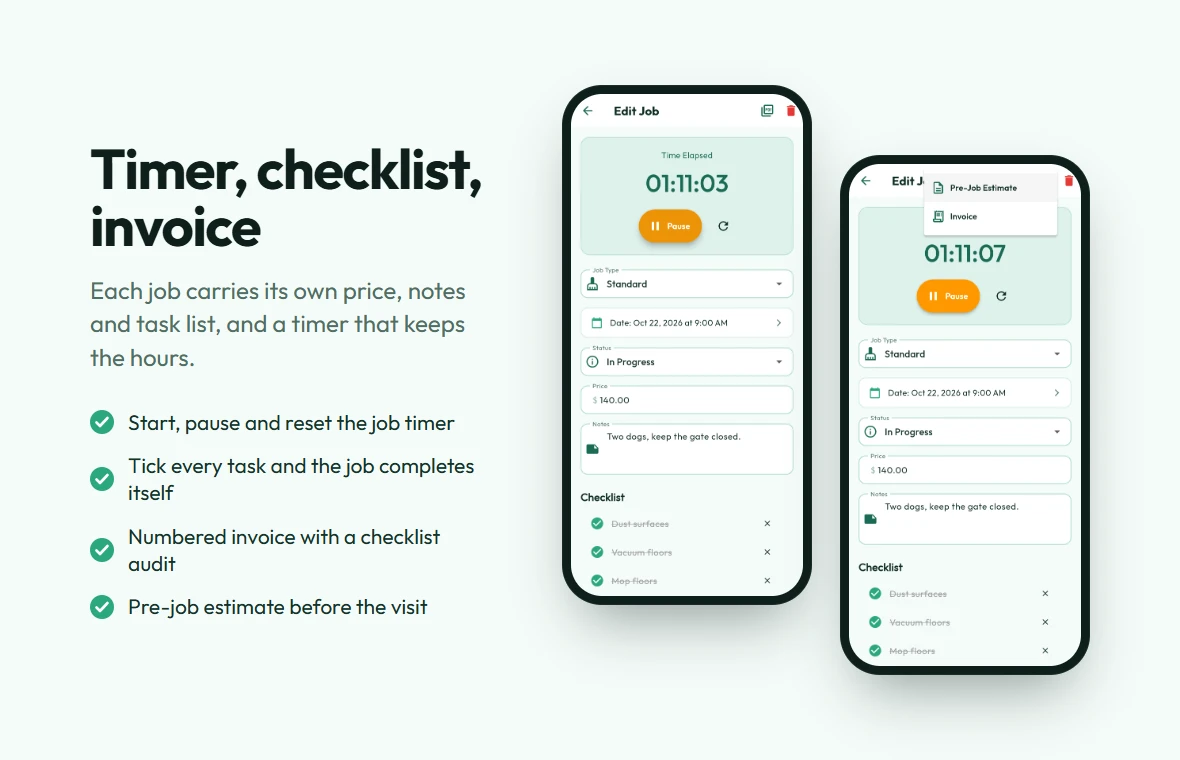
- Pre-Job Estimate: With the checklist and the estimated total.
- Invoice: A unique number (for example INV-20261022-A1B2) and a checklist audit showing which tasks were done.
- Sharing: Share the PDF through the phone's share sheet, for example WhatsApp or email. In the web preview the PDF is saved as a file.
- Unicode PDF Font: Noto Sans, so currency symbols such as €, £ and ₹ print correctly.
Property and Client Management (CRM)
Every client property has its own profile with contact details, access notes and complete job history.
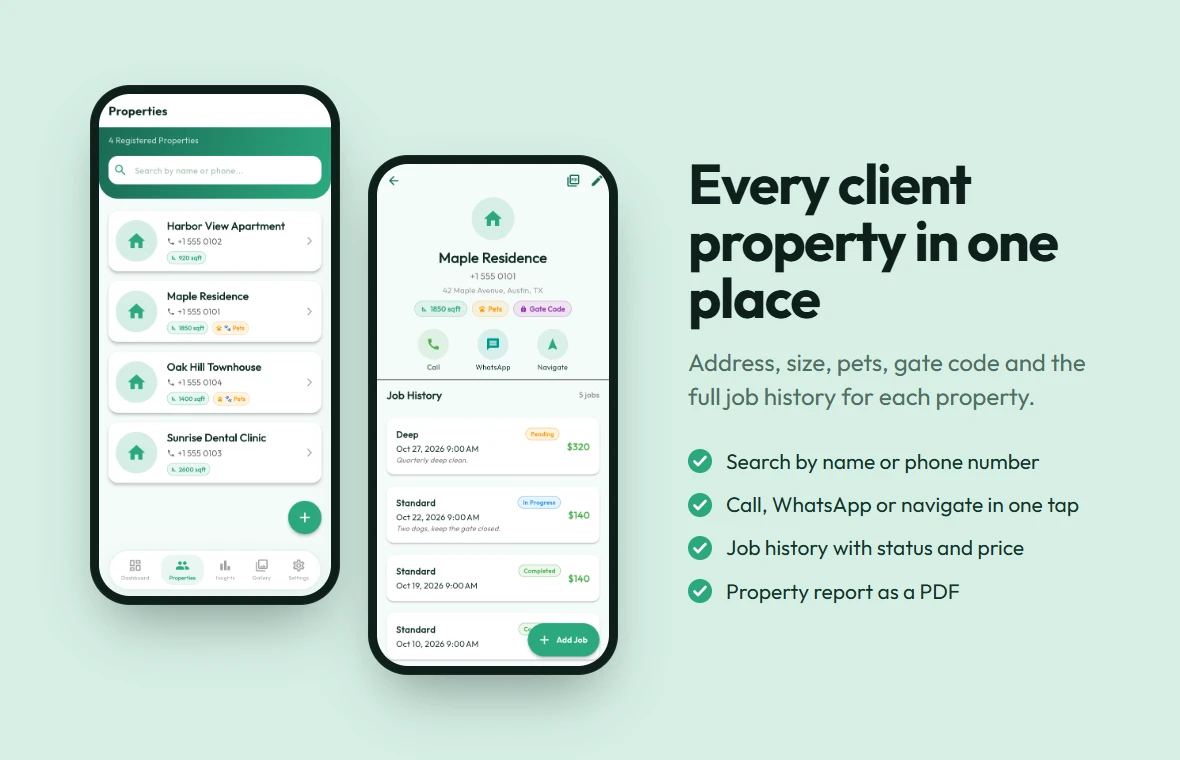
- Property Details: Name, phone number, address, size in square feet, default cleaning rate, pets flag and gate or access code.
- Quick Actions: Call, message on WhatsApp or get directions in the phone's maps app.
- Job History: Status and price for every visit.
- Reports & Search: A property report as a PDF, and search properties by name or phone number.
- Photos: Attach photos to properties and jobs. The Gallery tab groups every photo by property.
Profit and Expense Tracking
The Insights tab shows what the business really earns: income from completed jobs minus expenses.
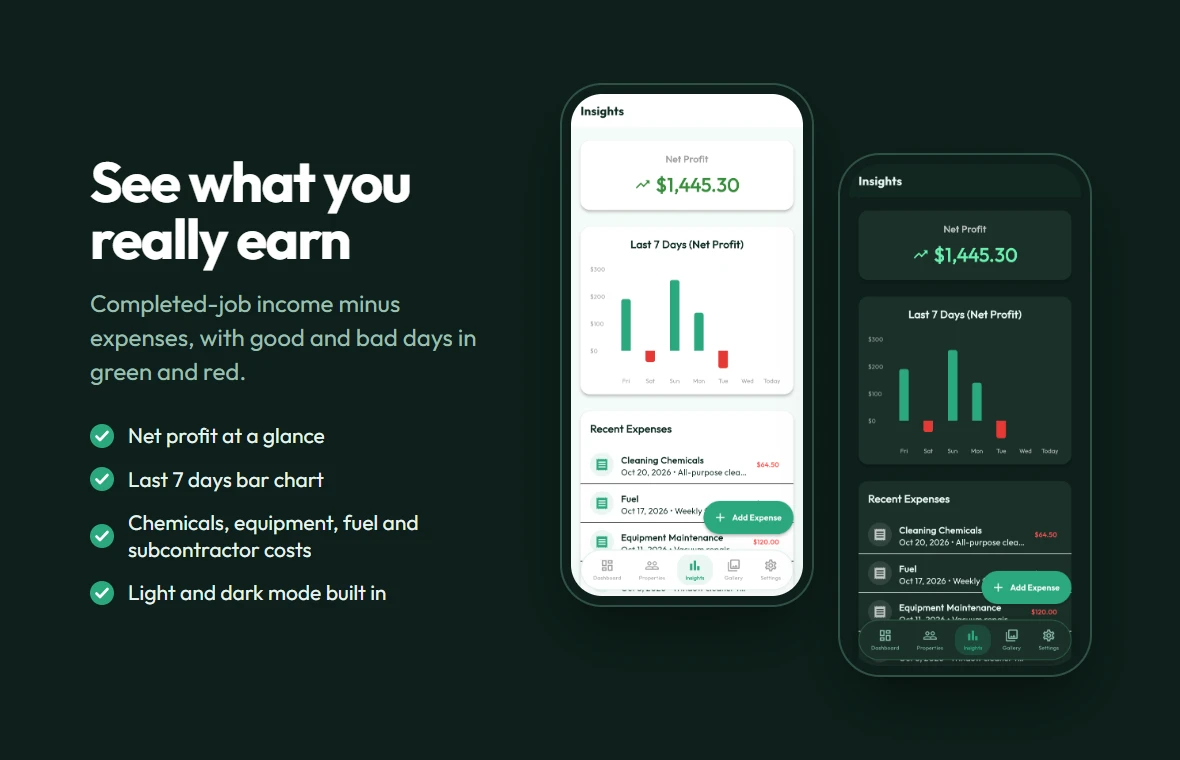
- Net Profit: At a glance.
- 7-Day Chart: A last 7 days bar chart, with profitable days in green and loss days in red.
- Expense Categories: Cleaning Chemicals, Equipment Maintenance, Fuel, Subcontractor Fees and Other.
- Any Currency: Works with any currency symbol set in Settings.
Daily Dashboard, Job Reminders and Backups
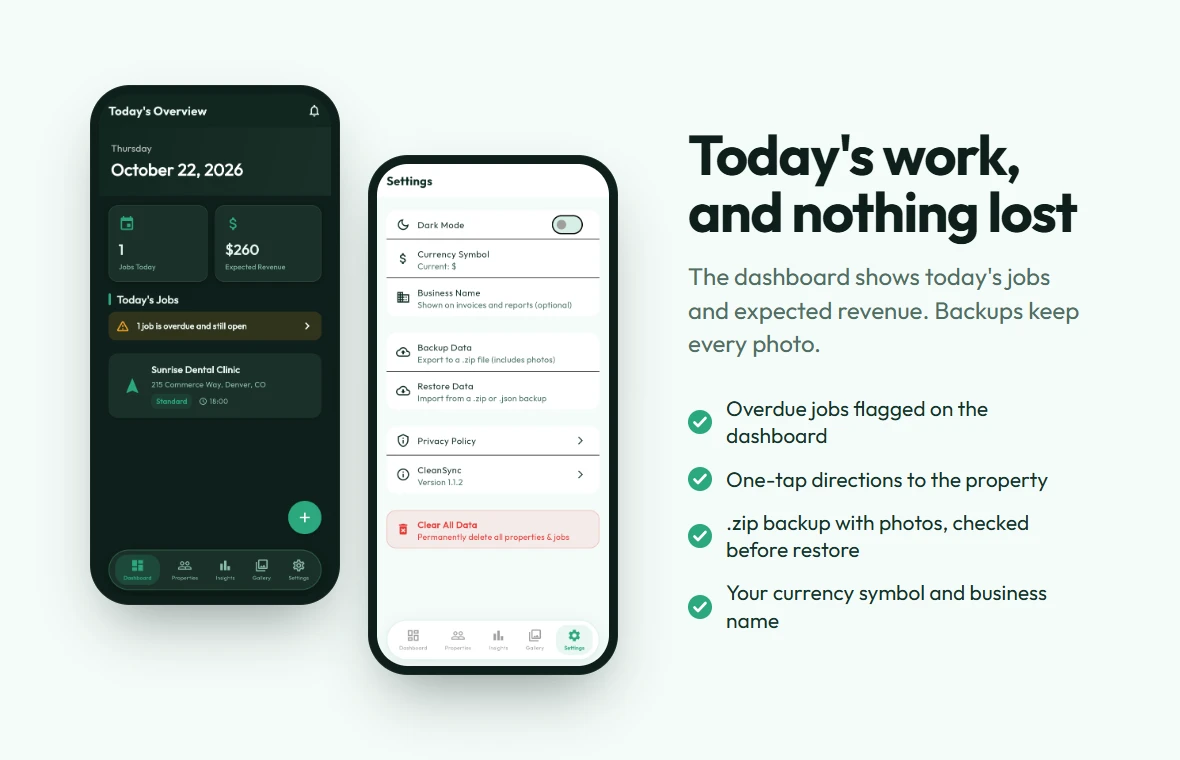
- Today's Work: Today's jobs and expected revenue, with one-tap directions to each property.
- Overdue Jobs: A banner for open jobs whose time has passed, plus a reminders screen with overdue and upcoming jobs.
- Job Reminders: Local notifications one hour before each pending job (Android and iOS).
- ZIP Backup: A one-tap .zip backup that includes every photo. A backup is fully checked before any data is replaced on restore.
- Design: Material 3 with a floating navigation bar and full light and dark mode.
Ads and Third-Party Services
- Optional AdMob: The project includes the Google Mobile Ads SDK (
google_mobile_ads) for optional interstitial ads. When enabled, an ad may appear only after a job is completed, at most 2 per session and at least 3 minutes apart, with a Google UMP consent form where the law requires it. - Disabled by Default:
AdConfig.enabledis false. Out of the box the app shows no ads, shows no consent form and makes no ad requests. - No Author IDs: The source code contains no AdMob publisher ID, App ID or ad unit ID belonging to the author. Ad unit IDs are placeholders, and the App ID is Google's official sample ID, which the SDK needs to start.
- Your Own Credentials: To show ads you need your own AdMob account, App IDs and ad unit IDs.
ADS.mdand the documentation show every file to edit, and how to remove the SDK completely if you never want ads. - No Other External Services: The Outfit and Noto Sans fonts are bundled under the SIL Open Font License 1.1 and are never downloaded at runtime.
Why Buy CleanSync? (Developer & Business Value)
- Offline-First: All business data stays on the device and all fonts are bundled, so the app works without an internet connection from the first launch.
- Zero Backend Infrastructure Costs: No backend, no Firebase project and no user accounts, so there is no monthly hosting bill.
- Clear Provider Architecture:
PropertyProvider,SettingsProviderandStatsProvideron top of a Hive CE database with typed models, in a clearlib/core, data, providers, screens, services and widgets structure, covered by 29 tests. - Whitelabel in One File: App name, company, support email and website live in one
BrandConfigfile, and ad settings in oneAdConfigfile. All colours are named tokens in one theme file, and the documentation includes a no-code colour guide with before and after examples. The launcher icon and splash screen are generated from your own image withflutter_launcher_iconsandflutter_native_splash.
Technical Specifications For Developers
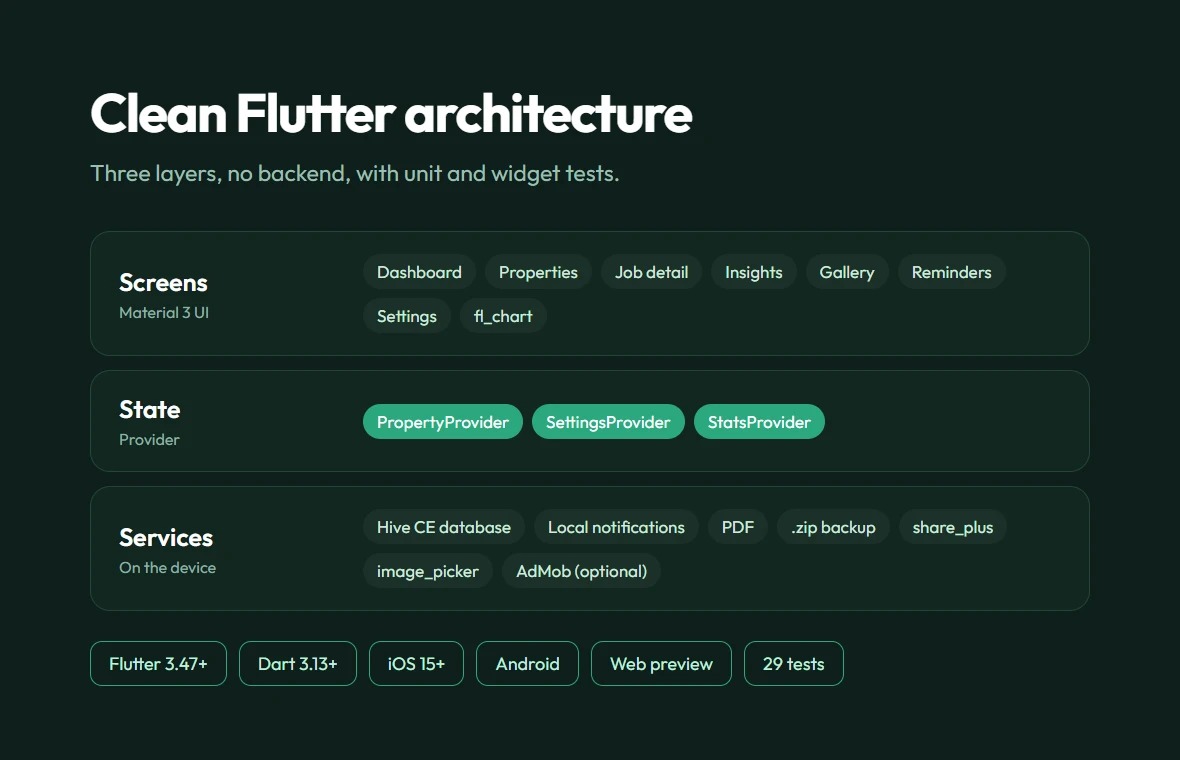
- Framework: Flutter 3.47 or newer, Dart 3.13 or newer, Material 3.
- Programming Language: Dart.
- State Management: Provider, with
PropertyProvider,SettingsProviderandStatsProvider. - Local Database: Hive CE with typed models and generated adapters.
- Main Packages:
fl_chart,pdf,flutter_local_notifications,share_plus,image_picker,file_picker,archive,url_launcher,google_fonts(bundled fonts only) andgoogle_mobile_ads(optional, off by default). - Platforms: Android (Flutter's default minimum and target SDK) and iOS 15.0 and newer. A web build is included as a preview for developers. Notifications, ads and the share sheet are mobile-only.
- Code Structure:
lib/core, data, providers, screens, services and widgets. - Tests: 29 unit and widget tests covering the database, backups, statistics, models and app start-up.
What Is Included in Your Purchase?
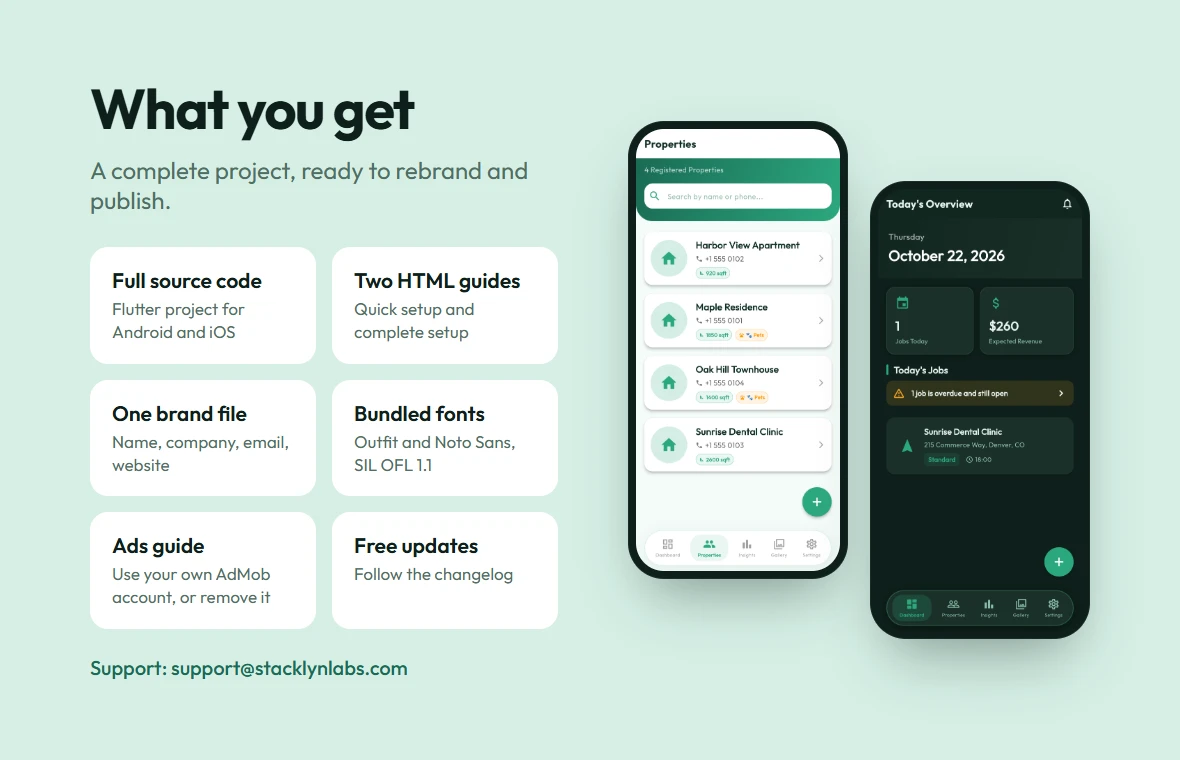
- Complete Flutter Source Code (Android & iOS)
- Quick Setup Guide and Complete Setup Guide (HTML) with screenshots, sample PDFs and release steps for Google Play and the App Store
- README, CHANGELOG,
ADS.mdandTHIRD_PARTY_NOTICES.md - Bundled Outfit and Noto Sans fonts with their SIL OFL 1.1 licence files
- Free Lifetime Updates
Requirements
- Flutter SDK: 3.47 or later (Dart 3.13 or later).
- Backend: none required.
Not Included
- AdMob credentials. To show ads you need your own AdMob account, App IDs and ad unit IDs.
- A production web app. The web build is a developer preview, without notifications, ads or the share sheet.
Launch your own cleaning service management app with CleanSync.
Developed by Stacklyn Labs developers.
 CodeCanyon
 Codester