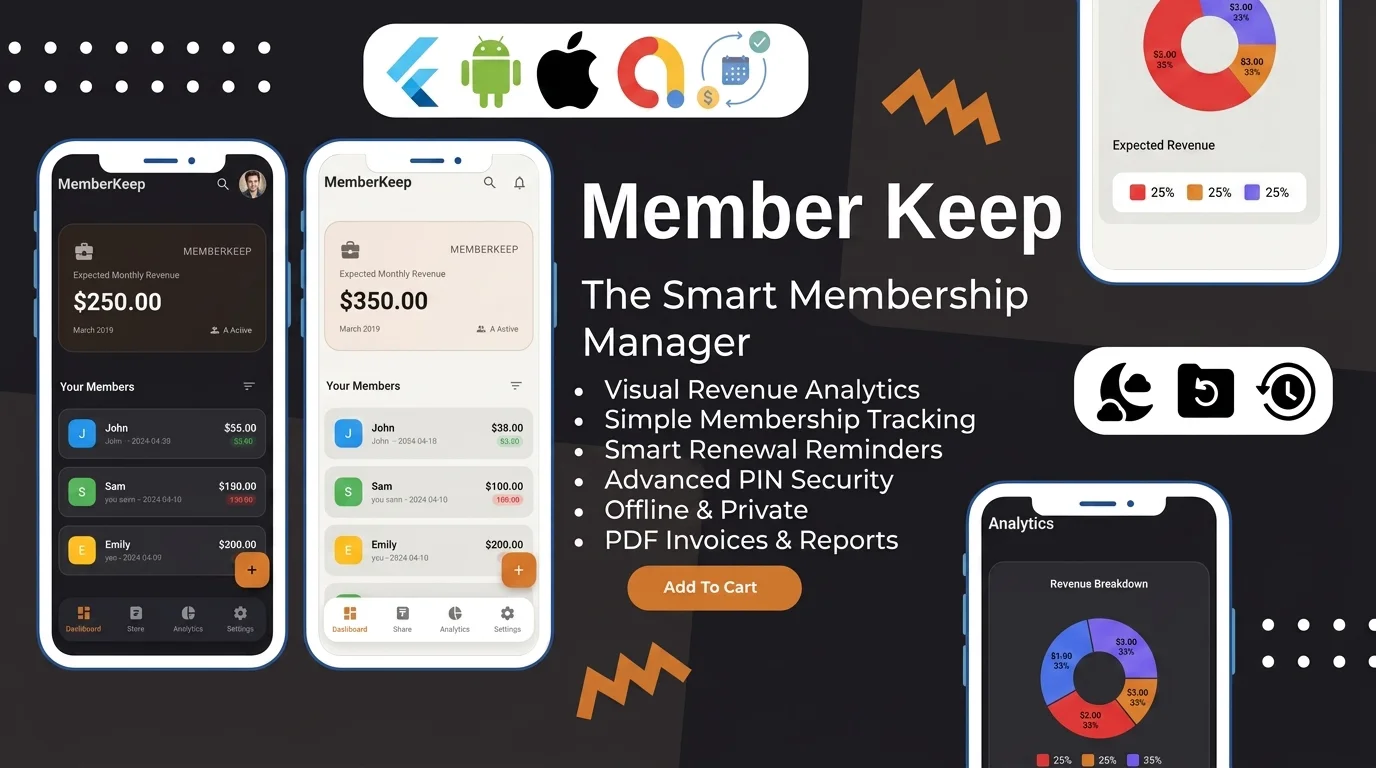
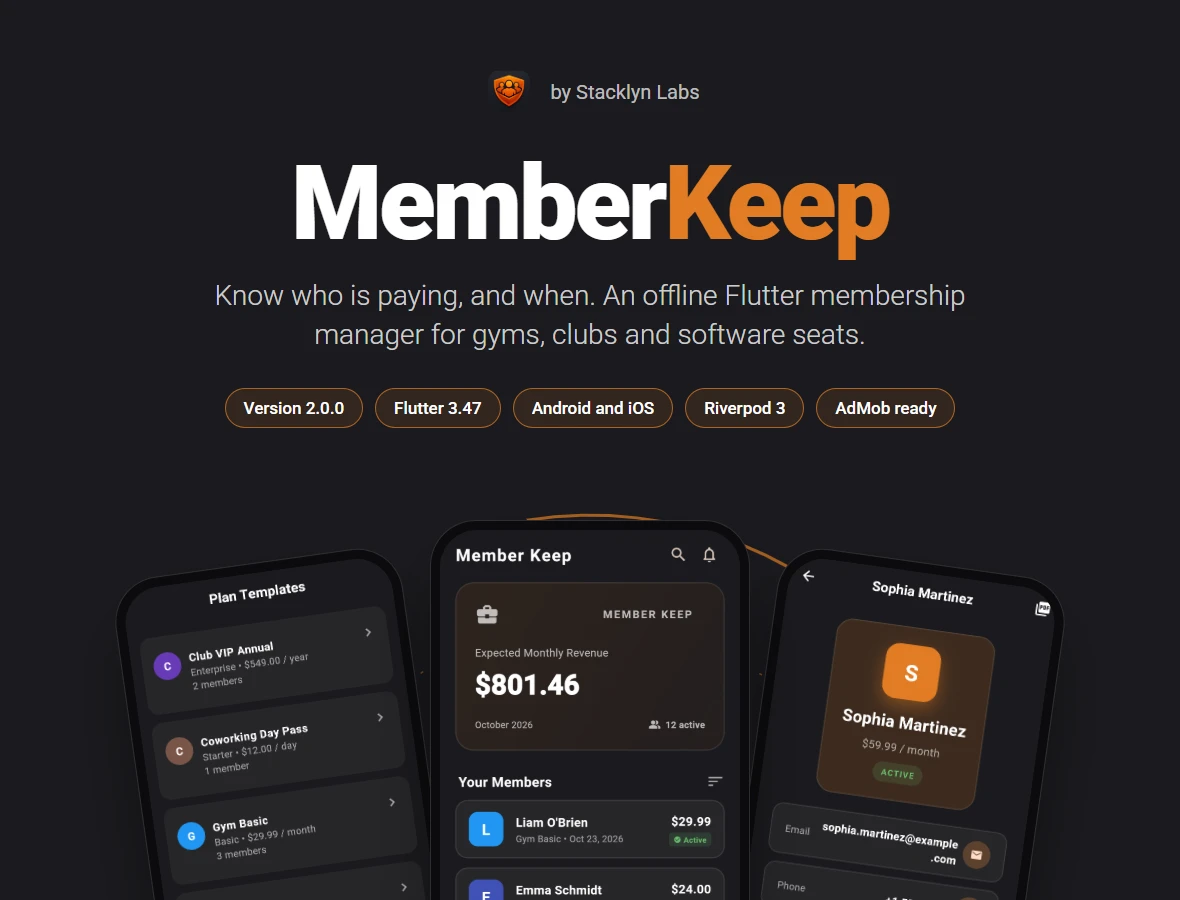
MemberKeep is an offline-first Flutter app template for any business with recurring members: gyms, clubs, coworking spaces, coaches, freelancers and software sellers. It tracks members, plan templates on daily, weekly, monthly or yearly billing, renewal dates and expected monthly revenue. Member data stays on the device in an encrypted Hive CE database. There is no server and no monthly cloud bill.
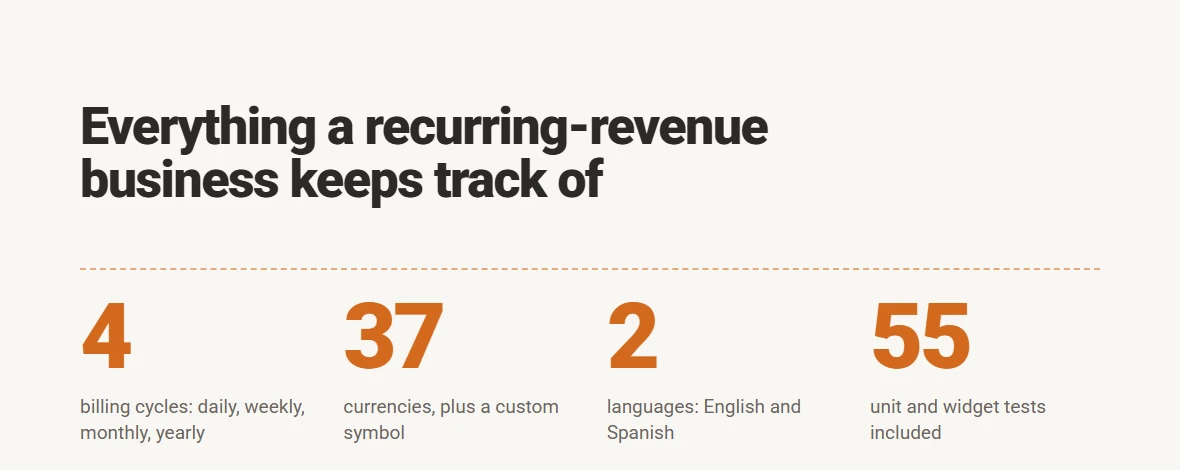
For a developer launching a membership app, or a freelancer building a client management app for a gym or studio owner, MemberKeep is a Riverpod 3 and Hive CE codebase for Android and iOS with 55 tests, a GitHub Actions workflow, and English and Spanish translations. It is a solid base to rebrand and publish, or to extend for a client project.
What's New in v2.0.0
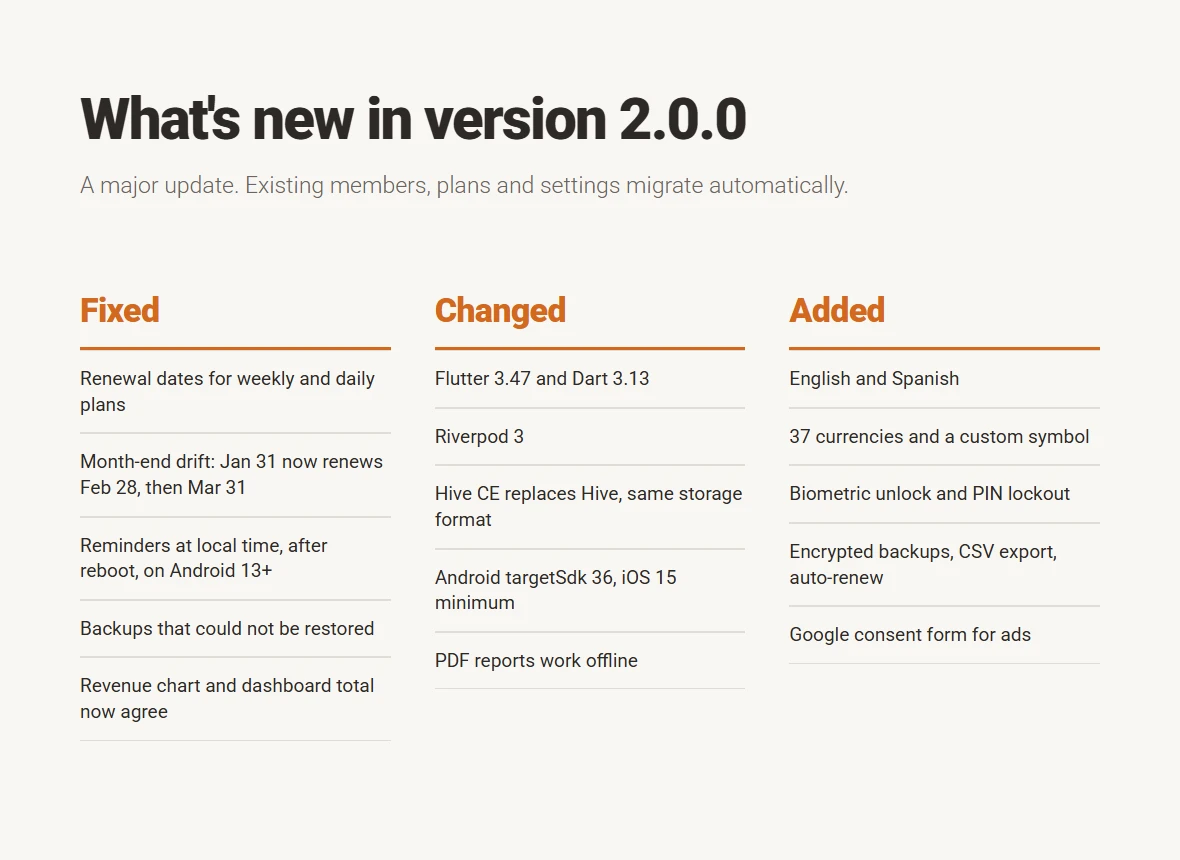
Version 2.0.0 is a major update. Your users' data is migrated automatically on first launch.
- Updated stack: Flutter 3.47, Dart 3.13, Riverpod 3 and Hive CE (same storage format). Android targetSdk 36 and iOS 15 minimum.
- Correct renewals: Renew Now follows the plan's cycle, and month-end renewal dates no longer drift.
- Reliable reminders: Reminders fire at local time and survive a reboot.
- Fixed backups and totals: Backups restore after an app restart, and the dashboard total matches the chart.
- Offline PDFs: PDF reports now work offline.
- Languages & currencies: English and Spanish, and 37 currencies.
- Security: Biometric unlock with PIN lockout, and password-protected backups.
- More tools: CSV export, per-member auto-renew, a Google consent form for ads, and a startup recovery screen.
Core App Features
Revenue Dashboard and Member Search
The dashboard shows expected monthly revenue from active members. Every billing cycle is converted to a monthly amount, so weekly, daily and yearly plans add up correctly.
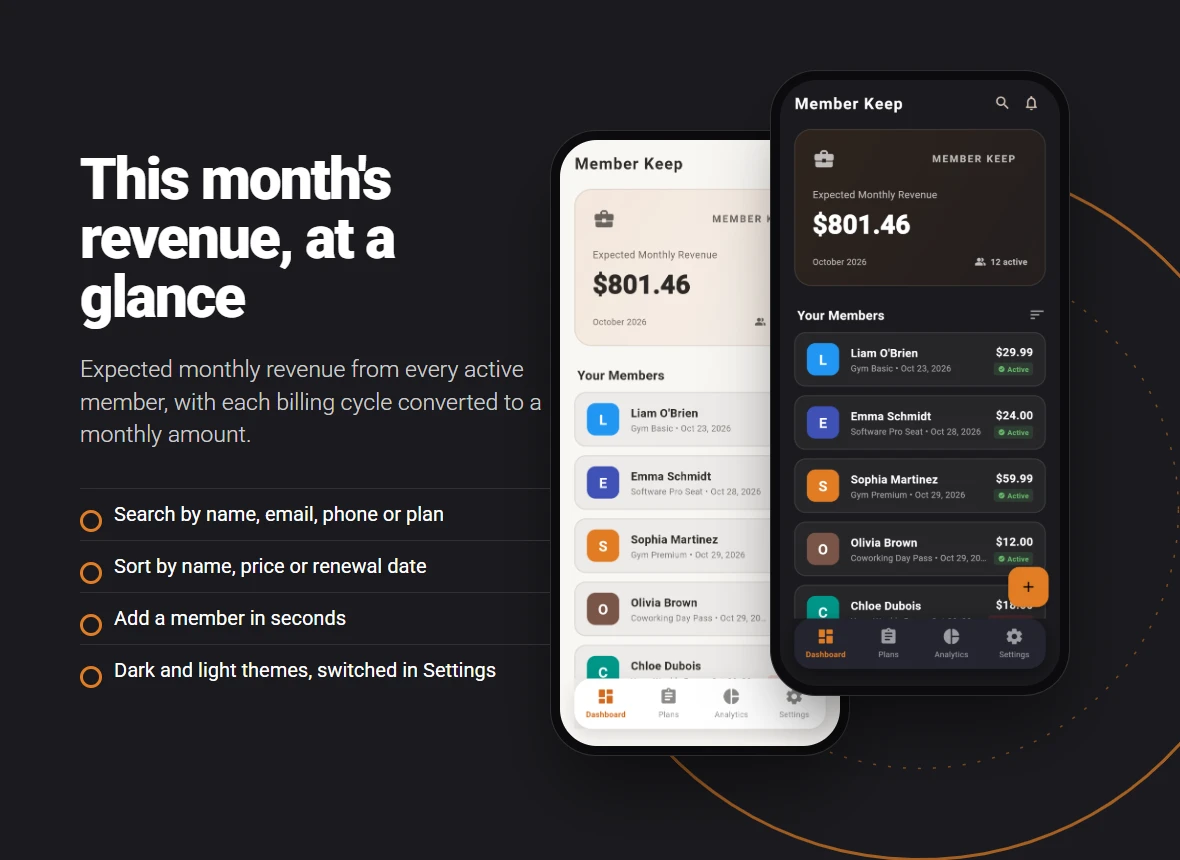
- Revenue Card: Expected monthly revenue and the number of active members on one card.
- Search & Sort: Search members by name, email, phone or plan, and sort by name, price or renewal date.
- Guided Add: Add a member from the dashboard. If no plan exists yet, the app asks you to create one first.
- Themes: Dark and light themes, switched in Settings.
Plan Templates with Daily, Weekly, Monthly and Yearly Billing
Create plan templates once, then attach members to them. There is no limit on the number of plans in the code.
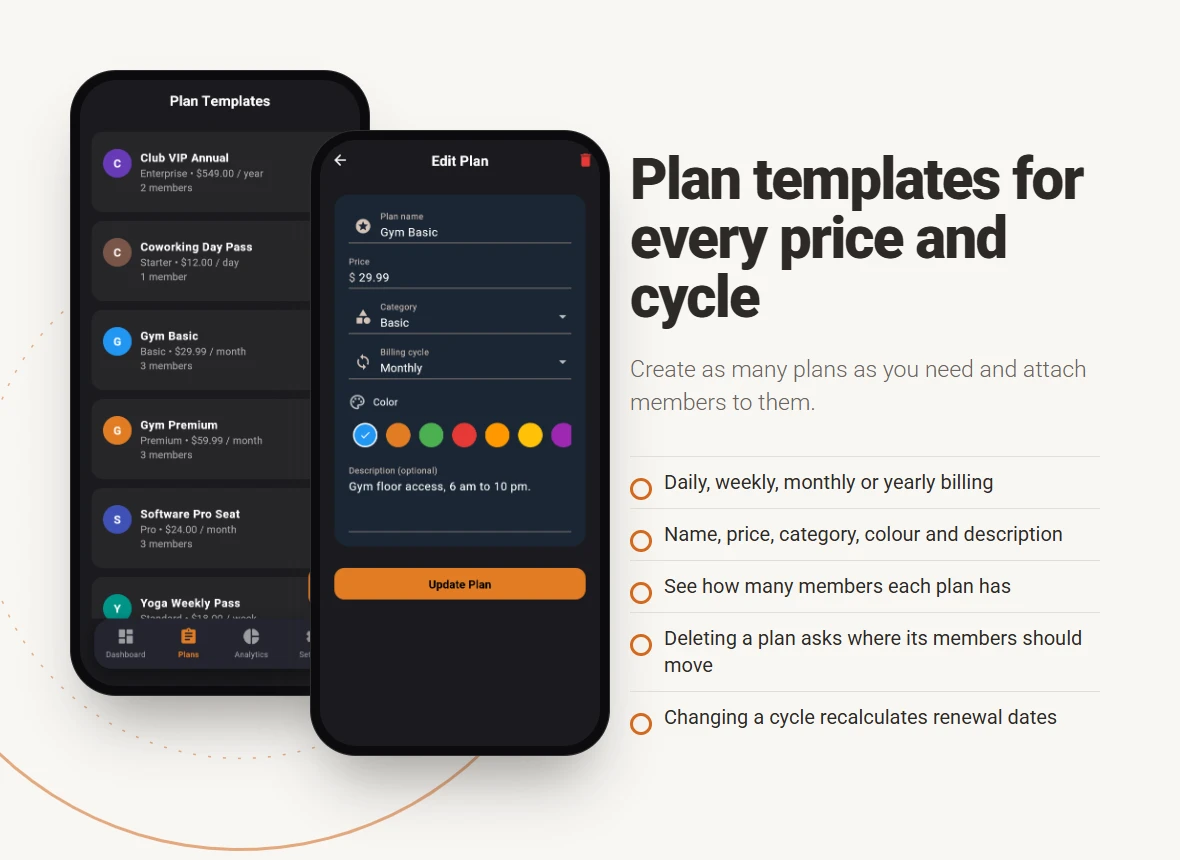
- Billing Cycles: Daily, weekly, monthly or yearly.
- Plan Details: Name, price, category, colour and an optional description.
- Member Counts: The plan list shows how many members each plan has.
- Safe Plan Delete: Deleting a plan that is in use asks which plan to move its members to.
- Cycle Changes: Changing a plan's billing cycle recalculates its members' renewal dates, with a warning first.
Member Profiles with Renewal Tracking and Auto-Renew
Each member has contact details, a plan, a join date and a next renewal. Renewal dates are counted from the join date, so month-end dates stay correct: a member who joined on Jan 31 renews on Feb 28, then Mar 31.
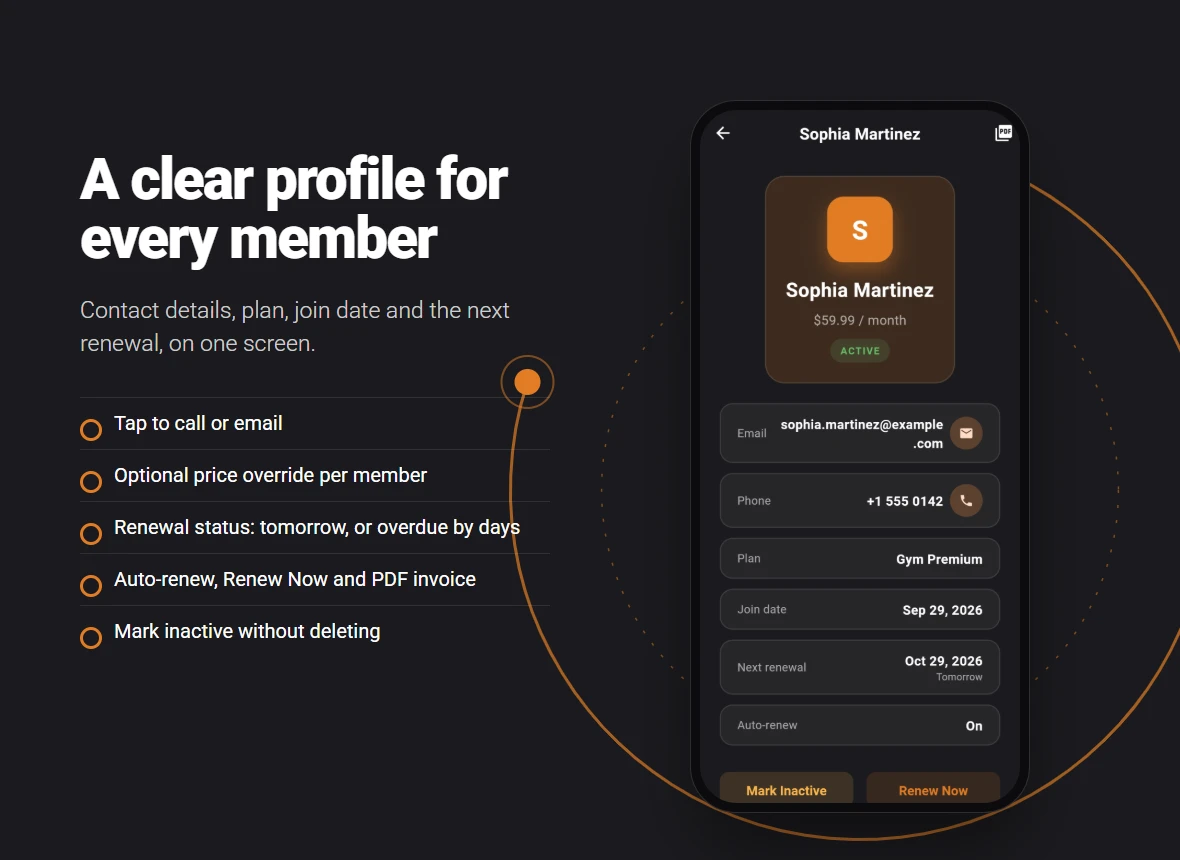
- Contact: Tap to call or email from the profile.
- Price Override: An optional price for a single member. Leave it blank to use the plan price.
- Renewal Status: Labels such as "Tomorrow" or "Overdue by 5 days".
- Renew Now: Moves the date forward by one billing cycle.
- Auto-Renew: Per member. Overdue dates move forward when the app starts.
- Inactive & Delete: Mark a member inactive without deleting them, and confirm before any delete.
- PDF Invoice: Generate an invoice for a member, with an invoice number.
Revenue Analytics and Renewal Reminders
The Analytics tab shows a donut chart of monthly revenue by plan category. An Upcoming Renewals list shows active members due in the next 30 days.
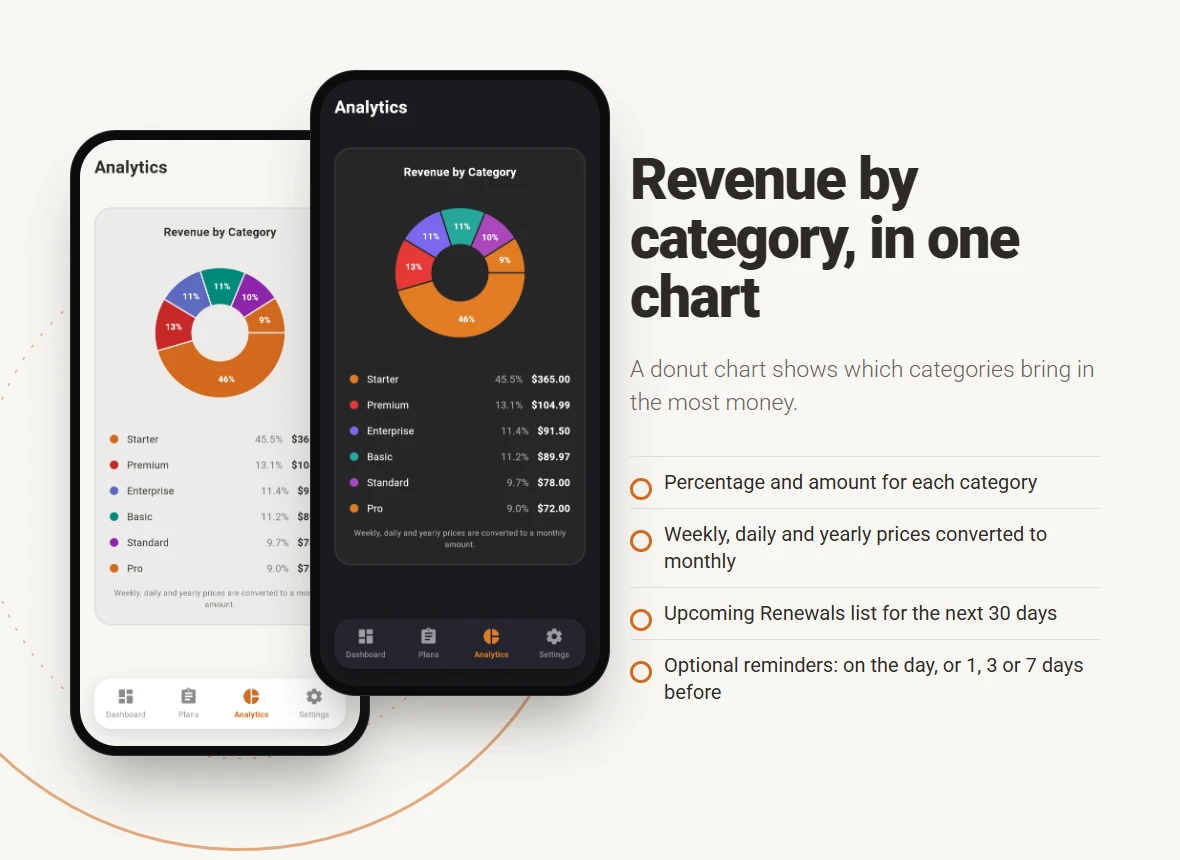
- Revenue by Category: Percentage and amount for each category, with weekly, daily and yearly prices converted to a monthly amount.
- Local Reminders: Renewal reminders with no push server needed.
- Reminder Timing: On the day, or 1, 3 or 7 days before, at a time you pick.
- Always in Sync: Reminders update when you renew, edit, deactivate or delete a member.
Offline Privacy, PIN and Biometric App Lock, Encrypted Backups
MemberKeep has no backend, and the code contains no analytics. Members, plans and settings are stored in an AES-encrypted Hive CE database, with the key kept in the system secure storage (Keychain or Keystore).
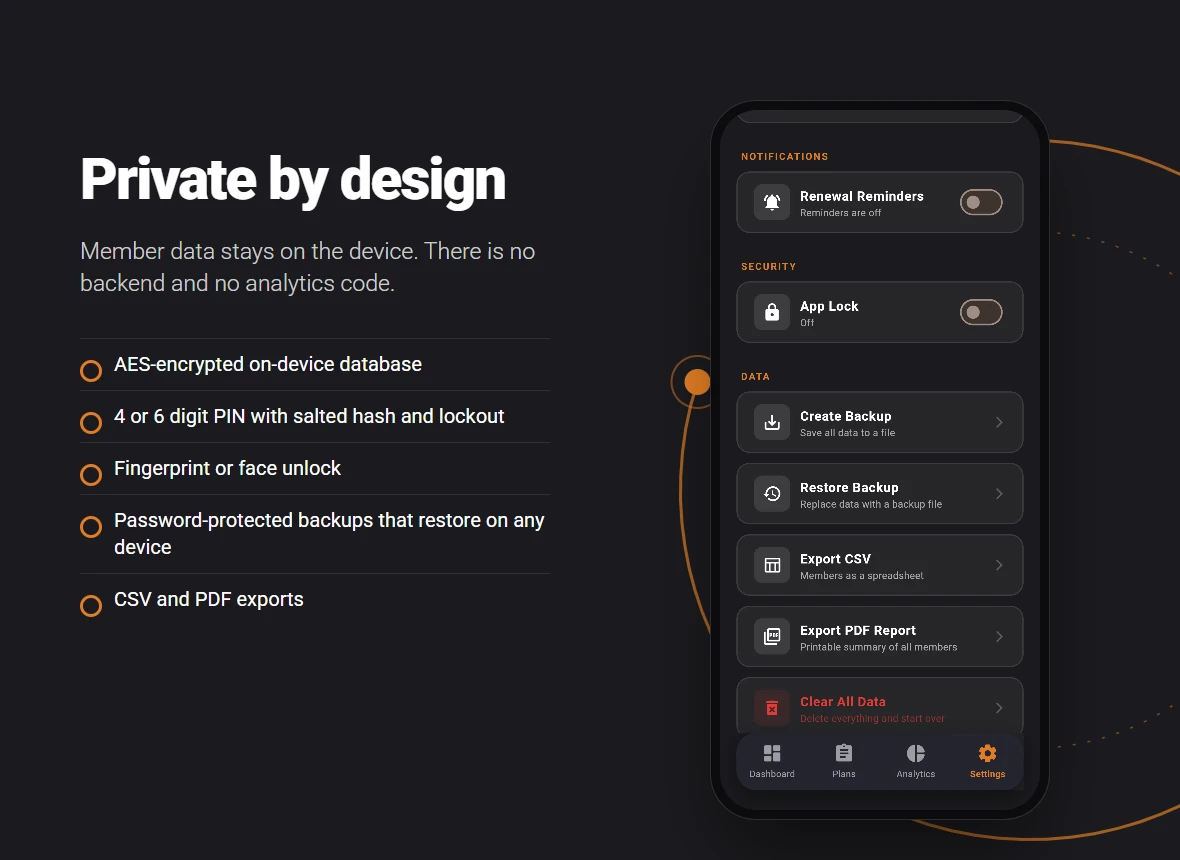
- App Lock: A 4 or 6 digit PIN, stored as a salted PBKDF2 hash.
- Lockout: After 5 wrong attempts, 30 seconds, doubling up to 30 minutes.
- Biometrics: Fingerprint or face unlock where the device supports it.
- Auto Re-Lock: The app locks again after 30 seconds in the background.
- Encrypted Backups: Password-protected
.mkbkpfiles (AES-256-GCM) that restore on any device, with a preview before restore and a rollback if it fails. - Exports: All members to CSV, or a printable PDF report.
- Forgot PIN: Offers to erase the data and start over.
Languages and Currencies
- Languages: English and Spanish, with System, English and Español options in Settings.
- Localized Formatting: Money and dates are formatted for the chosen language.
- Currencies: A picker with 37 common currencies, plus a custom symbol option.
- Add a Language: Add one
.arbfile and its code to the config.
Monetization
- AdMob Interstitials: Interstitial ads with a Google UMP consent form.
- One Off Switch:
AppConfig.enableAdsturns ads off completely.
Why Buy MemberKeep? (Developer & Business Value)
- Zero Backend Infrastructure Costs: No server and no monthly cloud bill. Member data stays on the device.
- Private by Design: No backend, no analytics in the code, and an AES-encrypted database with the key in Keychain or Keystore.
- Clean, Testable Codebase: Riverpod 3 with
riverpod_generatorand typed models, 55 unit and widget tests, and a GitHub Actions workflow. - Easy Rebranding: App name, default currency symbol, support email, developer name, ad limits, languages and the lock timeout live in
app_config.dart. Brand colours are inapp_colors.dart, with a warm amber palette for dark and light themes. Text lives inlib/l10nARB files, read withcontext.l10n.
Technical Specifications For Developers
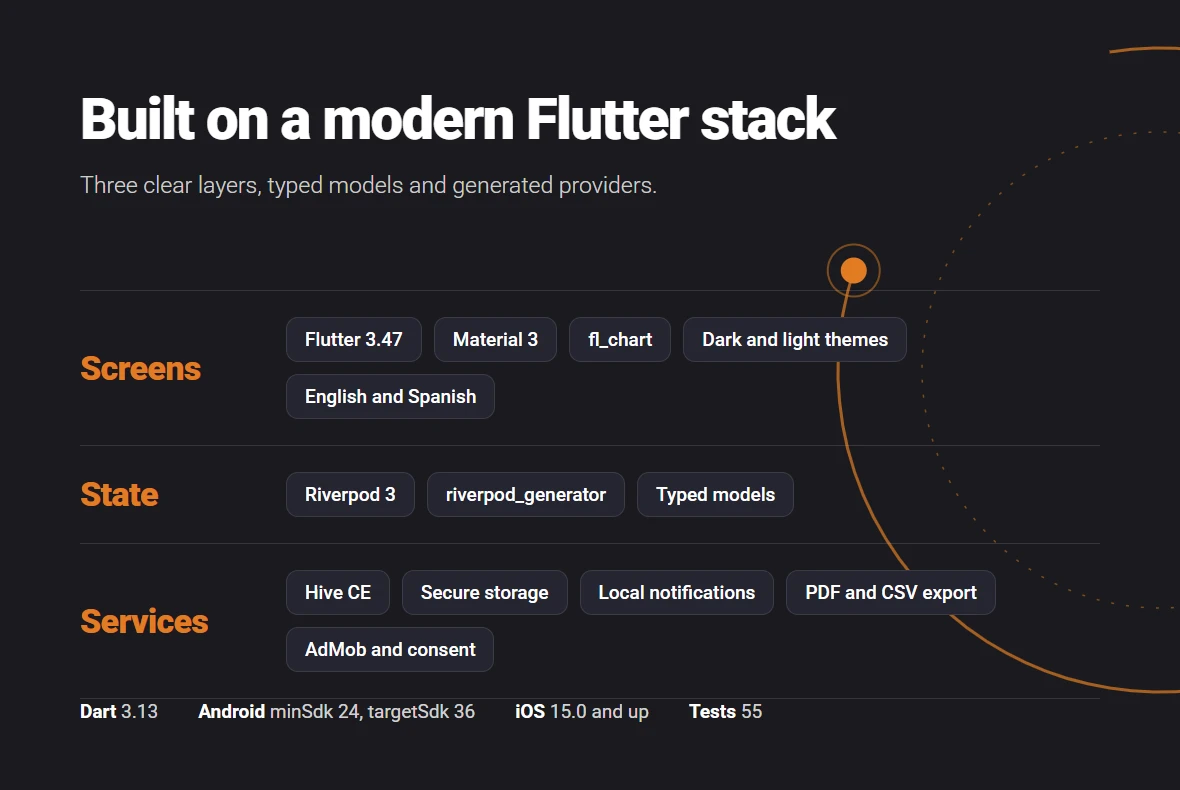
- Framework: Flutter 3.47 and Dart 3.13 (
sdk: ^3.13.0), Material 3, null safety. - Programming Language: Dart.
- State Management: Riverpod 3 with
riverpod_generatorand typed models. - Local Database: Hive CE with AES-encrypted boxes. The key is held in
flutter_secure_storage. - Main Packages:
fl_chart,flutter_local_notifications,local_auth,pdf,printing,file_picker,cryptographyandgoogle_mobile_ads. - Platforms: Android (minSdk 24, targetSdk 36) and iOS 15.0 and up.
- Fonts: Roboto is bundled, so the app and PDF reports work offline.
- AdMob Setup: Ad unit IDs go in
app_config.dart. The AdMob app IDs go inandroid/gradle.propertiesandios/Flutter/AdMob.xcconfig. - Android Release: Signing through
android/key.properties. - Tests: 55 unit and widget tests and a GitHub Actions workflow.
- Web Demo: The web preview shows the interface. Ads, local notifications, biometrics and secure storage need a real Android or iOS device.
What Is Included in Your Purchase?
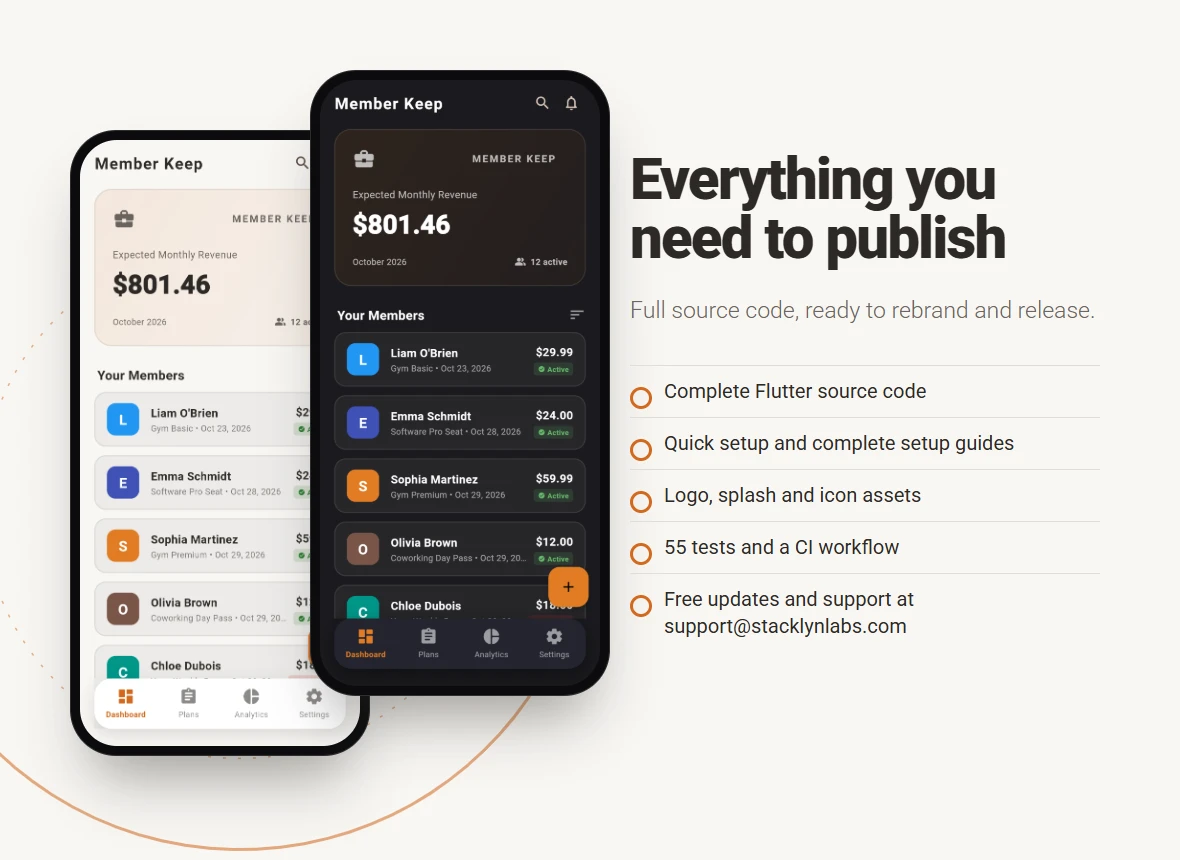
- Complete Flutter Source Code for Android & iOS
- Quick Setup Guide and Complete Setup Guide (HTML), covering setup, customization and store release
- App icon, splash and bundled font assets
- English and Spanish translation files
- 55 tests and a GitHub Actions workflow
- Free Lifetime Updates and support
Requirements
- Flutter SDK: 3.47 or later (Dart 3.13 or later).
- Devices: A real Android or iOS device to test ads, notifications, biometrics and secure storage.
- Backend: none required.
Not Included
- Your AdMob account, store listings and developer accounts. You add your own ad unit IDs and signing keys.
Launch your own offline membership management app with MemberKeep.
Developed by Stacklyn Labs developers.
 CodeCanyon
 Codester