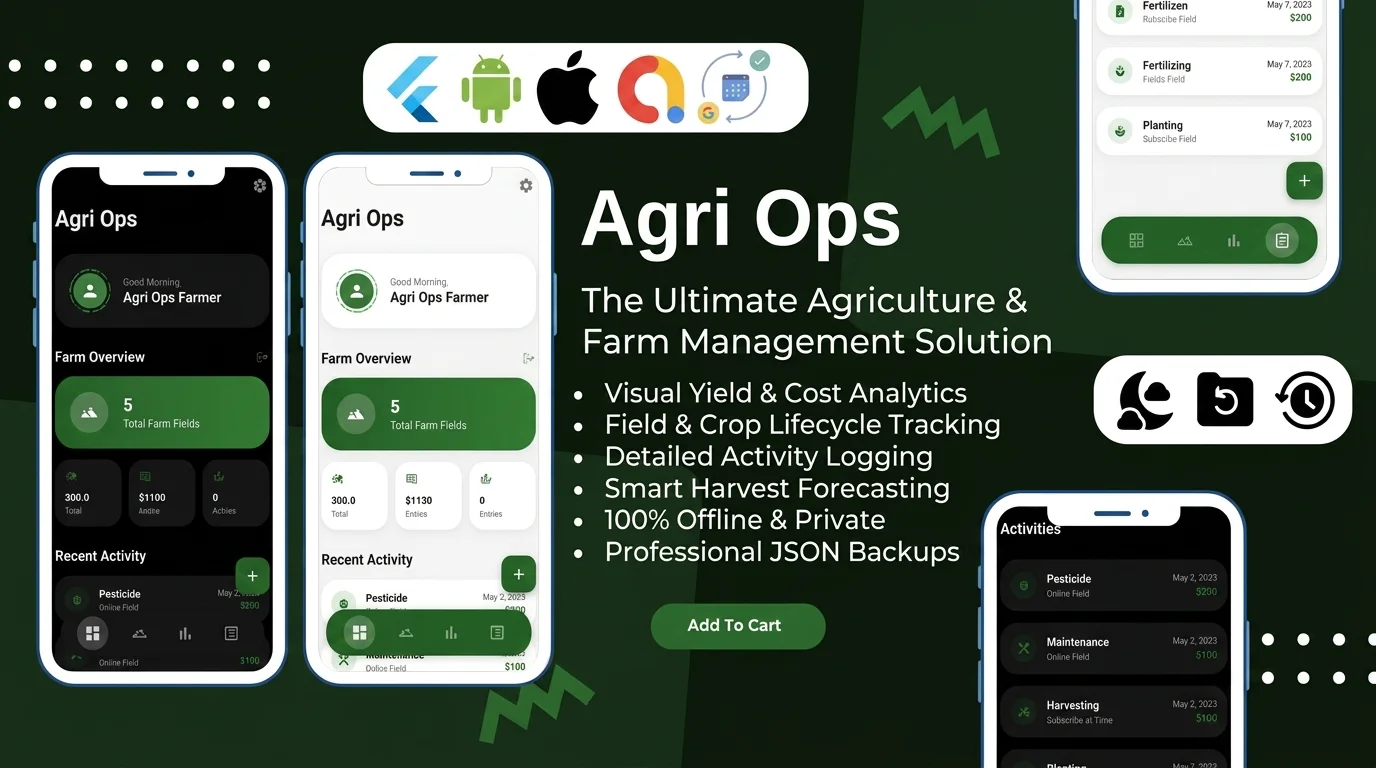
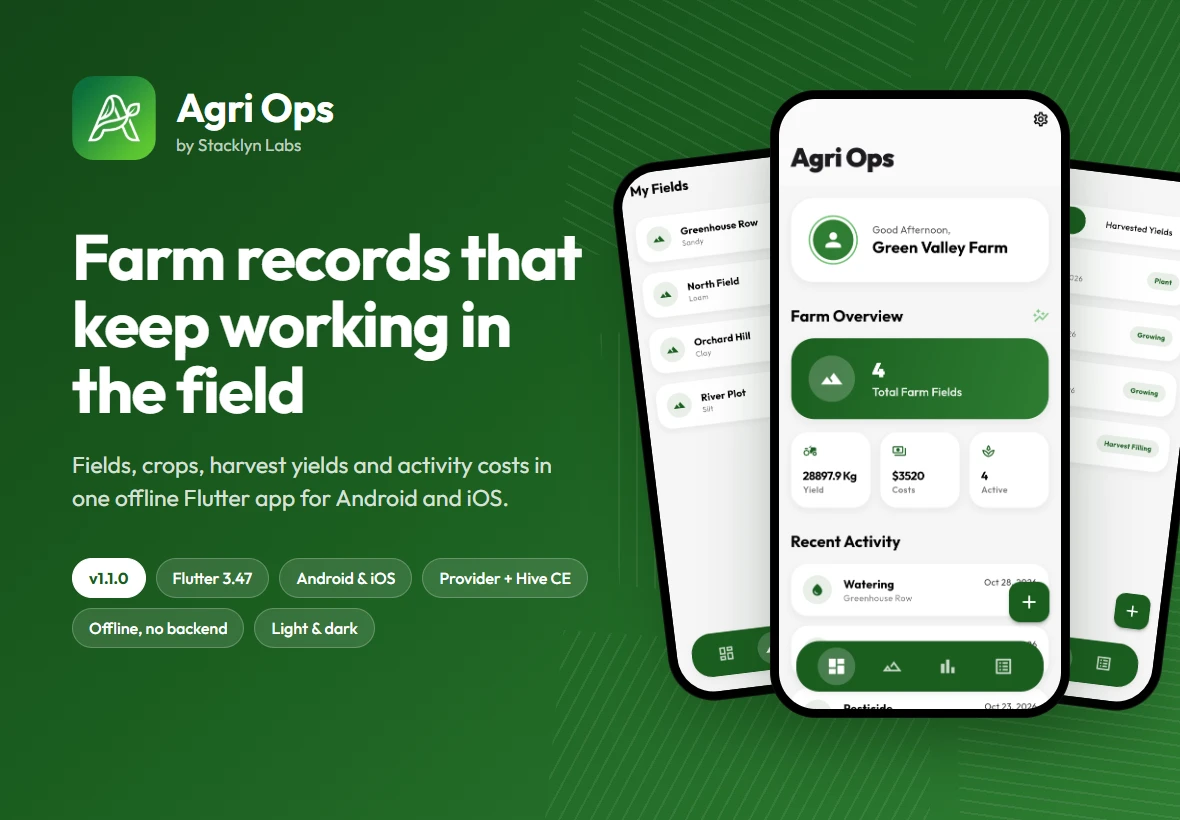
Agri Ops is an offline-first Flutter app template for farmers and agri businesses. It tracks fields and soil types, crops from planting to harvest, harvest yields in mixed units and the cost of every farm activity. It shows farm totals on a dashboard and sends harvest reminders. All data is stored in a local Hive CE database on the device. There is no backend, account or API key, so the app works in a remote field with no signal and costs nothing to host.
For a developer launching an AgTech app on Android and iOS, Agri Ops already has field, crop, yield and activity tracking working, with branding and product switches kept in one AppConfig class. For a freelancer with a farm or agri-business client, that means starting from working harvest tracking and spending the budget on what the client actually asked for.
What's New in v1.1
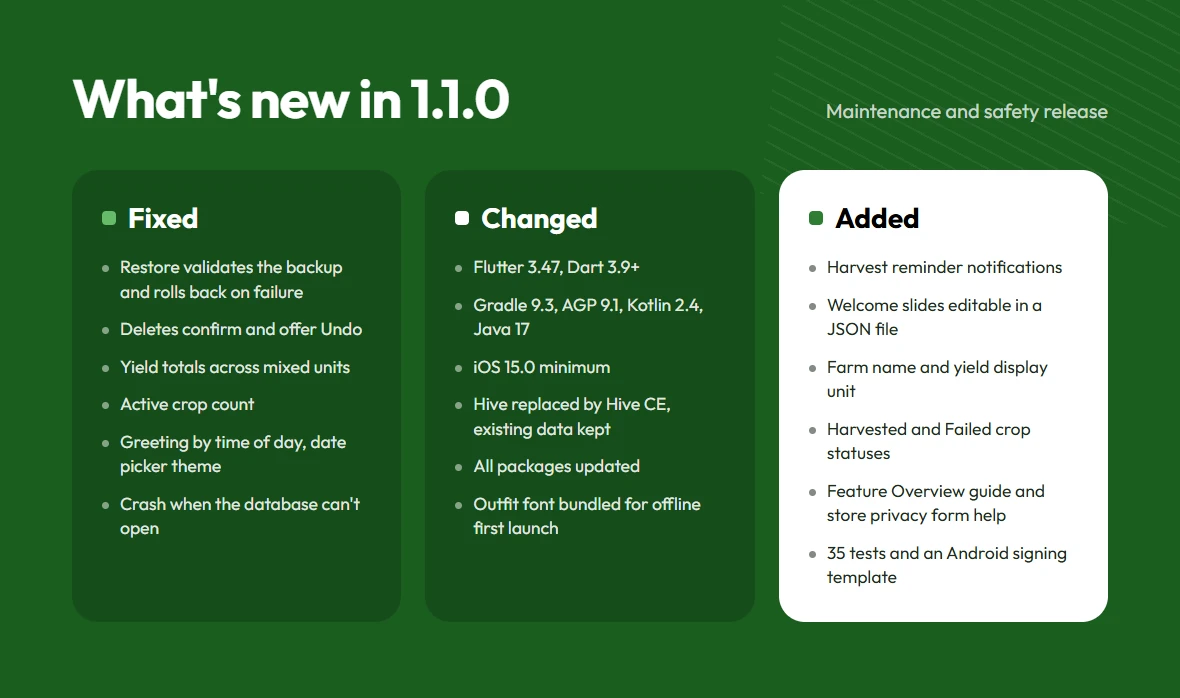
Version 1.1.0 is a maintenance update. Existing user data is kept and no migration is needed.
- Welcome text without code: Onboarding slides and the default greeting are editable in
assets/config/app_content.json, no Dart needed. - Updated stack: Flutter 3.47, Dart 3.9+, Gradle 9.3, Android Gradle Plugin 9.1, Kotlin 2.4, Java 17 and iOS 15. All packages updated, and the database moved to the maintained
hive_cepackage. - Harvest reminders: A notification before each expected harvest. Permission is asked only when the user turns the feature on.
- Safe restore: A backup file is fully checked before any data is replaced, and a failed restore is rolled back. Old backups still work.
- Confirm & undo: Deleting a field, crop, yield or activity asks first and offers Undo.
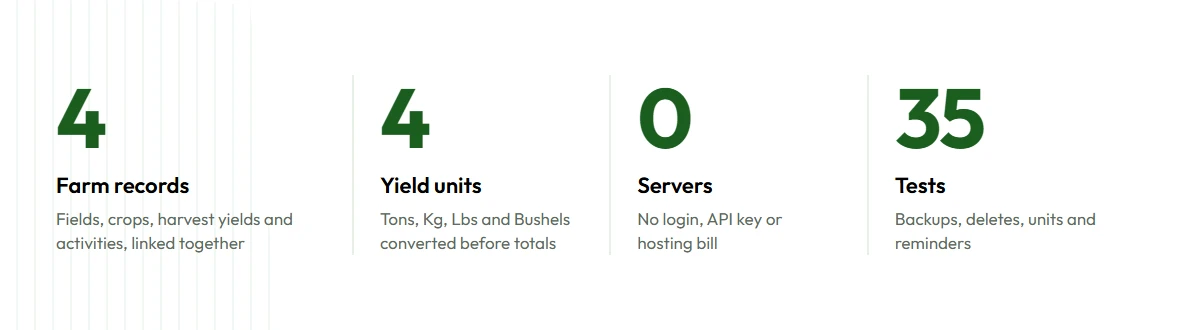
- Correct yield totals: Tons, Kg, Lbs and Bushels are converted before they are added up.
- Crop status: Crops can be marked Harvested or Failed, so the Active count is right. Logging a yield completes the crop.
- Bundled font: The Outfit font now ships inside the app, so nothing is downloaded at runtime.
Core App Features
Farm Dashboard with Yield and Cost Totals
The first screen shows where the season stands: total fields, harvest, costs and active crops.
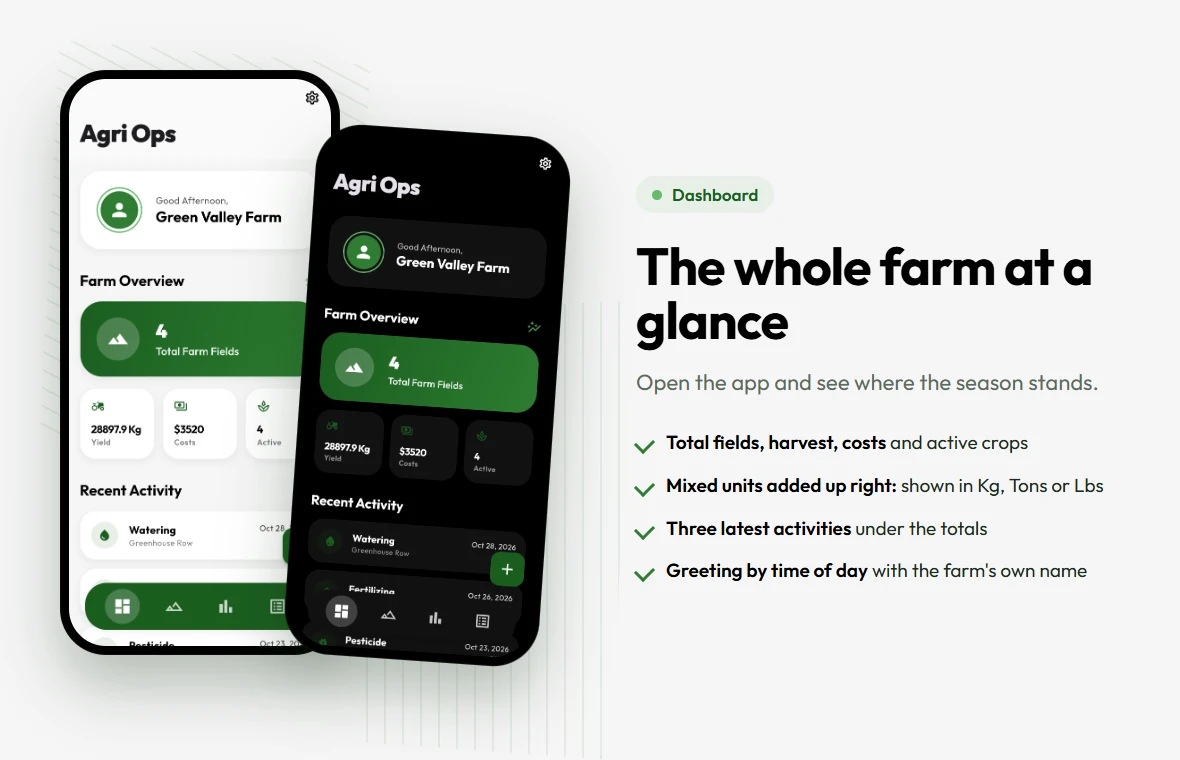
- Farm Dashboard: Total yield, total cost and the number of active crops. Yields are converted to kilograms first and shown in the unit the user picks (Kg, Tons or Lbs). Bushels use an approximation of about 27.2 kg, because the real weight depends on the crop.
Field Management and Crop Tracker
Users add each plot once, then plant crops into it and follow each crop from planting to harvest.
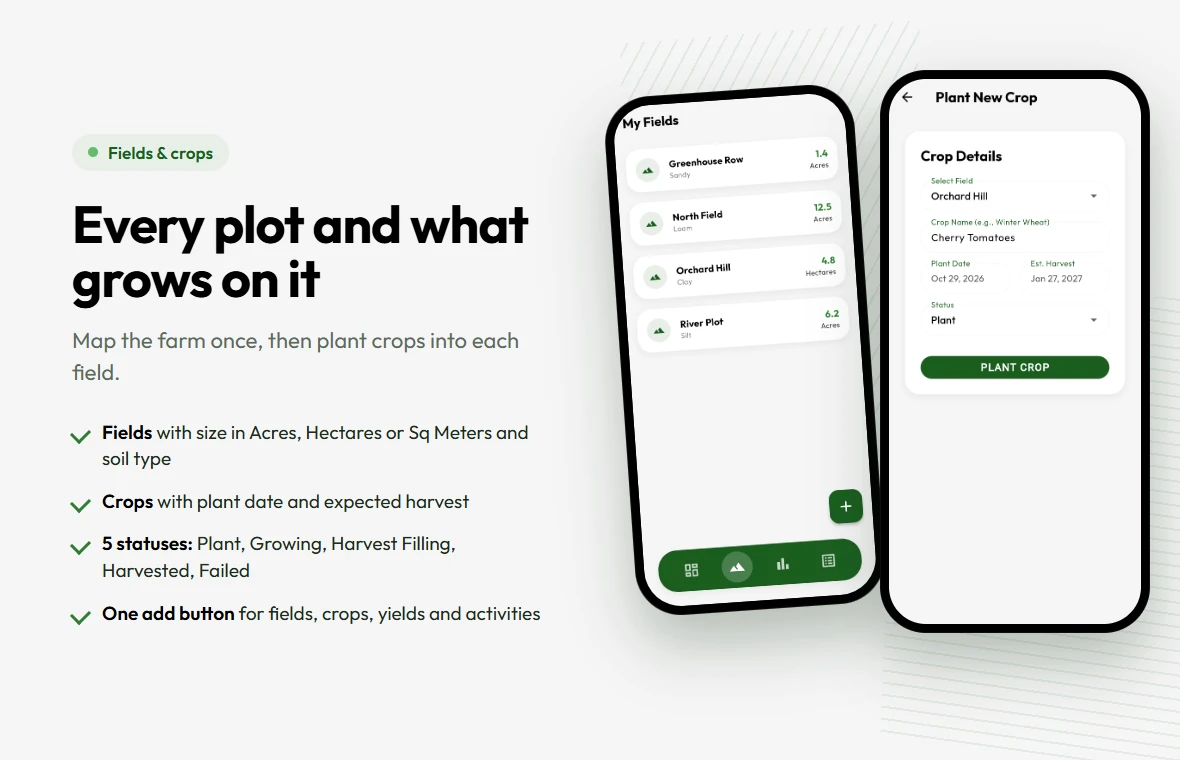
- Fields: Name, size in Acres, Hectares or Sq Meters, and soil type (Clay, Sandy, Loam, Silt, Peaty or Chalky).
- Crop Lifecycle: Each crop belongs to a field and has a plant date, an expected harvest date and a status: Plant, Growing, Harvest Filling, Harvested or Failed.
Harvest Yield Log and Farm Activity Cost Tracking
A simple diary of farm work and harvests, so the user always knows what was done, where, and what it cost.
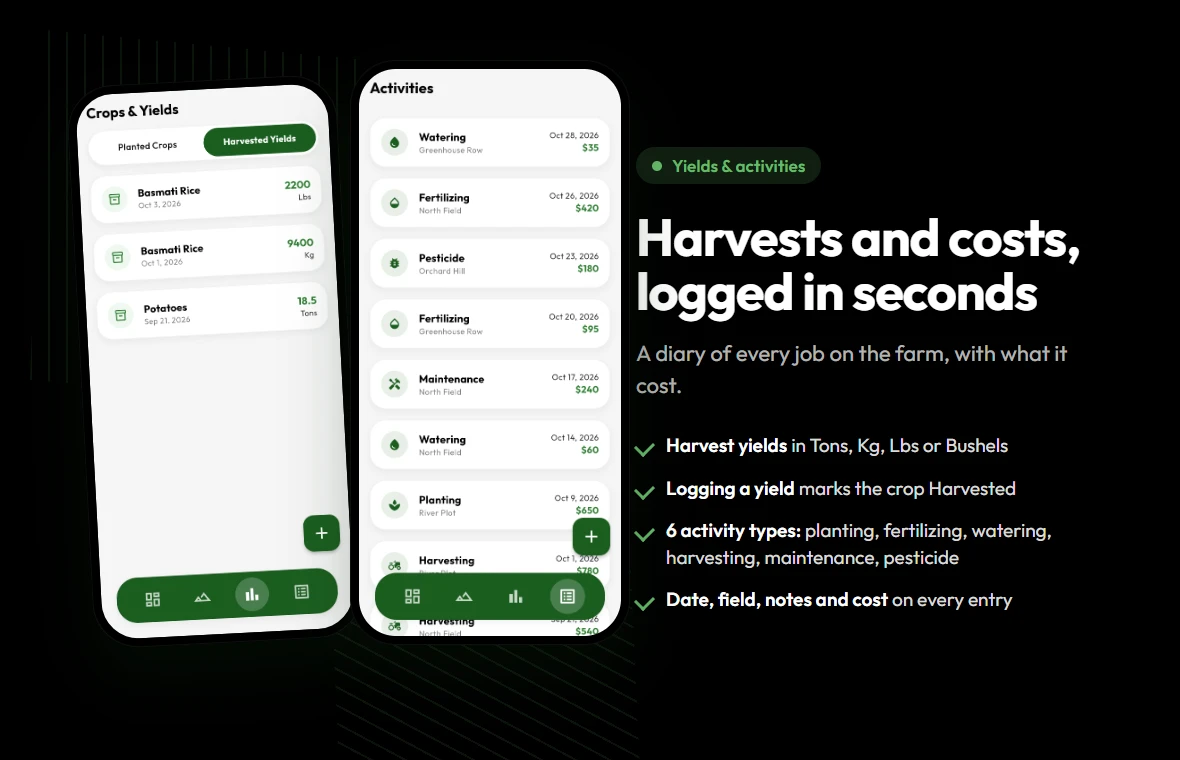
- Yield Logging: Record each harvest with date, quantity, unit (Tons, Kg, Lbs or Bushels) and quality notes. Logging a yield marks the crop Harvested.
- Activity & Cost Logging: Log Planting, Fertilizing, Watering, Harvesting, Maintenance or Pesticide work with a date, notes and a cost.
Harvest Reminders, Backup and Restore, Safe Deleting
Reminders help the user plan the harvest, and the data tools make records hard to lose by accident.
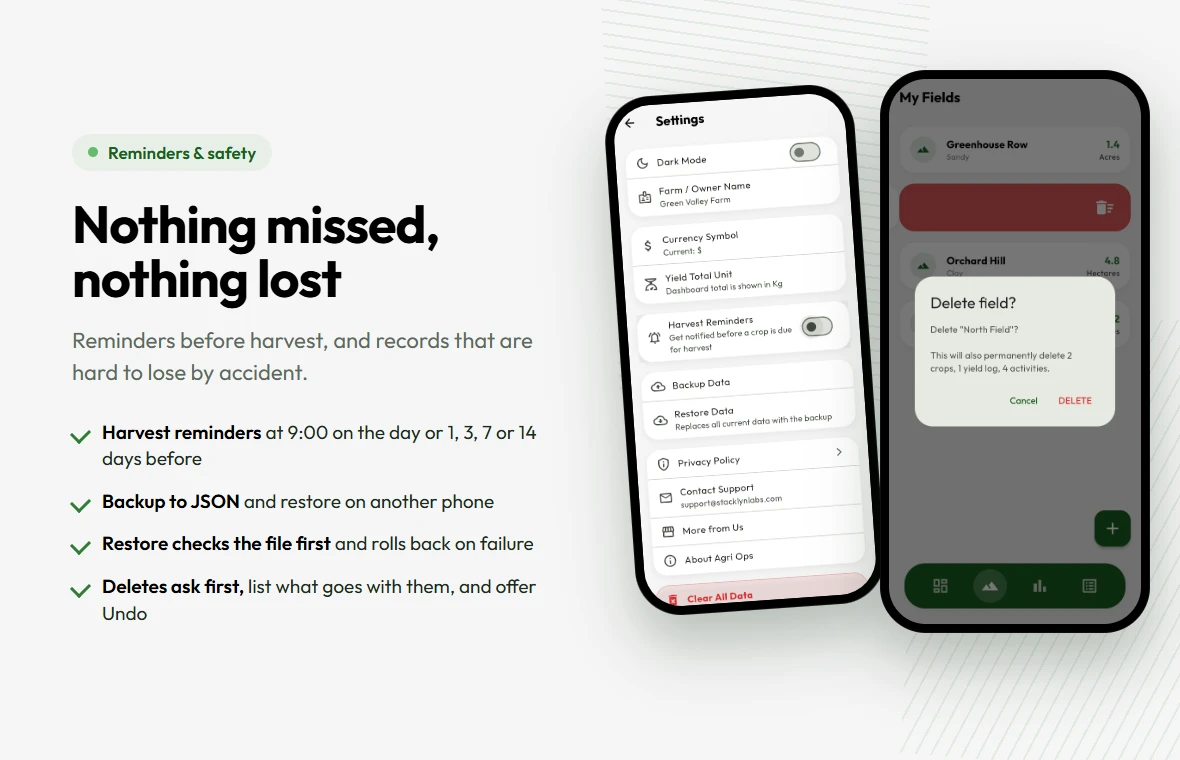
- Harvest Reminders: Remind on the harvest day or 1, 3, 7 or 14 days before it (3 by default), at 9:00 in the device's own time zone, for every crop that is still growing. Reminders are rebuilt whenever crops change and after a reboot or app update. One flag removes the feature entirely.
- Confirm, Undo & Cascade Delete: Deleting a field also deletes its crops, their yields and its activities, and Undo puts them all back.
- Backup & Restore: Export everything to a JSON file through the system share sheet (Drive, Files or email). Restore checks the file first and writes all-or-nothing. Backups from v1.0 still restore, and files from another app, a newer version or a damaged file are rejected with a clear message.
Settings and Themes
- Settings: Farm name, currency symbol, yield total unit, light or dark theme, Contact Support and a More from Us link.
- Light & Dark Themes: Material 3 design in a forest green palette with the bundled Outfit font.
Why Buy Agri Ops? (Developer & Business Value)
- Fully Offline: Every feature works in airplane mode. The release build does not need the INTERNET permission, and nothing is downloaded at runtime.
- No Data Collected: All data stays on the device. The guide's store checklist declares that the app collects and shares no data on Google Play, and "Data Not Collected" on the App Store.
- Zero Backend Infrastructure Costs: No Firebase, no server and no API keys, so there is no monthly hosting bill.
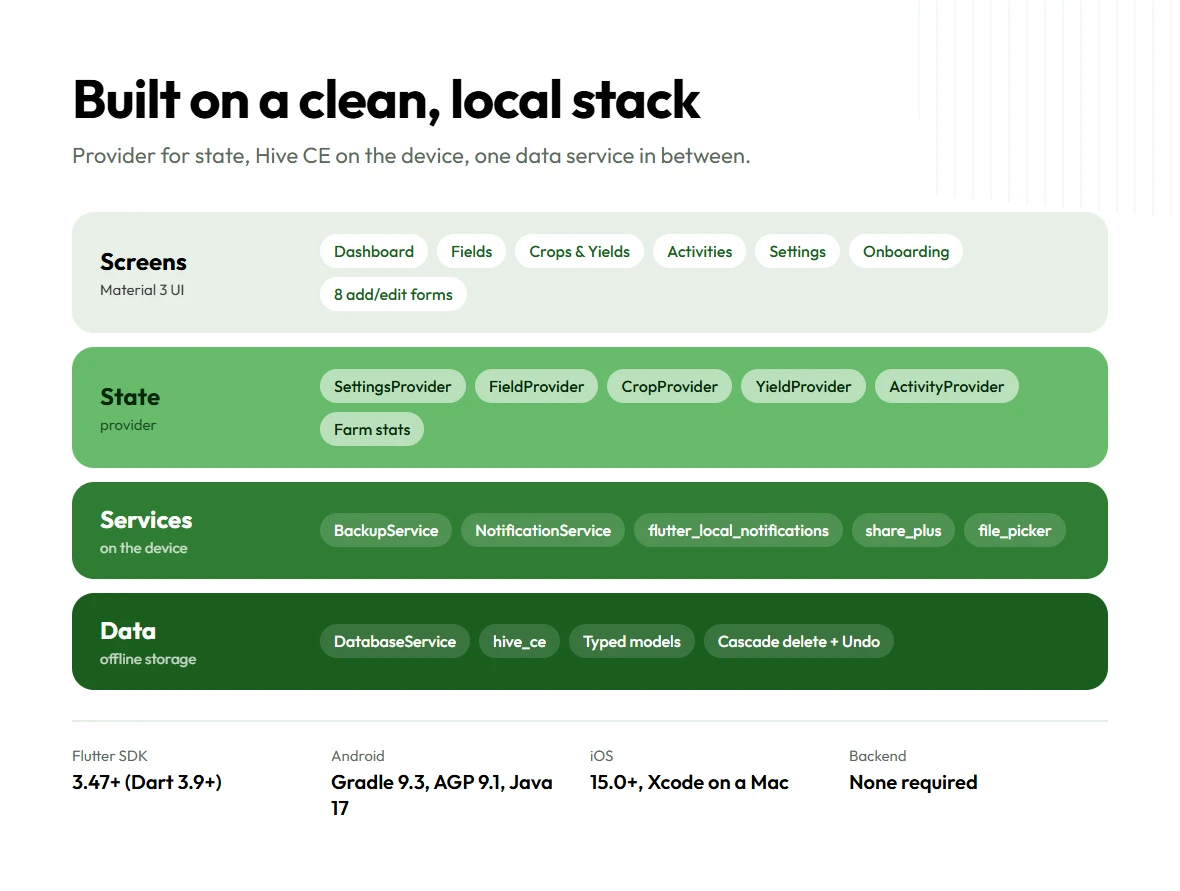
- Clear Provider Architecture: One provider per data type, a
FarmStatsProviderrebuilt automatically from crops, yields and activities, and aDatabaseServicethat shows a recovery screen instead of crashing if the data cannot be opened. All writes go through the providers andDatabaseService, which is where cloud sync would go if a client asks for it later (custom work). - Easy Rebranding: App name, company, support email, default units, currency and reminder settings live in
lib/core/app_config.dart. Colours are inlib/core/app_theme.dart, and the icon and splash screen are generated from two images.
Technical Specifications For Developers
- Framework: Flutter 3.47 or newer (stable channel), Dart 3.9+. Developed and tested with Flutter 3.47.7 and Dart 3.13.5.
- Programming Language: Dart.
- State Management: Provider, including a
ProxyProviderfor farm statistics. - Local Database: Hive CE (
hive_ce,hive_ce_flutter,hive_ce_generator). The adapters are already generated, so no code generation is needed for the first run. - Main Packages:
provider,hive_ce,flutter_local_notifications,file_picker,share_plus,url_launcherandpackage_info_plus. - Platforms: Android and iOS 15.0 and newer. Android uses Flutter's default minimum SDK. The web, Windows, macOS and Linux folders come from the Flutter project template and are not supported.
- Android Build: Android Gradle Plugin 9.1.0, Gradle 9.3.1, Kotlin 2.4.0 and JDK 17, R8 code shrinking, and release signing through
android/key.properties. - Permissions: Notifications for harvest reminders and file access through the system picker. On Android,
POST_NOTIFICATIONSandRECEIVE_BOOT_COMPLETED. - Tests: 35 unit and widget tests, including backup round trips, damaged backup files, cascade delete with undo, unit conversion and reminder timing.
What Is Included in Your Purchase?
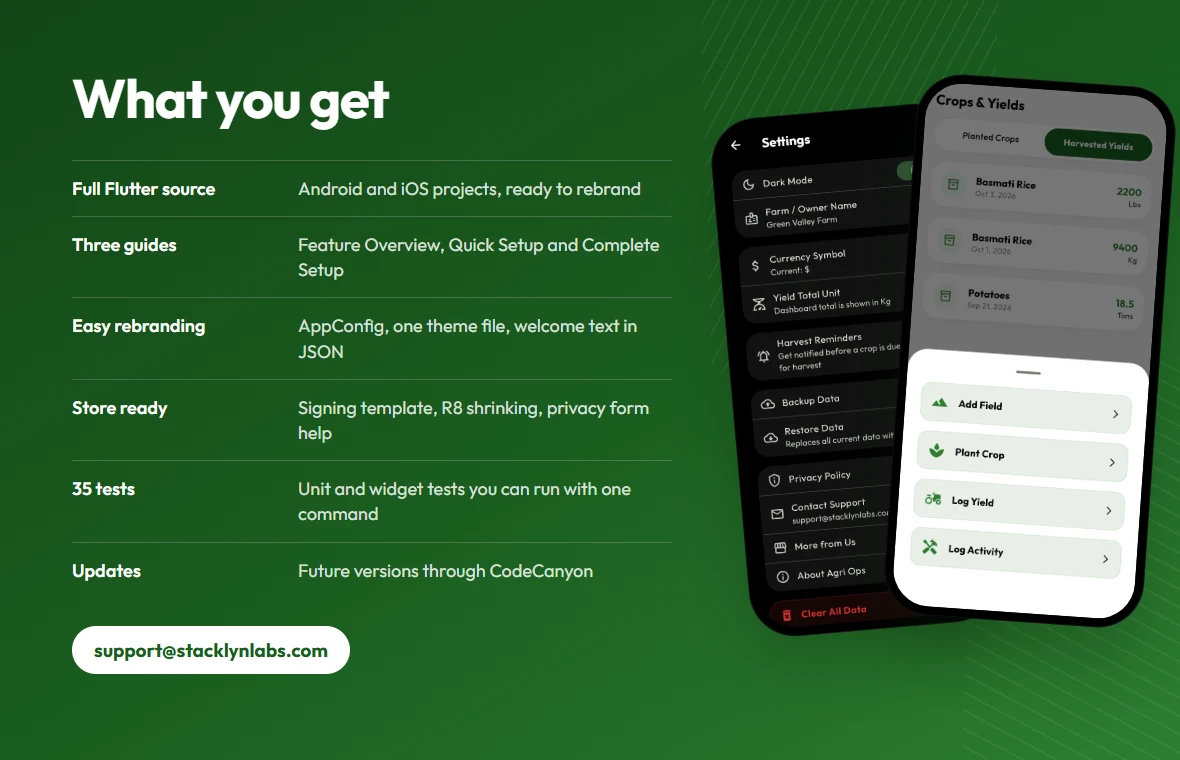
- Complete Flutter Source Code (Android & iOS)
- Feature Overview guide with screenshots, plus Google Play Data Safety and App Store privacy label help
- Online documentation: a Quick Setup guide and a Complete Setup guide covering installation, branding, fonts, units, the data model, upgrading from 1.0 and publishing
- Branding assets, the bundled Outfit font, 35 tests, an Android release signing template, a README and a CHANGELOG
- Free Lifetime Technical Updates
Requirements
- Flutter SDK: 3.47 or later (Dart 3.9 or later).
- IDE: Android Studio or VS Code. A Mac with Xcode is needed for iOS builds.
- Backend: none required.
Not Included
- Charts, cloud sync, user accounts, ads or in-app purchases.
- Web, Windows, macOS and Linux builds (Android and iOS only).
Launch your own farm management app with Agri Ops.
Developed by Stacklyn Labs developers.
 CodeCanyon
 Codester