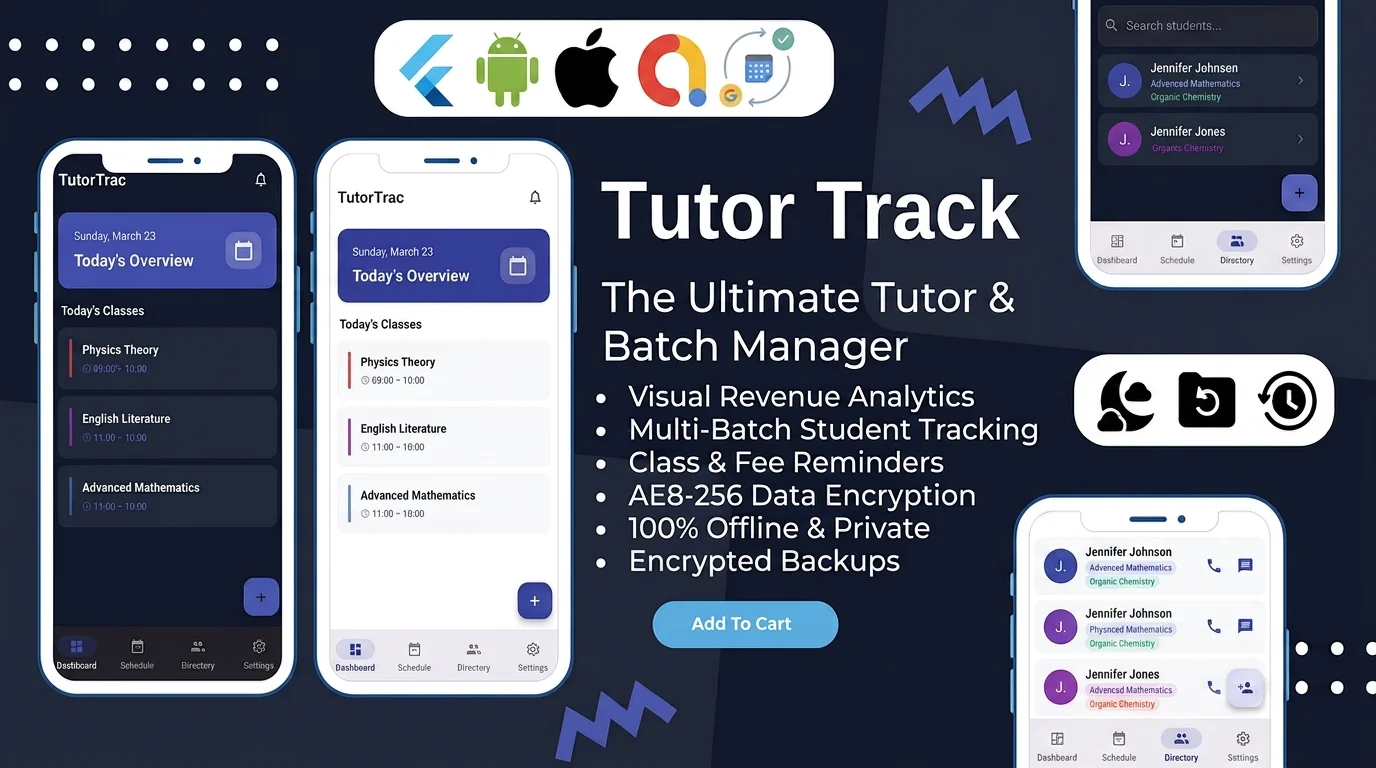
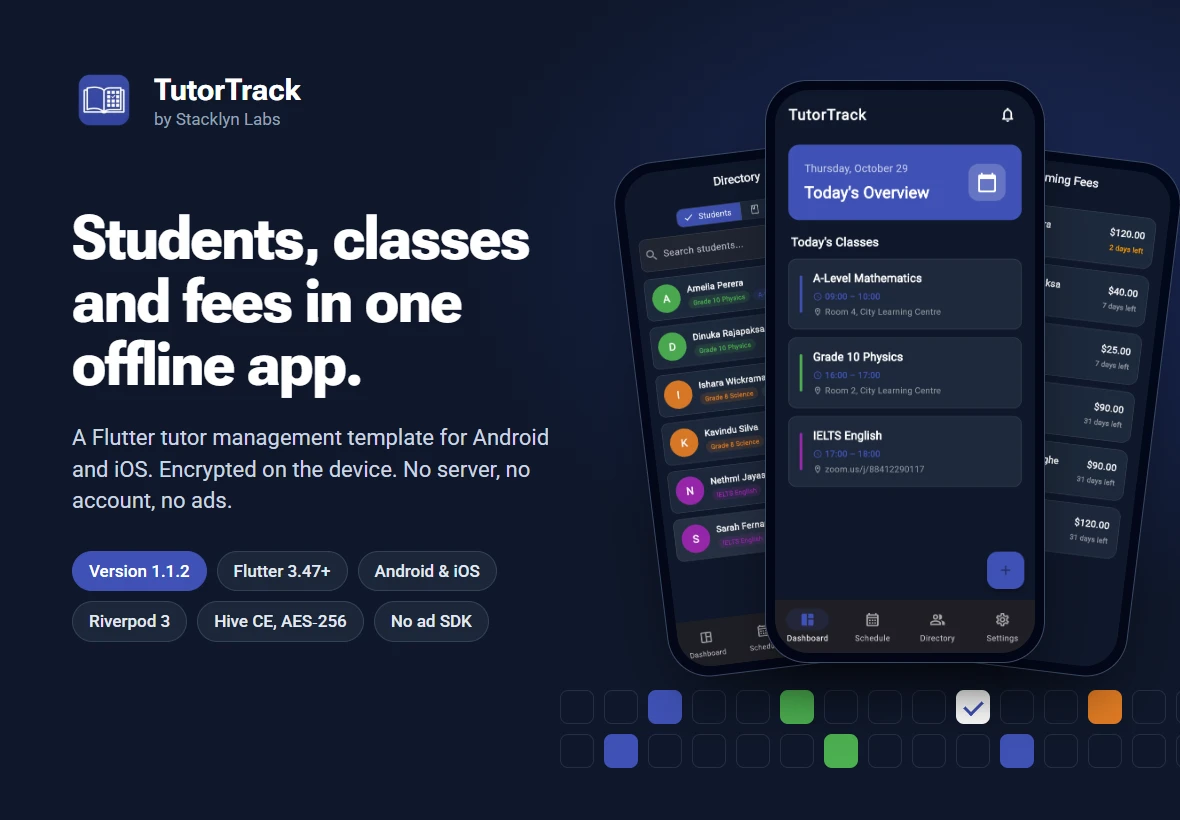
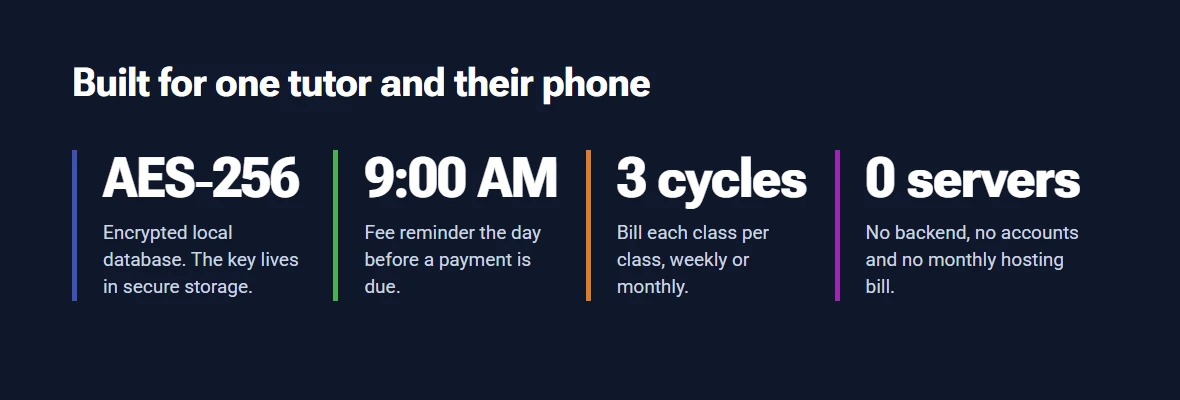
TutorTrack is an offline-first Flutter app template for private tutors, home teachers and small coaching classes. It covers the four jobs an independent tutor does every week: keeping a student directory, running a weekly class timetable, marking attendance and keeping track of upcoming fees. Everything runs offline. Student records are stored in an AES-256 encrypted Hive database on the device, with the key kept in secure storage. There is no backend, no user account and no monthly hosting cost.
The hard part of a tuition app is that one student often sits in several classes at once. TutorTrack already models that: a student can join several classes, each with its own fee and billing cycle, and fee due dates and reminders are built on top. For developers and agencies, that means a Riverpod 3 and Hive CE codebase for Android and iOS to rebrand for a client or launch as your own app, with no ad SDK to strip out.
What's New in v1.1.2
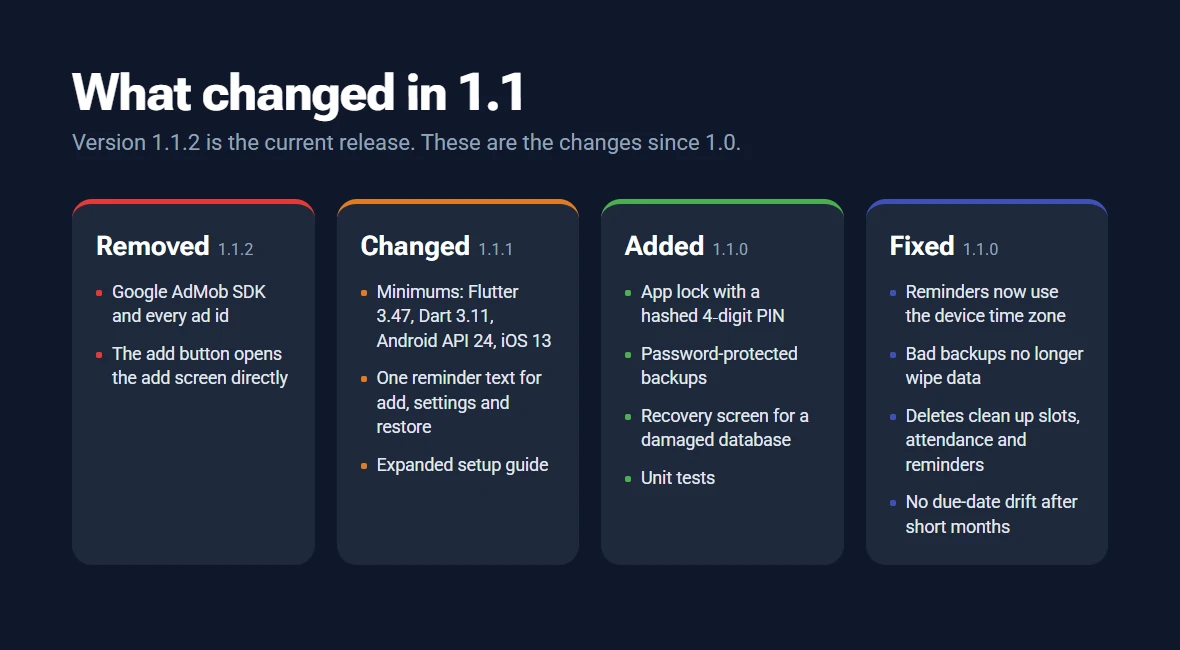
Version 1.1.2 is the current release. It builds on the 1.1 update, which added a working PIN app lock, password-protected backups, a database recovery screen, unit tests and a toolchain upgrade to Flutter 3.47, Riverpod 3 and Hive CE.
- AdMob removed: Google AdMob is gone completely. There is no ad SDK and no AdMob app or ad unit ID anywhere in the package.
- Faster adding: The dashboard add button now opens the add screen directly.
Core App Features
Class Schedule and Weekly Timetable
Each class has a day, a start and end time, and a room or online meeting link. The dashboard opens on today's classes, so a tutor sees the day at a glance.
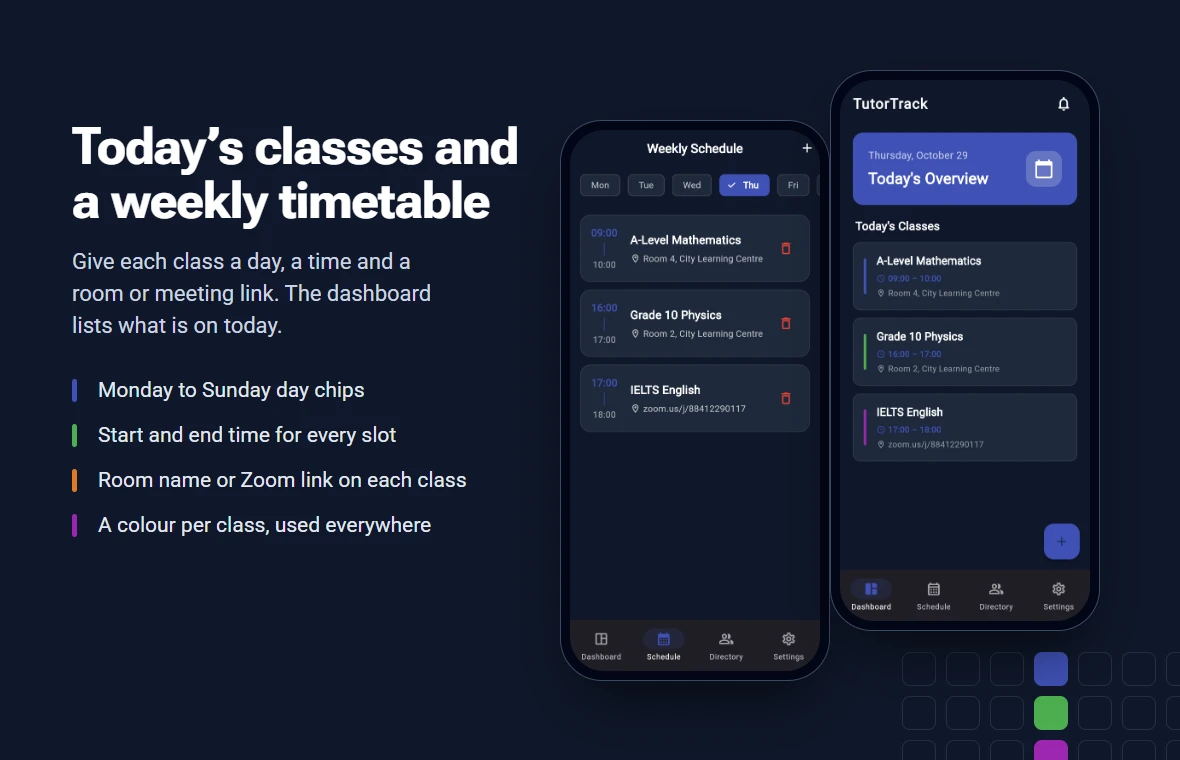
- Weekly Timetable: Monday to Sunday day chips.
- Time Slots: A start and end time for every class slot.
- Location or Zoom Link: Stored with each slot and shown on the dashboard.
- Colour per Class: 14 colours to choose from, used across the schedule, directory and student tags.
Student Directory and Multi-Class Enrollment
One student can join several classes, such as Grade 10 Physics and A-Level Mathematics. The directory lists every student with colour tags for their classes.
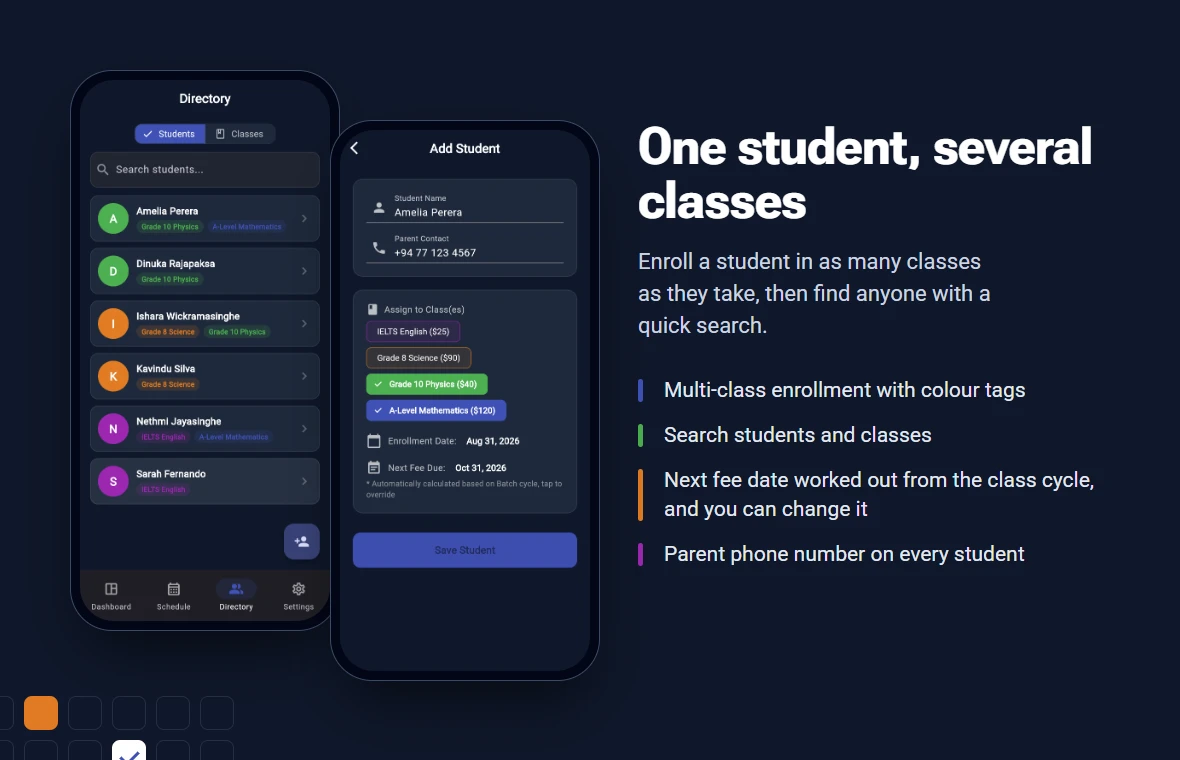
- Multi-Class Enrollment: For each student.
- Students and Classes Tabs: With search on both.
- Enrollment and Next Fee Date: The next fee date is calculated from the class billing cycle, and you can change it by hand.
- Parent Contact: A parent contact number stored with every student.
- Clean Deletes: Removing a student or class also removes its slots, attendance and reminders.
Fee Tracking and Payment Reminders
The Upcoming Fees screen lists every student by due date and shows how many days are left, so you know who to remind this week.
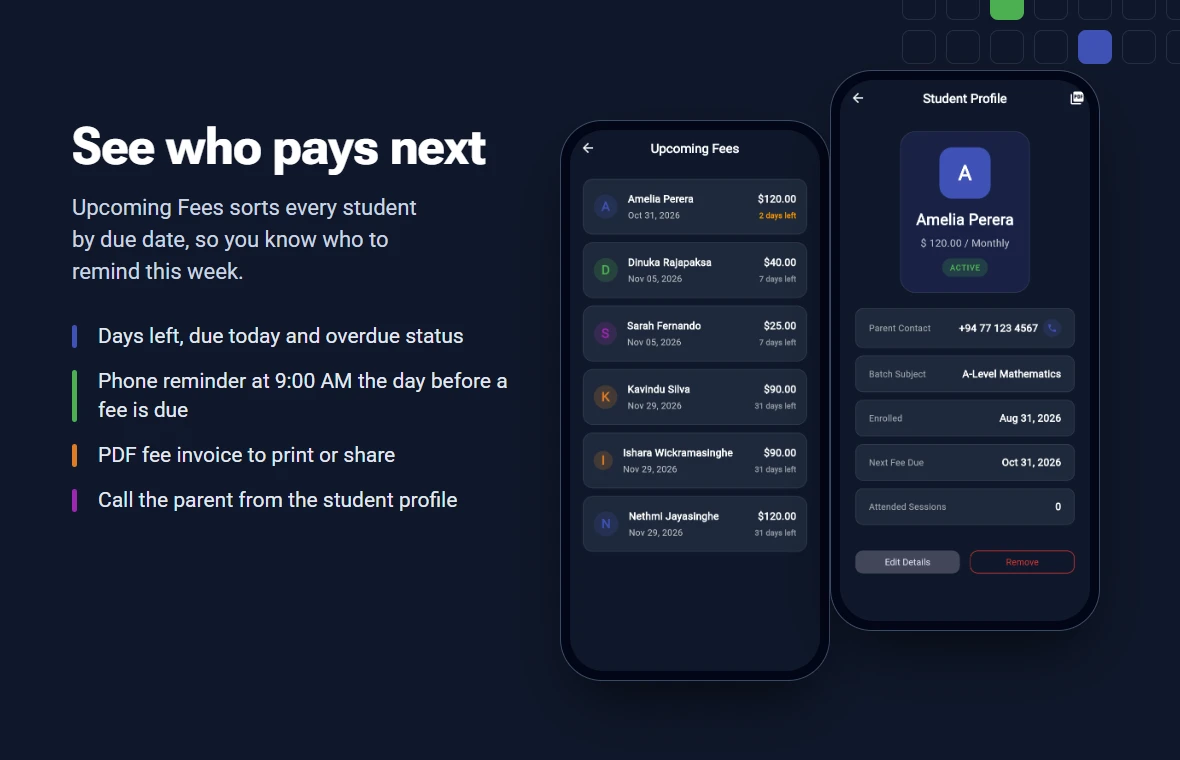
- Upcoming Fees List: Sorted by due date, with overdue, due today, tomorrow and days-left labels.
- Fee Reminders: A local notification at 9:00 AM the day before the due date, scheduled in the device time zone. Reminders can be switched off in Settings.
- Three Billing Cycles: Per class, weekly or monthly.
- Student Profile: Fee, cycle, enrollment date, next due date and an active or overdue badge.
- PDF Fee Invoice: Generated on the device, ready to print or share.
- One-Tap Call: Call the parent's phone number from the profile.
Class Attendance Tracking
Pick a class and a date, and every enrolled student appears with a present or absent switch. The screen shows that day's class time and room, and a running count of who is present.
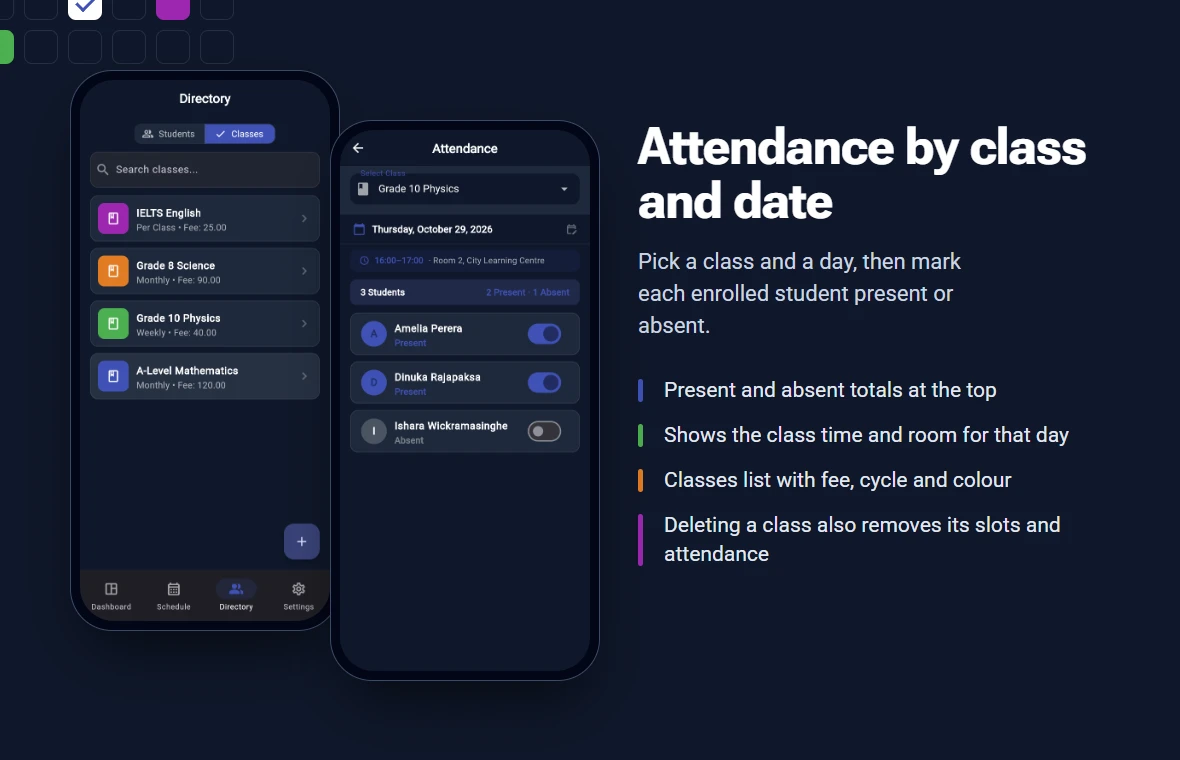
- Attendance by Class and Date: For today or any past date.
- Totals: Present and absent totals at the top of the list.
- Classes List: Each class with its fee, billing cycle and colour.
PIN Lock, Encryption and Secure Backups
Student names, phone numbers and fees stay on the device in an encrypted database.
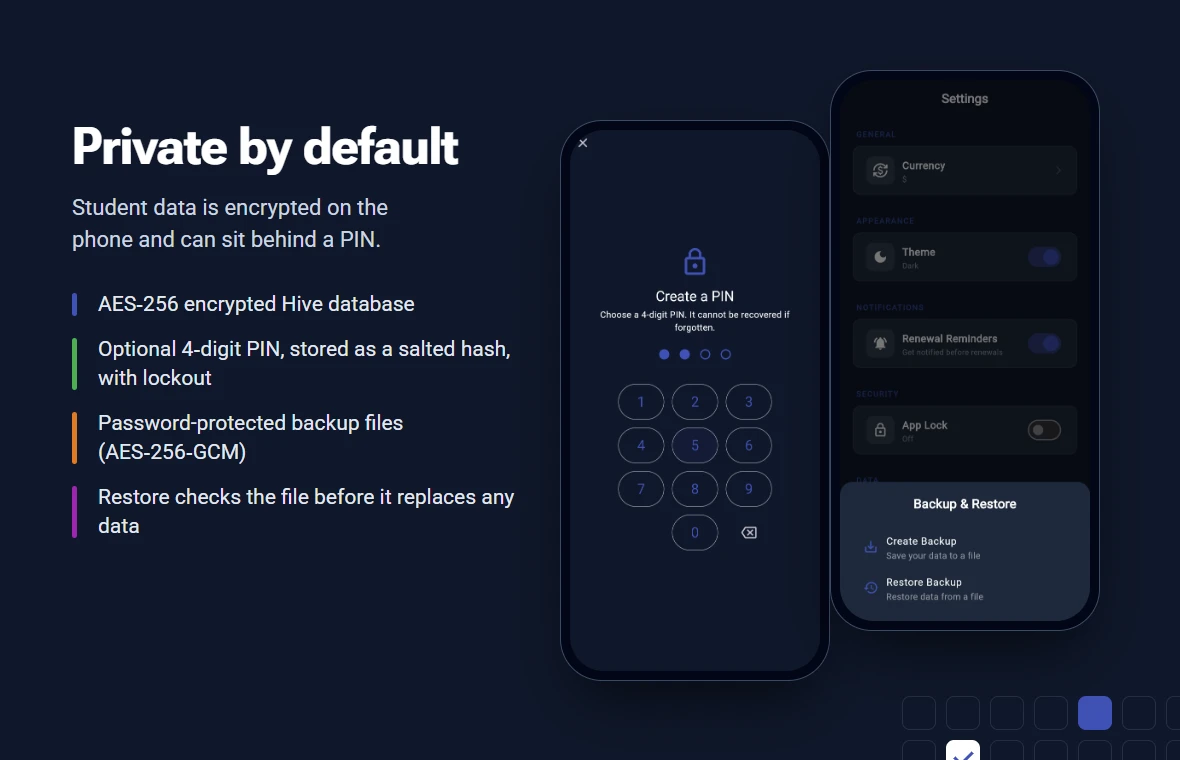
- Encrypted Database: AES-256 encrypted Hive CE, with the key kept in
flutter_secure_storage. - Optional PIN Lock: A 4-digit PIN stored as a salted PBKDF2 hash, with a lockout after repeated wrong attempts. The app locks again when it goes to the background.
- Password-Protected Backups: AES-256-GCM backups that include students, classes, schedules, attendance and settings, useful for moving to a new phone.
- Safe Restore: A backup file is fully checked before it replaces any data, and older backup formats can still be restored.
- Recovery Screen: Shown if the encrypted database cannot be opened.
Material 3 Design with Dark and Light Themes
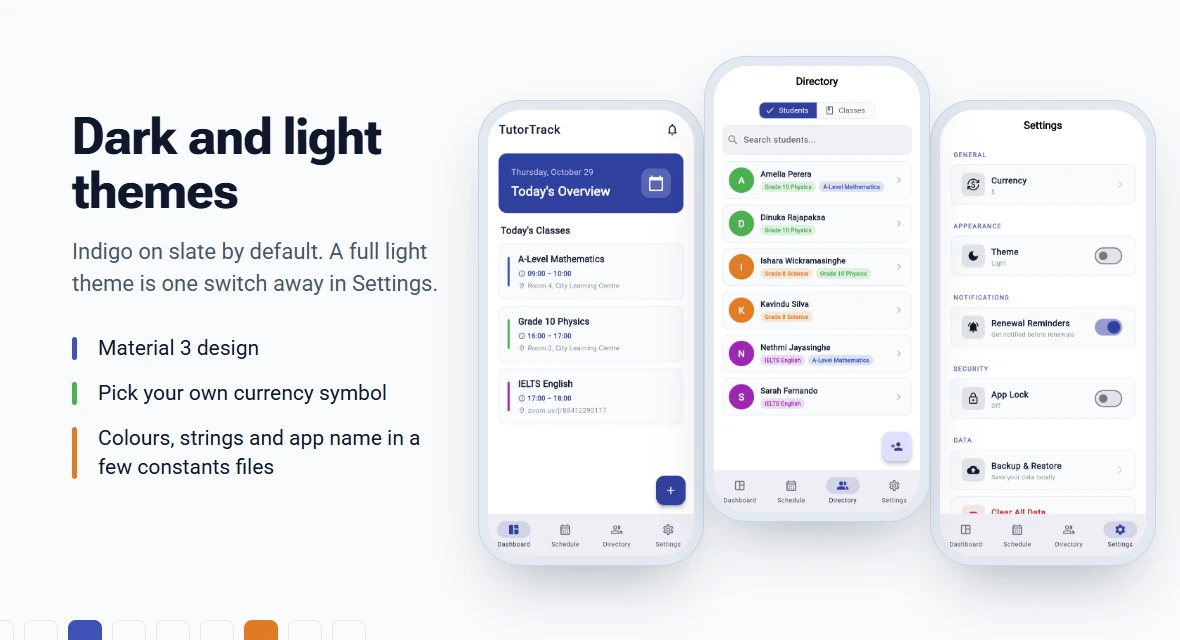
- Themes: A Material 3 indigo and slate theme. Dark mode is the default, and a full light theme is one switch away in Settings.
- Currency: A custom currency symbol set in Settings.
- Onboarding: Three screens with a Skip button.
Why Buy TutorTrack? (Developer & Business Value)
- Works Fully Offline: Everything runs on the device, with no user account to set up.
- Zero Backend Infrastructure Costs: No backend and no monthly hosting cost. Student data stays on the device.
- No Ads: The package contains no advertising SDK, so there is nothing to strip out before you ship.
- Clean, Feature-Based Codebase: Riverpod 3 with
riverpod_generator, feature folders underlib/featuresand shared services underlib/core. Unit and widget tests cover backup round trips, fee date calculation and notification IDs. - Easy Rebranding: App name, default currency and support email live in
lib/core/config/app_config.dart. Colours for dark and light mode are inlib/core/constants/app_colors.dart, UI text is inlib/core/constants/app_strings.dart, and the app icon and splash screen are generated fromassets/iconswithflutter_launcher_iconsandflutter_native_splash. The Complete Setup Guide walks through renaming the package, changing the bundle ID and publishing to Google Play and the App Store.
Technical Specifications For Developers
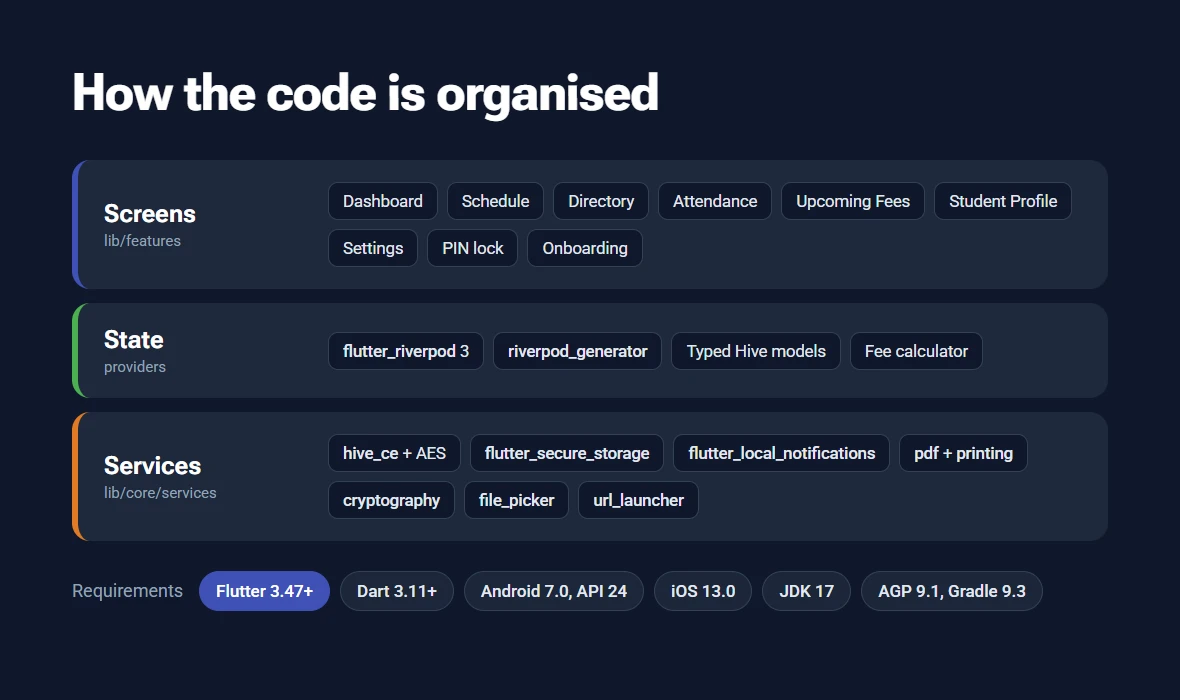
- Framework: Flutter 3.47 or newer (stable), Dart 3.11 or newer.
- Programming Language: Dart.
- State Management: Riverpod 3 with
riverpod_generatorcode generation and typed Hive models. - Local Database:
hive_cewith AES encryption, andflutter_secure_storagefor the key and the PIN hash. - Main Packages:
flutter_local_notificationsandtimezonefor reminders,pdfandprintingfor invoices,cryptographyfor backups,file_picker,url_launcherandintl. - Platforms: Android 7.0 (API level 24) and newer, iOS 13.0 and newer.
- Android Build: JDK 17, Android Gradle Plugin 9.1 and Gradle 9.3.
- Project Structure: Feature folders under
lib/features(dashboard, schedule, directory, students, batches, settings, lock, onboarding) and shared services underlib/core. - Tests: 13 unit and widget tests covering backup round trips, fee date calculation and notification IDs.
- Web Preview: The web demo shows the real screens, but notifications are switched off on web. Fee reminders work on Android and iOS only.
What Is Included in Your Purchase?
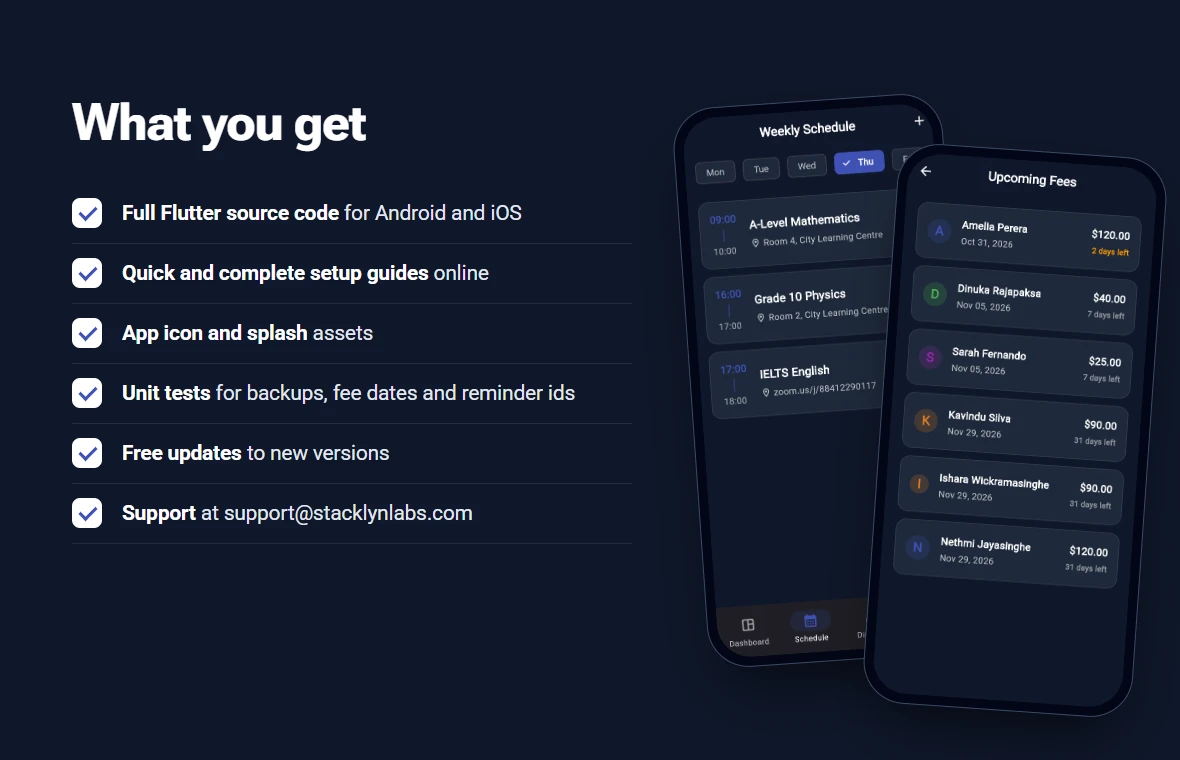
- Complete Flutter Source Code (Android & iOS)
- Quick Setup Guide and Complete Setup Guide covering installation, a screen tour, a first-day walkthrough, reminders, PDF contents, backup between devices, privacy policy guidance and publishing
- App icon and splash screen assets
- Unit tests and an upgrade note for buyers coming from version 1.0
- Free Lifetime Updates
- Support by email at support@stacklynlabs.com
Requirements
- Flutter SDK: 3.47 or later (Dart 3.11 or later).
- Build Tools: JDK 17. A Mac with Xcode is needed to build for iOS.
- Backend: none required.
Not Included
- Ads or an ad SDK (removed in 1.1.2).
- Fee reminders on web. The web build is a preview of the screens only.
Launch your own tutor management app with TutorTrack.
Developed by Stacklyn Labs developers.
 CodeCanyon
 Codester