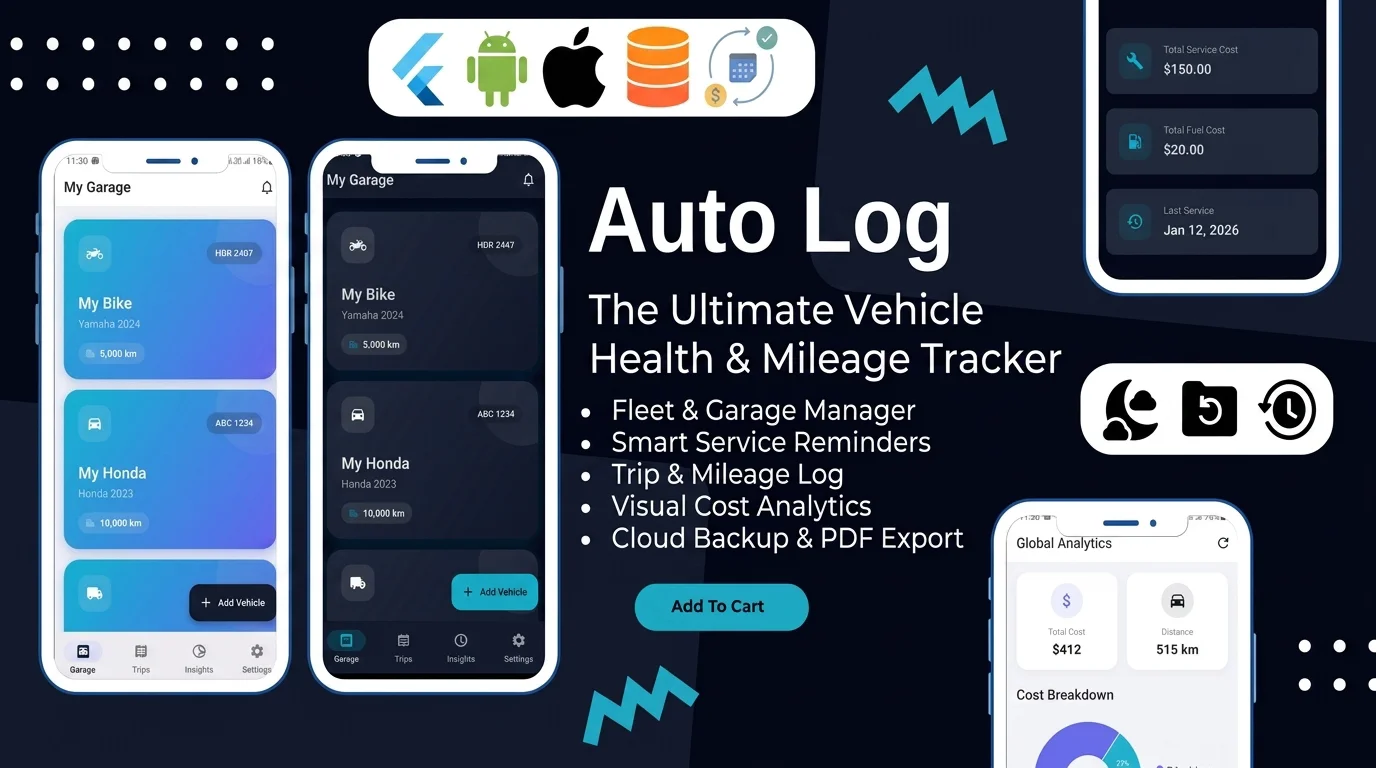
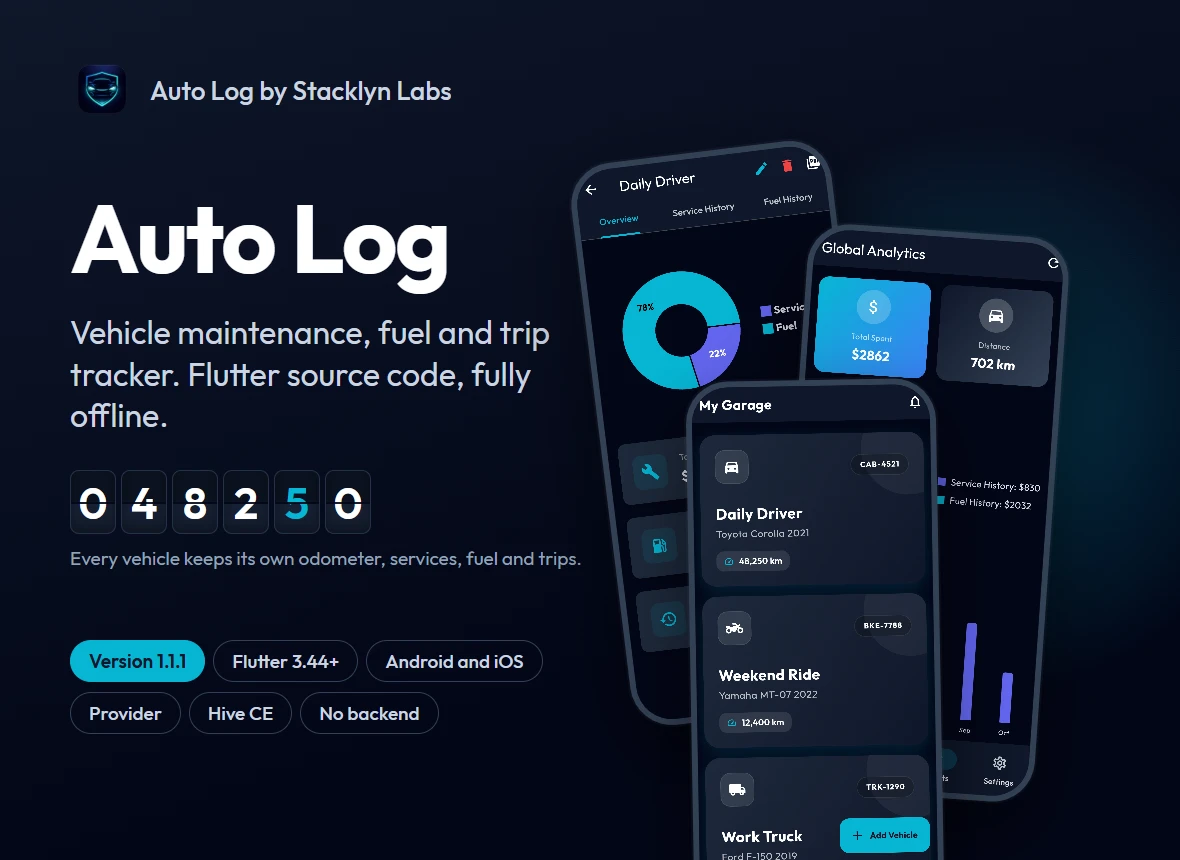
AutoLog is an offline-first Flutter app template for individuals, freelancers and small business owners who need to keep track of their vehicles without a server. It combines a service log with date reminders, a fuel log, a business and personal trip tracker and cost insights charts, and it exports a PDF report for any vehicle. All data is stored on the device in a Hive CE database. There is no backend, no user account and no network code, so the app costs nothing to host.
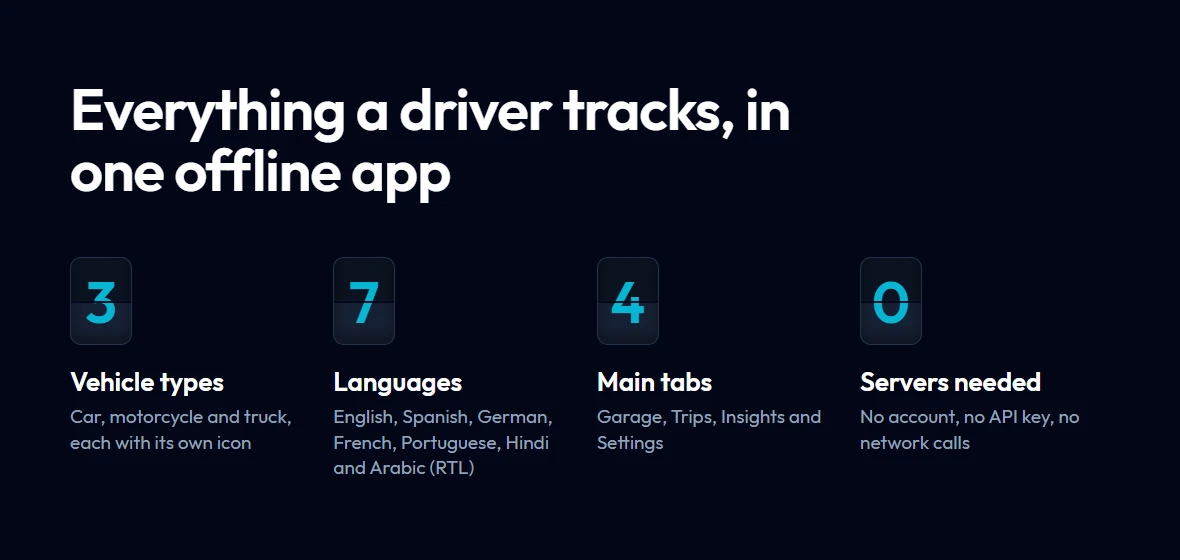
For a developer, AutoLog is a ready vehicle maintenance or mileage tracker to reskin and publish. For an agency with a car care, garage or fleet log client, it means starting from working service, fuel and trip tracking instead of writing the foundations yourself. It is built with Provider, strictly typed Hive CE models and 7 bundled languages.
What's New in v1.1.1
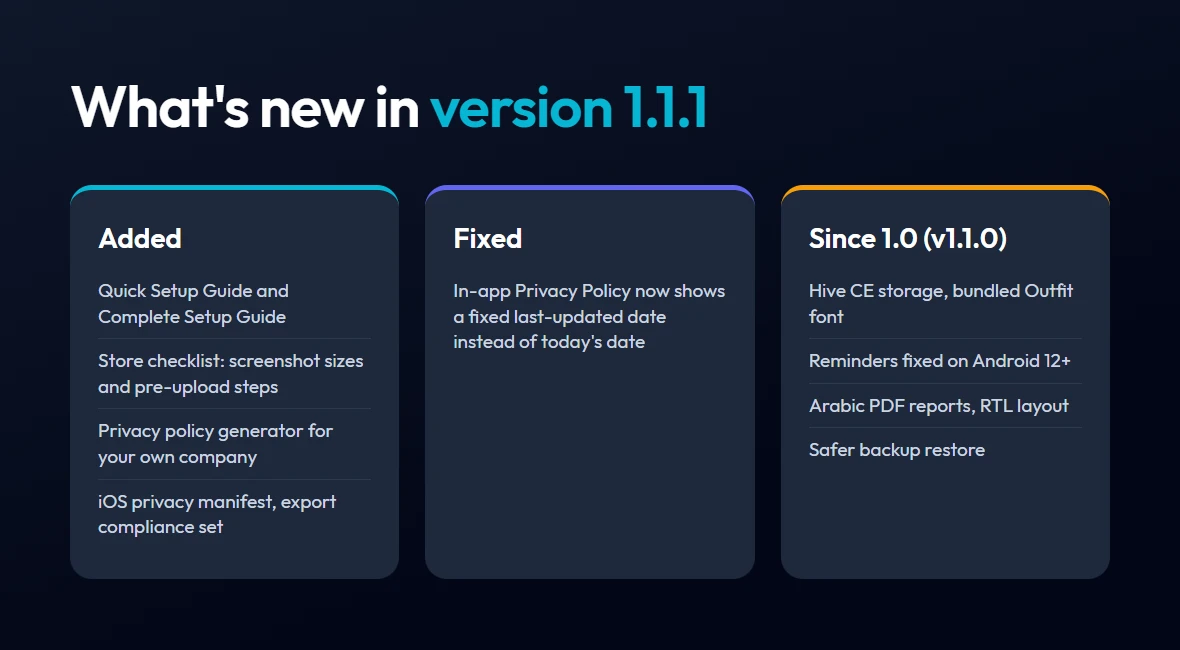
Version 1.1.1 adds setup and publishing documentation and one fix.
- Setup guides: A Quick Setup Guide and a Complete Setup Guide.
- Store checklist: Required screenshot sizes and a pre-upload list.
- Privacy policy generator: Plus answers for the Google Play Data safety form and Apple App Privacy.
- iOS privacy manifest: Included, with export compliance set to no non-exempt encryption.
- Fixed: The in-app Privacy Policy now shows a fixed last-updated date instead of today's date.
Core App Features
Vehicle Garage Manager for Cars, Motorcycles and Trucks
Add as many vehicles as you like and switch between them from one garage list. Each vehicle has an overview with a cost chart, a service history tab and a fuel history tab.
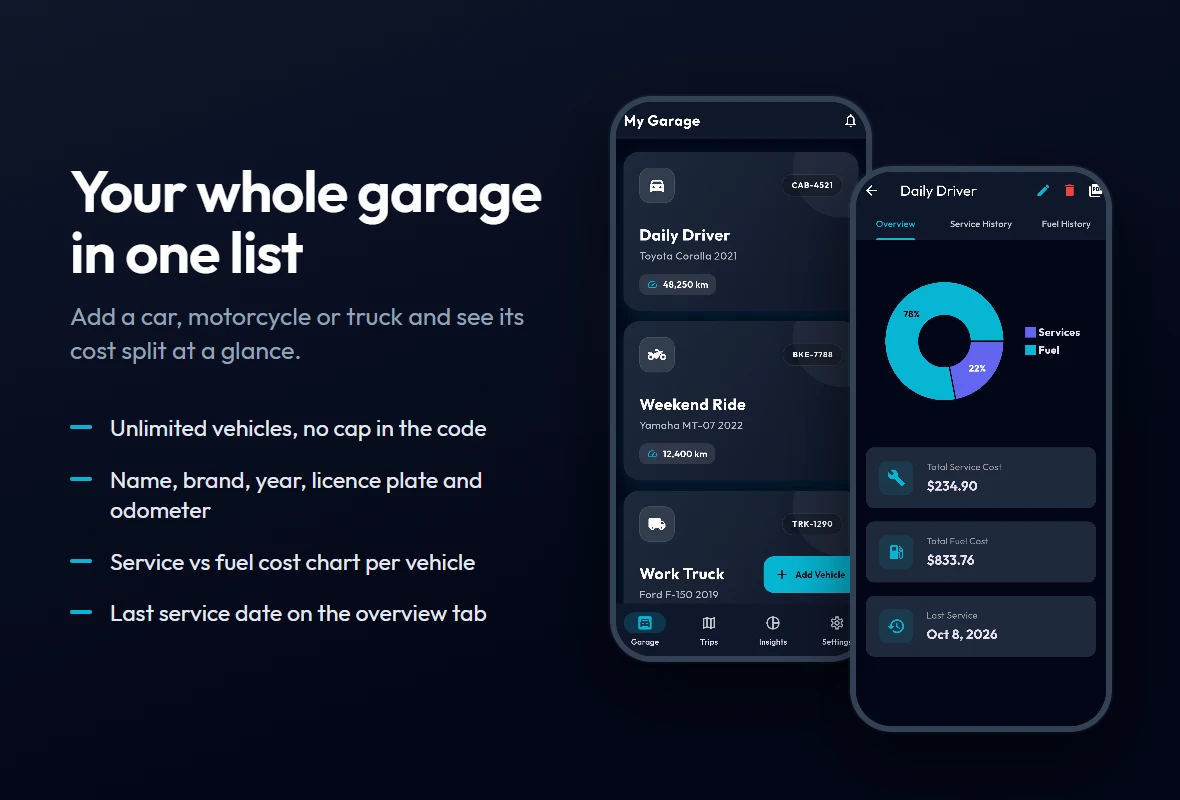
- Three Vehicle Types: Car, motorcycle and truck, each with its own icon. There is no vehicle limit in the code.
- Vehicle Details: Name, brand, model year, licence plate and current odometer.
- Per-Vehicle Overview: A service vs fuel cost donut chart, total service cost, total fuel cost and last service date.
- Automatic Odometer: The odometer rises automatically when a log has a higher reading.
- Edit & Delete: Deleting a vehicle also deletes its trips.
Service Log and Maintenance Reminders
Record every repair and schedule the next one. A local notification reminds the user on the due date, and the in-app Notifications screen shows what is overdue.
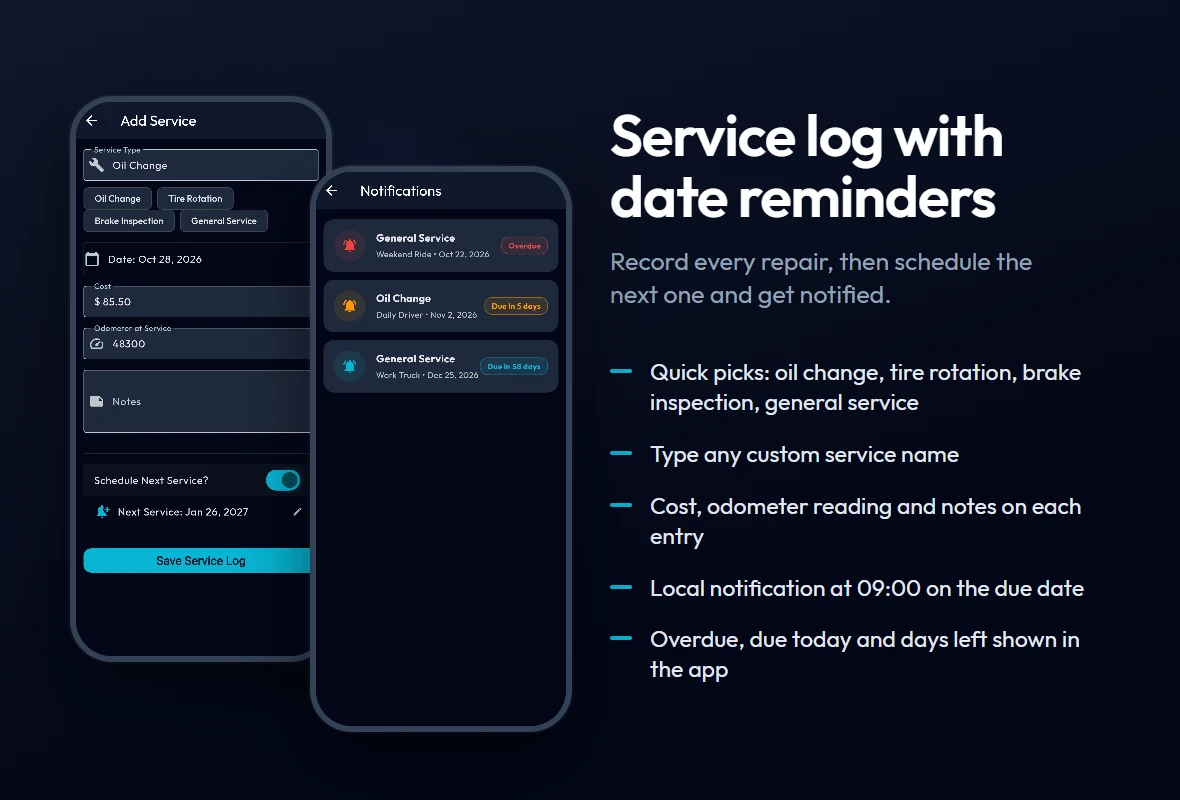
- Quick-Pick Services: Chips for Oil Change, Tire Rotation, Brake Inspection and General Service, or any custom service name.
- Service Details: Date, cost, odometer reading and notes on each entry.
- Schedule Next Service: An optional date with a reminder at 09:00 local time. No server or push service is involved.
- Notifications Screen: Overdue, Due today and "Due in N days" labels.
- Reminder Upkeep: Reminders are rebuilt after a backup restore and cancelled when the entry is deleted.
- Date-Based Only: Reminders follow dates. Odometer-based reminders are not included.
Fuel Log and Business Trip Mileage Tracker
Log each fill-up and keep a trip diary that separates business driving from personal driving. The mileage totals make it simple to prepare your own expense records.
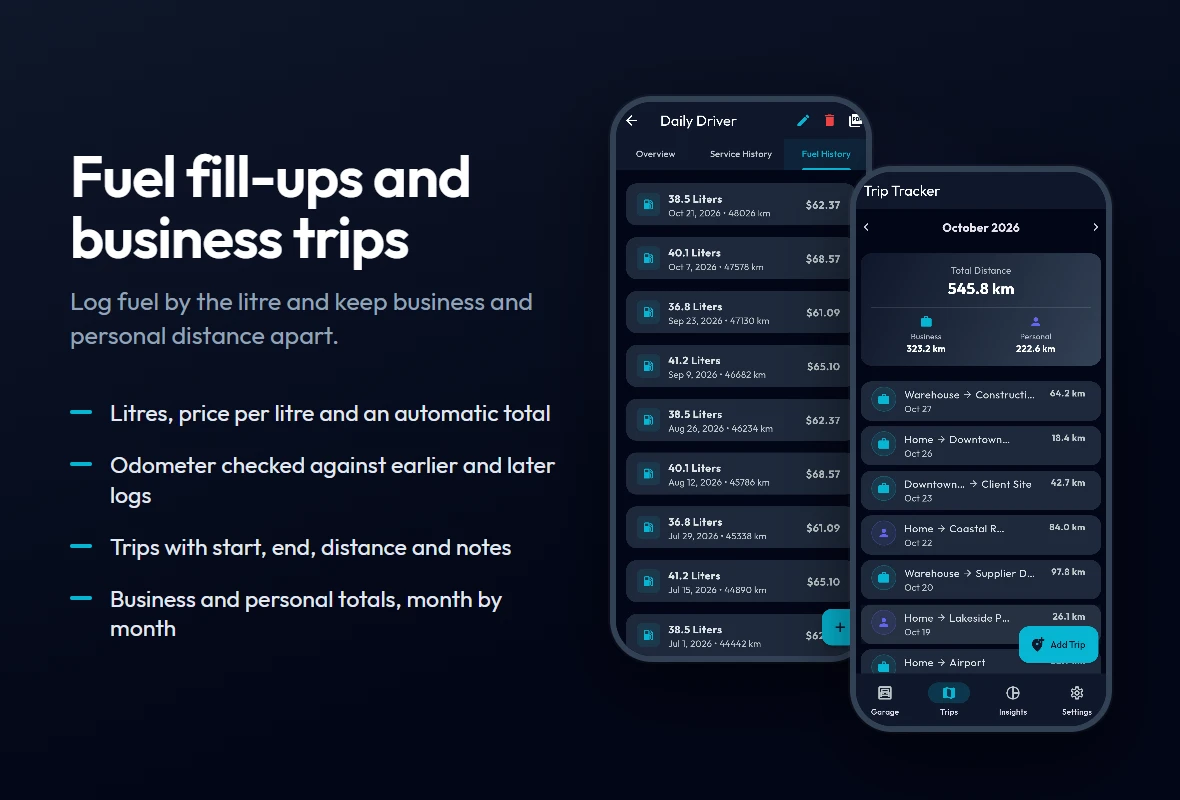
- Fuel Logs: Litres, price per litre, an automatic total cost and the odometer reading.
- Odometer Checks: Readings must fit between earlier and later logs.
- Trip Entries: Start, end, distance in km, Business or Personal type and notes.
- Monthly Trip List: Total, business and personal distance for each month.
- Units: Distance is shown in kilometres and fuel in litres. There is no unit switch.
- Totals, Not Tax: Trips do not calculate tax rates or deductions. They give you the totals to work from.
Vehicle Cost Insights and Spending Charts
The Insights tab shows spending across every vehicle with charts built on fl_chart.
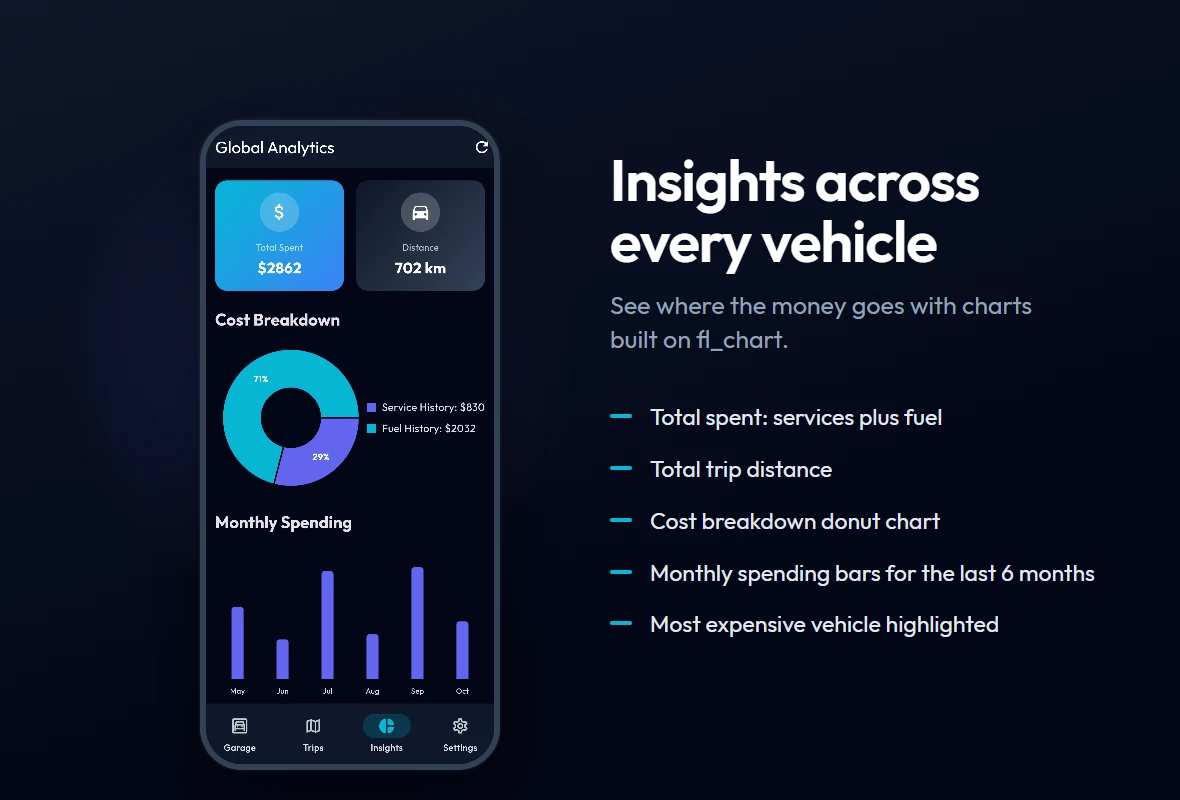
- Total spent (services plus fuel) and total trip distance.
- A cost breakdown donut chart: service history vs fuel history.
- A monthly spending bar chart for the last 6 months.
- The most expensive vehicle highlighted.
Backup, PDF Reports, Languages and Themes
Users keep full control of their data. They can export a backup file, restore it later, and share a PDF report of any vehicle.
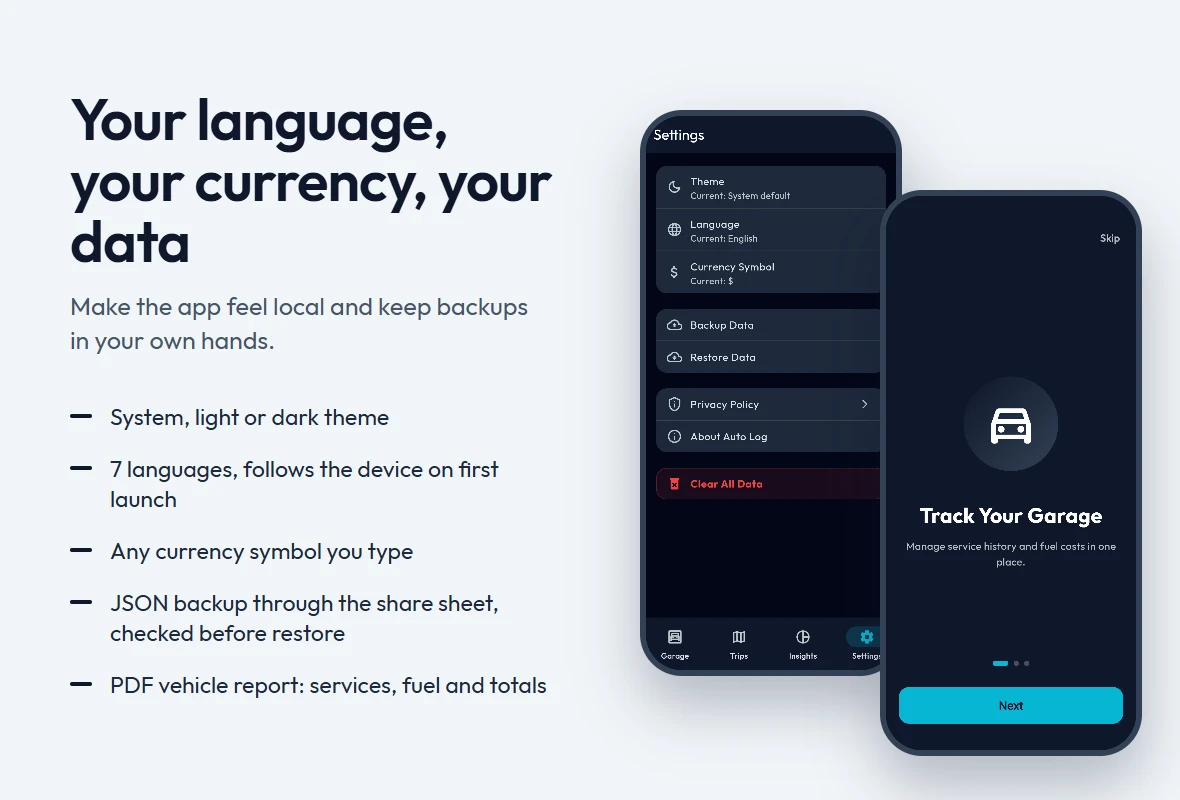
- Backup: A JSON backup shared through the system share sheet (save to Drive, iCloud, email or files). There is no direct cloud integration.
- Restore: Pick a backup file. It is checked before existing data is touched. Backups include vehicles, services, fuel logs, trips, currency, language and theme.
- PDF Vehicle Report: Vehicle details, a service table, a fuel table and totals in your currency. Bundled Noto fonts with a right-to-left layout for Arabic. Hindi reports use English labels.
- 7 Languages: English, Spanish, German, French, Portuguese, Hindi and Arabic (RTL). The app follows the device language on first launch.
- Themes: System, Light or Dark. Dark mode uses a Midnight Blue and cyan palette (#0F172A, #06B6D4).
- Currency: A symbol the user types in Settings.
- Also Included: A three-screen onboarding, a built-in Privacy Policy screen and Clear All Data.
Why Buy AutoLog? (Developer & Business Value)
- 100% Offline First Architecture: All data stays on the device in Hive CE. There is no network code, and the Outfit font is bundled, so the app makes no network requests.
- Zero Backend Infrastructure Costs: No server, no login and no API keys, so there is no monthly hosting bill. It suits a one-time-purchase utility app.
- Clean, Typed Codebase: Provider with Vehicle, Trip, Settings and Stats providers, strictly typed Hive CE models with generated type adapters, and unit tests for the rules that matter.
- Easy Rebranding: Change the app name, package id, icon and colours, add your own languages with the ARB files, and set your publisher name, support email and website in one constants file (
lib/core/constants.dart). The Complete Setup Guide walks through branding, translating, signing and publishing step by step. - Modern Tech Stack: Requires Flutter 3.44 or newer (tested with Flutter 3.47.7) and runs on Android 7.0 (API 24) and newer and iOS 14.0 and newer.
Technical Specifications For Developers
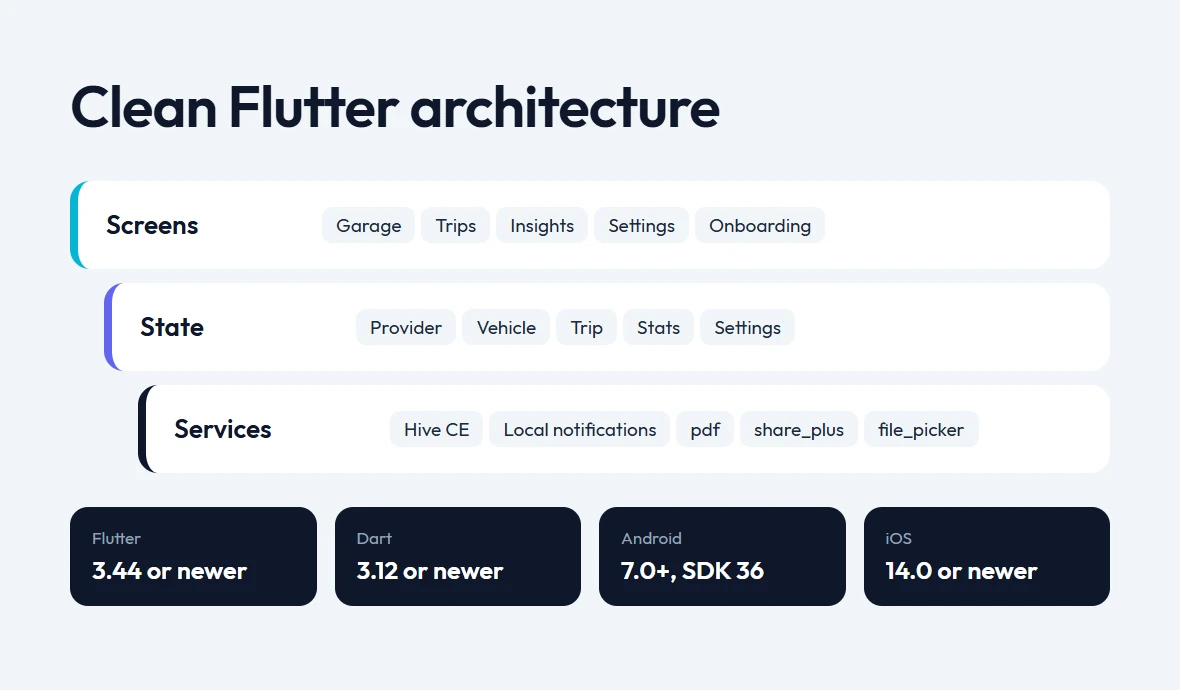
- Framework: Flutter 3.44 or newer, Dart 3.12 or newer. Tested with Flutter 3.47.7 and Dart 3.13.5.
- Programming Language: Dart.
- State Management: Provider (Vehicle, Trip, Settings and Stats providers).
- Local Database: Hive CE with generated type adapters. Data stays on the device.
- Main Packages:
fl_chart,flutter_local_notifications,timezone,pdf,share_plus,file_picker,path_provider,intl,uuidandpackage_info_plus. - Android: Minimum Android 7.0 (API 24), compile and target SDK 36, JDK 17.
- iOS: Minimum iOS 14.0. Xcode 16 or newer on a Mac.
- Localisation: 7 ARB language files, and a single place for publisher name, support email and website (
lib/core/constants.dart). - Tests: Unit tests for backups, number input, odometer rules, reminders and settings.
- Monetization and Backend: None. No ads, analytics, login or API keys.
What Is Included in Your Purchase?
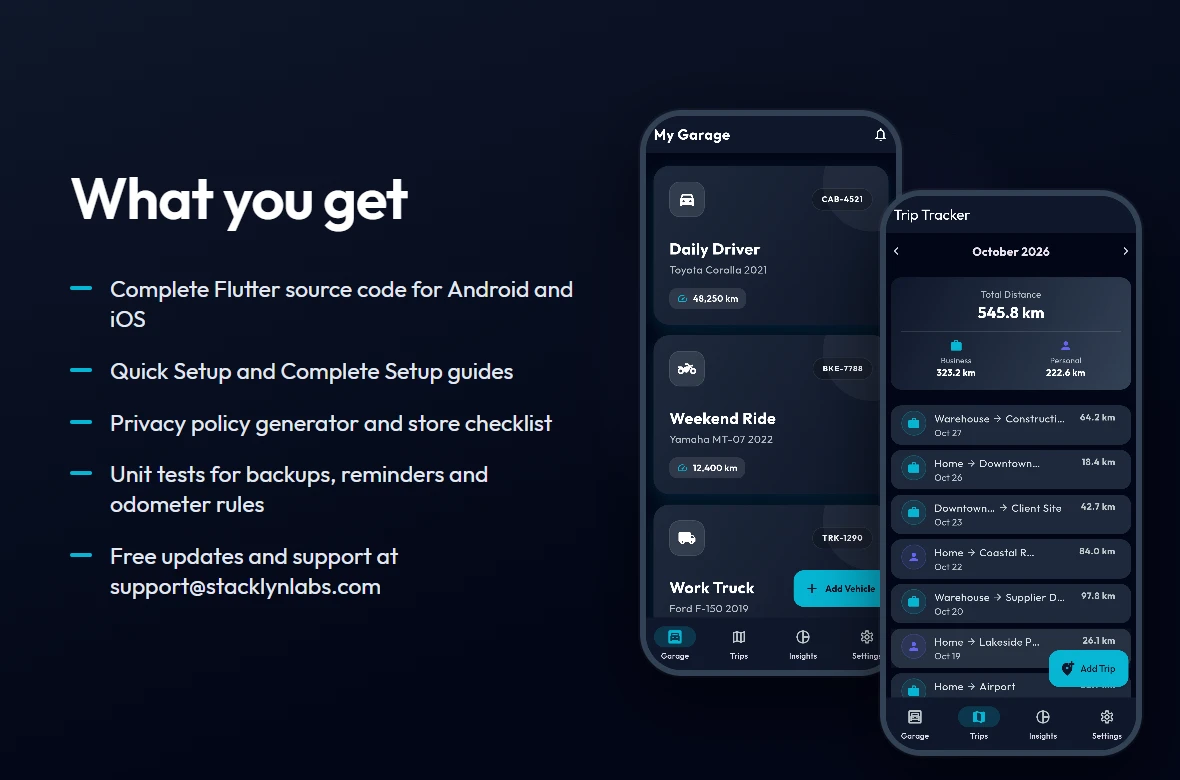
- Complete Flutter Source Code (Android & iOS)
- Quick Setup Guide and Complete Setup Guide (HTML)
- Privacy policy generator and store checklist
- Unit tests
- Free lifetime updates
- Support at support@stacklynlabs.com
Requirements
- Flutter SDK: 3.44 or later (Dart 3.12 or later).
- Android Build: JDK 17.
- iOS Build: A Mac with Xcode 16 or newer.
- Backend: none required.
Not Included
- Odometer-based service reminders (reminders are date-based).
- A unit switch: distance is in kilometres and fuel in litres.
- Tax rate or deduction calculations for trips.
- Direct cloud integration: backups are shared through the system share sheet.
- Ads, analytics, user login or API keys.
- Backup, restore, PDF export and notifications in the web live preview. They work only in the Android and iOS apps.
Download AutoLog today and launch your own vehicle management app.
Developed by Stacklyn Labs developers.
 CodeCanyon
 Codester