A landlord with a handful of flats asks you for a simple Flutter property management app. No subscription, no website login, nothing in the cloud: a list of tenants on her phone that shows who has paid and reminds her before rent is due. It looks like a weekend of forms and lists. Then the first real months go by. A tenant whose rent is due on the 31st has no due date in February, so the app shows nothing owed until March 3. A tenant who paid half shows as paid. March rent paid on April 2 makes March look short and April look like a record month. The reminder you tested on the emulator never appears on her Android 14 phone. None of that is UI work. It is rent logic, and in an offline app with no server behind it, nothing will correct it later.
If you are the landlord rather than the developer, here is what offline means in an offline property management app like this one. Every property, tenant and payment is kept in a database on your own phone. Nothing is sent to a server, there is no account to create, and the app works the same with no signal. The trade-off is that your phone holds the only copy. A backup is a single file you create yourself and save to email or a storage app you already use, and you restore from it if the phone is lost or replaced. Our guide to offline business apps explains the same choice for shops, salons and farms, without code.
On the evidence: everything below comes from building and then fixing Rent Folio, our offline landlord app in Flutter. Its 1.2.0 release reworked rent status, due dates in short months, which month a payment counts in, amount parsing, Android reminders, receipts, restore and deletes, and the behaviour described here is what that release ships. The Dart snippets are sketches written for this post, not Rent Folio's source. Android, Google Play and pub.dev facts were checked on November 6, 2026.
Offline Flutter property management app: the rules that decide whether it is trusted
| Rule | Safe default | What the landlord sees if you skip it |
|---|---|---|
| Rent status | Calculated from due day, lease dates and payments every time it is shown | A tenant marked Paid who paid half |
| Due day | Days 29 to 31 fall on the last day of shorter months | February rent that only falls due in March |
| First month owed | Rent owed from the day the tenant is added, or the lease start if later | Months of arrears for a tenant added today |
| Reporting month | Rent counts in the month it covers, not the month it was paid | One month short, the next one inflated |
| Amounts | Parse what the user types, in their format, and never round | 1.200,50 rejected, or an edited payment rounded |
| Reminders | Local notifications that survive Android 12 and later permission rules | Reminders that never fire |
| Restore | Check the whole backup before changing anything | Half old data, half new |
Scope matters before any of this. A rent tracking app that works offline keeps the landlord's records. It does not collect rent: no online payments, no tenant portal, no messages to tenants. If your client wants tenants to pay through the app, that is a backend product with a payment processor and accounts, and most of this post does not apply. What follows is one user, one phone, no sync.
Rent status is calculated, never stored
The tempting model is a status field on the tenant, set to Paid when a payment is saved. It goes stale the moment anything else changes: the date moves past the due day, a payment is edited or deleted, the lease ends. Without a server job to sweep the records each night, a stored status is wrong until the user happens to touch that tenant.
Calculate it instead, from inputs that only change when the user changes them: the tenant's monthly rent, due day, lease start and optional lease end, and the payments recorded against each month. Rent Folio shows four statuses per tenant, Paid, Due soon, Overdue and Upcoming, and on the tenant screen it shows the overdue amount, the number of months overdue and the next due date. All of that falls out of the same calculation.
Partial payments are where a stored flag breaks first. Two payments of half the rent against March must add up before March counts as paid, and a month stays overdue until it is fully paid. So status works per month, summing every payment that covers that month:
enum RentStatus { paid, dueSoon, overdue, upcoming }

RentStatus monthStatus({
  required int rentMinor,     // 120050 means 1,200.50
  required int paidMinor,     // sum of payments covering this month
  required DateTime due,      // date only, see the next section
  required DateTime today,    // date only
  required int dueSoonDays,   // your product decision
}) {
  if (paidMinor >= rentMinor) return RentStatus.paid;
  if (today.isAfter(due)) return RentStatus.overdue;
  final soon = DateTime(due.year, due.month, due.day - dueSoonDays);
  return today.isBefore(soon) ? RentStatus.upcoming : RentStatus.dueSoon;
}
The tenant's overall status is then the worst month across every month they owe, which is also where the count of overdue months comes from.
Compare dates, not durations. Dart's own DateTime documentation warns that the gap between two local midnights can be less than 24 hours times the number of days, because of daylight saving time. Strip the time from today and from each due date before comparing, and a tenant will not flip to Overdue an hour early twice a year.
Due days 29 to 31 and the first month owed
A tenant can have a due day from 1 to 31. In February, 30 and 31 do not exist, and in a non-leap year neither does 29. Dart's DateTime constructors let a day overflow its month rather than throwing, so DateTime(2027, 2, 31) quietly lands in March. Build the due date from the month's real length:
int daysInMonth(int year, int month) {
  const days = [31, 28, 31, 30, 31, 30, 31, 31, 30, 31, 30, 31];
  final leap = (year % 4 == 0 && year % 100 != 0) || year % 400 == 0;
  return month == 2 && leap ? 29 : days[month - 1];
}

DateTime dueDateIn(int year, int month, int dueDay) {
  final day = dueDay <= daysInMonth(year, month)
      ? dueDay
      : daysInMonth(year, month);
  return DateTime(year, month, day);
}
That is Rent Folio's rule: due days 29 to 31 fall on the last day of shorter months. Write the test cases before the code: February in a leap year and a normal one, a 30-day month, and a due day of 31 across a whole year.
The other end of the calendar is when rent starts. A landlord who installs the app in November and adds a tenant who has lived there since 2019 does not want seven years of arrears on the first screen. Rent Folio owes rent only from the day the tenant is added, or the lease start if that is later, so no due date before that day counts. The lease end works the same way in reverse: after it, expected rent stops and so do reminders. A tenant who moves out is archived rather than deleted. They leave the active list, but their payments stay in the reports, because the income was real.
Count rent in the month it covers
Every payment needs two dates: the day the money arrived and the month it pays for. Rent Folio records the amount, the date paid and the month covered for each payment, and its Finances screen counts rent in the month it covers. Repairs count in the month they were completed.
Here is why. March rent paid on April 2 is March's rent. If the report groups by payment date, March shows a shortfall that does not exist and April shows two rents from one tenant. The landlord sees the March gap, chases the tenant, and the tenant shows the receipt. The same applies to a tenant who pays two months in advance.
There is a trade-off to name. Grouping by the month covered answers "did every unit pay for March". It does not answer "how much cash came in during March", which is the view some bookkeepers and tax rules want. Keep the payment date on every record so either view can be built. We cannot tell you which one your client's accountant needs, so ask before you design the export.
Parse amounts the way the landlord types them
Landlords type rent the way their country writes numbers. Rent Folio's amount fields accept 1,200.50, 1.200,50 and 12,50, and amounts are never rounded. double.tryParse accepts none of the comma forms, so a parser built on it rejects half the world's input or, worse, strips the comma and misreads it.
Decide the ambiguous cases on purpose. "1,200" could be one thousand two hundred, or one point two. "1.200" has the same problem the other way round. Pick a rule, write it down, put it in tests, and show the parsed value back to the user before saving.
Then test the round trip, because that is where Rent Folio's own changelog found a bug: payments rounded when edited. A value that saves correctly can still be damaged by the edit screen, which formats it for display and parses the display string again on save. Format, parse, compare to the stored value, for every format you accept.
How you store the parsed value is a separate decision. The case for keeping money as integers in minor units, so totals never drift by a cent, is made in our post on offline POS architecture in Flutter, and it applies just as well to rent.
Each rule so far is a few lines of Dart. Proving them is not: every one needs tests across month lengths, leap years, lease boundaries, partial payments and several number formats, and when one is wrong you find out a month or more after release, from a landlord who has already chased the wrong tenant. Rent Folio landlord toolkit ships these rules already worked through: rent status from due day, lease dates and partial payments, due days 29 to 31 on the last day of short months, rent counted in the month it covers, decimal-safe amount fields, and 41 unit tests for rent status, due dates, reminder scheduling, amount parsing and the backup format. It is Android 7.0+ and iOS 14.0+ only, one user on one device, with no sync and no online payments, so treat it as the on-device core and build anything else on top.
Rent reminders on Android 12 and later
Rent Folio's reminders are local notifications on the landlord's own phone, 2 days before each due date. No server and no push service are involved, which is the point of an offline app, and also why a broken reminder fails silently: there is no delivery log to check. Rent Folio 1.2.0 fixed reminders that never fired on Android 12 and newer. These are the platform rules any scheduled reminder in Flutter now has to get past.
Exact alarms need special access. Apps that target Android 12 or higher and set exact alarms must have the "Alarms & reminders" special app access, requested by declaring SCHEDULE_EXACT_ALARM in the manifest. Android's documentation says the exact-alarm calls (setExact(), setExactAndAllowWhileIdle(), setAlarmClock()) throw a SecurityException without it.
On Android 14 that access starts off. SCHEDULE_EXACT_ALARM is no longer pre-granted to most newly installed apps targeting Android 13 or higher. A fresh install on a new phone has no exact alarms until the user turns them on in settings.
USE_EXACT_ALARM is not a shortcut. It is granted at install, but Google Play's policy restricts it to apps whose core function needs precise timing: alarm and timer apps, and calendar apps that show event notifications. A rent tracker is neither. Declaring it to skip the prompt risks a policy problem at review.
Notifications themselves are off by default from Android 13. POST_NOTIFICATIONS is a runtime permission, and on a new install notifications stay off until the user grants it.
In flutter_local_notifications (22.3.3 on pub.dev today), both requests sit on the Android implementation:
final android = notifications.resolvePlatformSpecificImplementation<
    AndroidFlutterLocalNotificationsPlugin>();

// Android 13+: notifications stay off on a new install until granted.
await android?.requestNotificationsPermission();

// Only if you schedule exact alarms: sends the user to Alarms & reminders.
await android?.requestExactAlarmsPermission();
Two more details from the plugin's README matter for a landlord app. If the exact-alarm permission is revoked, the plugin logs an error rather than failing loudly, so your UI needs its own check and message. And reminders only survive a reboot if the app declares the plugin's boot receiver with RECEIVE_BOOT_COMPLETED. The README also reports a limit of 500 alarms on Samsung devices, which matters if you schedule a year ahead for every tenant at every property.
Ask whether the reminder needs to be exact at all. Android's own guidance lists inexact alarms for user actions that can happen within a time window, and a reminder two days before rent is due rarely needs to land on the minute. That is a product decision with a cost either way: exact means a settings screen the landlord may never visit, inexact means the reminder can arrive later than the time you picked.
Treat reminders as derived data, like status. Editing a due day, ending a lease, archiving a tenant or deleting a property must cancel and reschedule. Then test it the way the landlord will meet it: a fresh install on Android 14, Alarms & reminders switched off under Settings, Apps, Special app access, and a reboot between scheduling and the due date.
Receipts, deletes and the backup file
Receipts. Rent Folio turns any payment into a PDF rent receipt with a receipt number, the tenant, the property, the payment date, the month covered and the amount, which the landlord can print or save. Its 1.2.0 changelog also lists a fix for a wrong tenant on some receipts. Whatever the cause in your own code, the test is cheap: two tenants on the same property, payments for the same month, and a check of every field on both receipts. On one device, a local sequence is enough for receipt numbers. Several devices need per-device numbering, which the POS post above covers.
Deletes. Deleting a property in Rent Folio also removes its tenants, payments, alerts and repairs, and cancels their reminders. Do all of it in one write transaction. A property deleted on its own leaves payments that still count in reports and reminders that fire for a flat that is gone. Archiving covers the case where the history should stay.
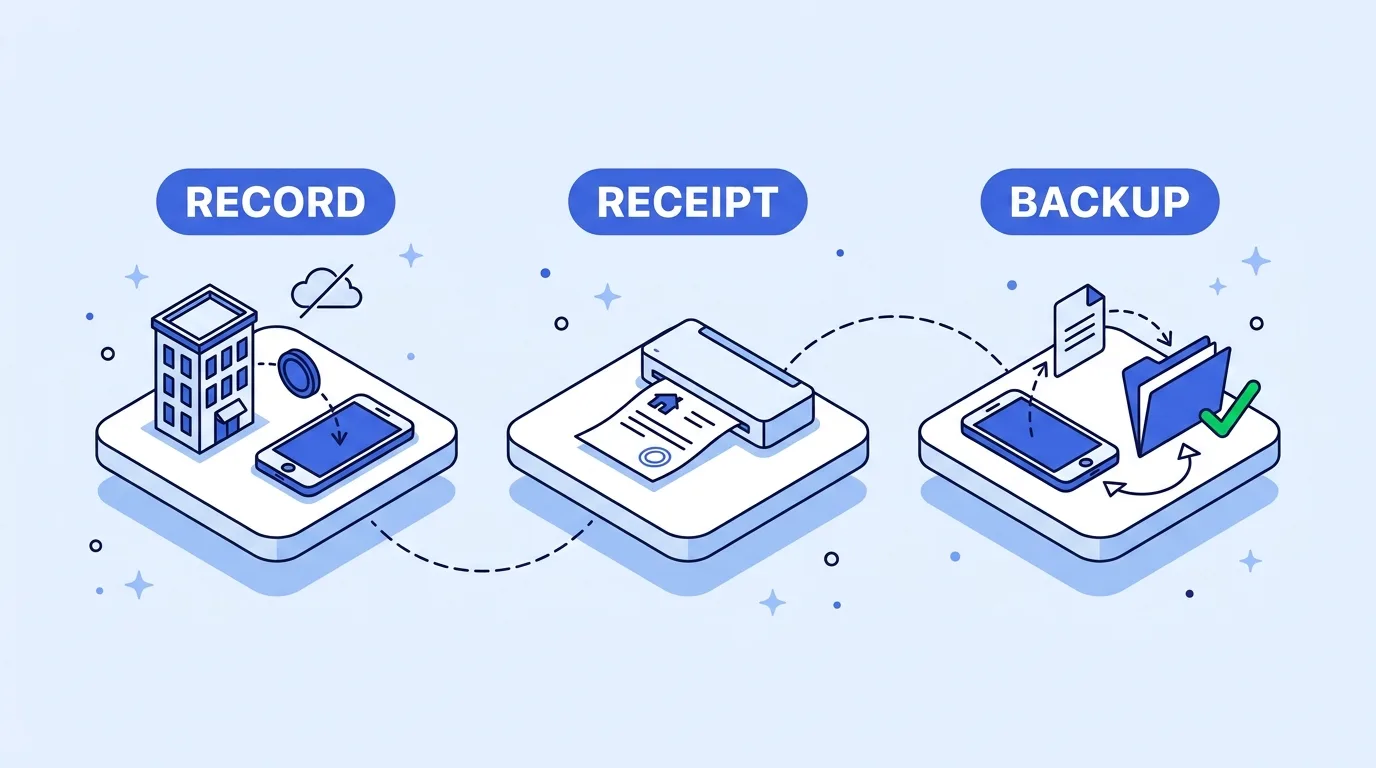
Backup and restore. With no sync and no cloud backup, the JSON file is the landlord's only safety net, and restore is where an app can destroy the data it was meant to protect. Rent Folio checks the whole backup before anything changes, and rejects damaged files and files from a newer version. Version 1.2.0 still restores backups made by 1.1.0. That combination only works if the file says which format it is:
{
  "format": 2,
  "appVersion": "1.2.0",
  "exportedAt": "2026-11-06T09:30:00Z",
  "properties": [],
  "tenants": [],
  "payments": [],
  "repairs": []
}
That envelope is an illustration, not Rent Folio's file. The rules it supports are the real ones: refuse a format newer than the app knows, migrate an older one in memory, validate every record, and only then replace the data in one transaction. Plan for the database itself failing to open, too. Rent Folio 1.2.0 fixed a startup crash in that case, and a landlord who cannot get past the splash screen cannot reach the restore button.
The data layer: isar_community today
The rules above do not depend on which local database you use. Rent Folio uses isar_community 3.3.2. Version 1.2.0 replaced isar 3.1.0 with it for Google Play's 16 KB page size rule. Android's documentation states that apps targeting Android 15 and higher must support 16 KB memory pages on 64-bit devices, and from February 1, 2027, updates that do not support them cannot be released.
On pub.dev today, isar_community is at 3.4.1 from the verified publisher isar-community.dev, released in October 2026. The changelog for 3.4.0 lists a fixed native memory leak and Swift Package Manager support, and 3.4.1 widens the generator's analyzer constraint. The listed platforms are Android, iOS, Linux, macOS and Windows. If your client's app still runs on the original package, our comparison of Isar alternatives for Flutter tests each successor against a real Isar 3 file.
Where to go from here
If your client wants this landlord app under their own name, icon and colours, we can reskin a Flutter template for a client launch, from package name to a signed, store-ready build. If the storage layer underneath is still undecided, start with choosing a Flutter local database for rent records.
References
- Android: exact alarm permission changes in Android 14, Android 12 behaviour changes, exact alarm permission, notification runtime permission, 16 KB page sizes
- Google Play: Permissions and APIs that Access Sensitive Information, exact alarm permission
- pub.dev: flutter_local_notifications, isar_community and its changelog
- Dart: DateTime class, DateTime overflow in copyWith

Written by Stacklyn Labs
Stacklyn Labs is a small studio publishing offline-first Flutter templates on CodeCanyon and Codester since 2025, and building custom Flutter and web apps for the teams who buy them.