If you have ever built a voice chat feature in Flutter and watched the UI freeze during incoming audio chunks, you already know the pain of single-threaded bottlenecks. Users expect the instant, stutter-free playback they experience on platforms like Discord. When you force your main UI isolate to handle high-frequency binary audio data, you hit a massive wall.
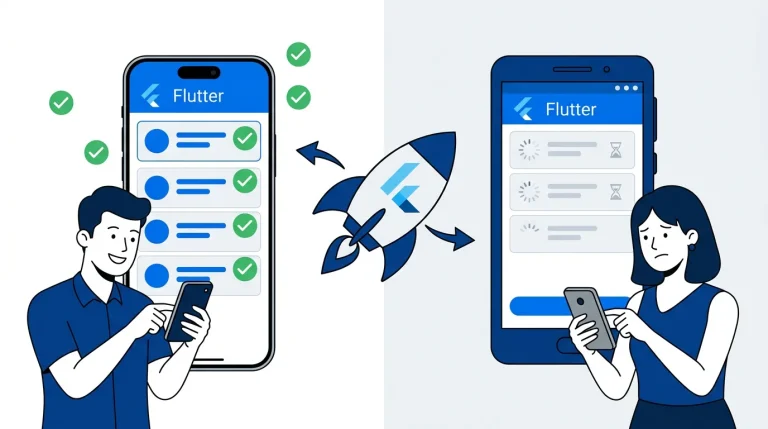
Flutter UI Jank occurs when the main thread gets bogged down by heavy computational tasks. Encoding raw PCM audio buffers or constantly reacting to volatile socket states will throttle your event loop. The result is dropped frames, missed animations, and frustrated users.
Fixing this requires a paradigm shift. You have to stop treating audio streams like standard HTTP REST calls. Instead, you need a resilient WebSocket Audio Streaming pattern engineered specifically for non-blocking, multi-threaded execution.
Here is the technical blueprint for separating audio capture, network transport, and state management into a highly scalable pipeline.
The Anatomy of Audio Processing Lag
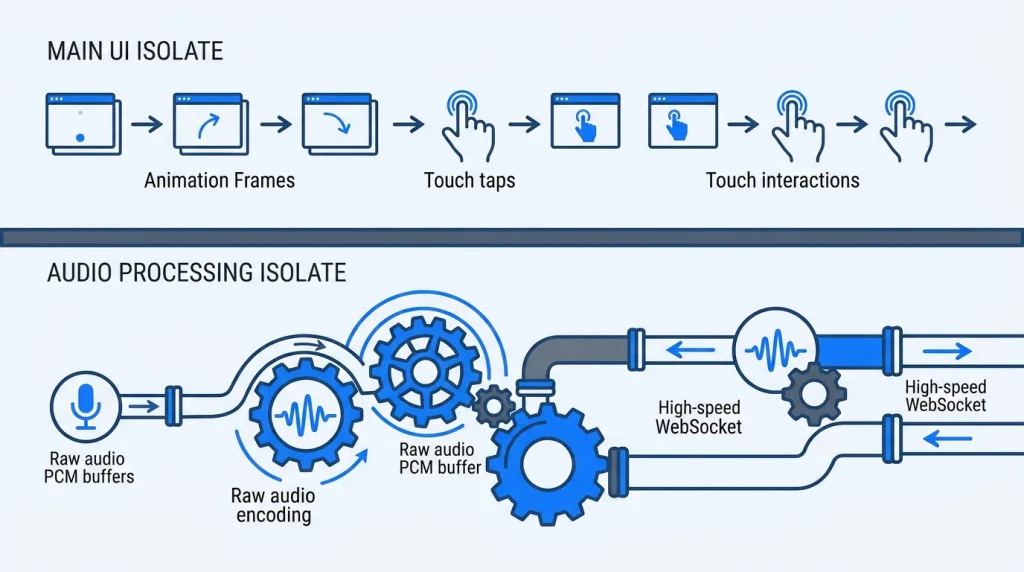
Flutter operates on a single-threaded execution model for its UI components. The main isolate paints the screen, handles touch events, and executes your Dart code. It runs on a continuous event loop. If a single function takes longer than 16 milliseconds to execute, the app drops a frame. It is that simple.
Audio processing is notoriously CPU-intensive. When you capture audio from the device microphone, the hardware delivers it as raw Pulse-Code Modulation (PCM) data. This raw data is massive. Sending uncompressed PCM data over a mobile network guarantees latency. You must compress it into a format like Opus or AAC before transmission.
If you run the encoding algorithm directly inside a widget callback or a standard state controller, you stall the event loop. The UI freezes while the CPU crunches the byte arrays. To architect a jank-free experience, you must physically remove this workload from the main thread.
Offloading Workloads with Dart Isolates
The absolute golden rule of Flutter audio is isolation. You must push all intensive byte manipulation to a background worker. Dart uses Isolates independent workers that do not share memory. They communicate strictly through message passing.
By offloading the heavy lifting, your main thread stays locked at a smooth 60 or 120 FPS. Modern Flutter releases (especially moving through the 3.11.x branches) have heavily optimized how isolates pass data, making background processing highly efficient.
Spawning an Audio Encoder Isolate
Instead of blocking the UI, we spawn a dedicated isolate. The main thread listens to a ReceivePort, while the background isolate does the heavy mathematical work of converting PCM buffers to compressed Opus frames.
Dart
import 'dart:isolate';
import 'dart:typed_data';

// Main Thread Initialization
void initializeAudioPipeline() async {
  final receivePort = ReceivePort();

  // Spawn the worker and pass the communication port
  await Isolate.spawn(_encodeAudioStream, receivePort.sendPort);

  receivePort.listen((dynamic message) {
    if (message is Uint8List) {
      // Handle the compressed Opus chunk ready for network transport
      _streamToWebSocket(message);
    }
  });
}

// Background Thread Execution
void _encodeAudioStream(SendPort sendPort) {
  // Initialize your audio encoder here (e.g., Opus)
  // This code runs entirely outside the UI thread.

  // Simulated incoming PCM data from native platform channels
  void onPcmDataReceived(List<int> rawPcm) {
    // Heavy PCM to Opus conversion happens here safely
    final Uint8List compressedData = _compressToOpus(rawPcm);

    // Ship the compressed bytes back to the main thread
    sendPort.send(compressedData);
  }
}
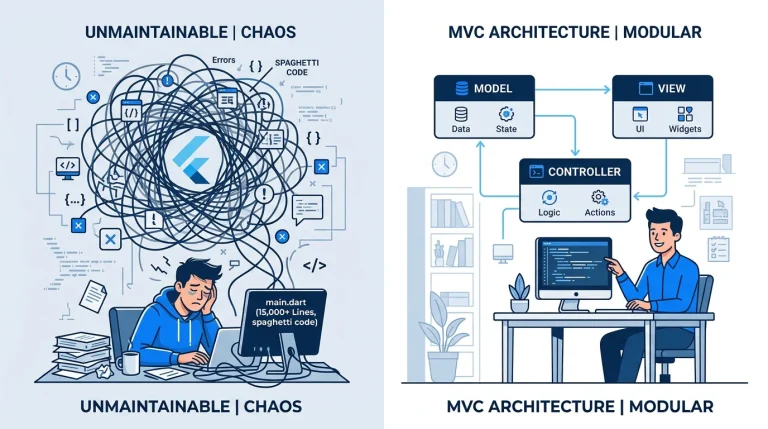
This strict architectural boundary prevents the main UI isolate from ever knowing how the audio is processed. It only knows when the data is ready to ship.
Bidirectional Streaming via WebSockets
WebRTC is the standard for complex, peer-to-peer video conferencing. However, for client-to-server voice chat, WebRTC introduces unnecessary overhead. WebSockets are the pragmatic powerhouse for reliable, low-latency audio streaming.
WebSockets establish a persistent, bidirectional TCP connection. They easily traverse enterprise firewalls and allow your backend (whether Node.js, Go, or Rust) to intercept the audio. This server-side interception is required if your application needs to handle recording, automated transcription, or content moderation before broadcasting the audio to other listeners.
Pushing Binary Frames
Using the web_socket_channel package allows you to open a persistent sink.
Dart
import 'package:web_socket_channel/web_socket_channel.dart';

// Establish the persistent connection
final channel = WebSocketChannel.connect(
  Uri.parse('wss://api.yourdomain.com/voice-stream'),
);

// Ship the binary audio frames to the backend
void _streamToWebSocket(Uint8List opusData) {
  channel.sink.add(opusData);
}

// Listen to incoming audio from other users
void listenToIncomingAudio() {
  channel.stream.listen((dynamic data) {
    if (data is Uint8List) {
      _feedJitterBuffer(data);
    }
  });
}
Do not play incoming WebSocket packets directly to the device speaker. Network latency fluctuates constantly. If you attempt immediate playback, the audio will violently stutter.
Engineering the Jitter Buffer
A Jitter Buffer is your architectural shock absorber. It sits between the incoming WebSocket stream and the device’s audio hardware.
Instead of playing a packet the millisecond it arrives, the Jitter Buffer collects a small window of incoming packets typically 50 to 100 milliseconds worth of audio. It sequences them correctly and feeds them to the hardware at a constant, predictable rate.
The 4-Step Playback Pipeline
- Capture: Grab raw PCM audio using native platform channels at a standard sample rate, like 16kHz or 48kHz.
- Transformation: Ship the raw bytes to the background Isolate. Compress them using an Opus encoder.
- Transmission: Stream the resulting binary frames over the persistent WebSocket channel.
- Reception & Buffering: Catch the incoming stream from the server. Hold the packets in a queue (the Jitter Buffer) to account for network spikes, then pipe them sequentially to the native audio player.
This strategy guarantees a smooth user experience. Even if mobile carrier packets arrive out of order, the buffer reorganizes them before the user hears a single artifact.
The Network Reality: Offline-First Caching
Mobile users switch from 5G to Wi-Fi. They drive through tunnels. Your WebSocket connection will drop. A production-grade application must handle these volatile network states gracefully.
This is where a robust Offline-First Flutter Architecture becomes mandatory. You cannot build a modern voice app that simply throws a network error and deletes the user’s unsent voice data when the connection drops.
Implement aggressive, exponential backoff logic for WebSocket reconnections. If the connection drops while the user is transmitting, cache the compressed audio chunks locally. We highly recommend utilizing an embedded, high-performance NoSQL database like Isar for this specific task. Isar operates synchronously and handles binary data natively. You can cache the outgoing Opus payloads directly to the disk, monitor the network state, and flush the queue to the server the moment the WebSocket reconnects.
State Management and Memory Leaks
Continuous data streams are a primary cause of memory leaks in Flutter applications. If you fail to close your stream controllers and network sinks when a user navigates away from the voice chat screen, the background isolate will continue processing audio. The WebSocket will continue listening.
You must strictly map your stream closures to the lifecycle of your application state. If you are utilizing Riverpod for state management, tie the closure logic directly into the onDispose lifecycle hook of your Notifier.
Dart
ref.onDispose(() {
  channel.sink.close();
  receivePort.close();
  audioIsolate.kill(priority: Isolate.immediate);
});
Failing to explicitly kill the isolate and close the sink will result in silent background execution, draining the user’s battery and eventually crashing the application due to out-of-memory exceptions.
Testing Continuous Streams
Validating a live, continuous binary stream in your CI/CD pipeline requires isolation from your actual backend. Relying on a staging server for unit tests creates flaky, unreliable test suites.
You mock the stream. Create a mock StreamController that mimics the behavior of your WebSocket. You can use Stream.periodic to feed predefined byte arrays of test audio at specific intervals.
This allows you to write deterministic unit tests. You can verify that your Jitter Buffer properly sequences out-of-order packets, handles buffer underruns cleanly, and ensures the UI reacts to buffering states without throwing null exceptions.
The Build vs. Buy Equation in Software Architecture
Building this infrastructure manually is an immense engineering challenge. Managing isolate communication, engineering a mathematically sound jitter buffer, implementing exponential backoff strategies, and designing a local-first Isar caching layer requires months of dedicated development time.
At Stacklyn Labs, we see agencies burn hundreds of billable hours just trying to get the audio buffer to stop blocking the main thread. Complex architecture is a massive time-sink for development teams who just need to ship a functional product to their clients.
This is exactly why we build production-ready, feature-first Flutter templates. Starting your project with a SaaS-in-a-Box bundle allows you to bypass these deep infrastructure headaches entirely. You get the pre-configured isolates, the optimized state management, and the clean architectural boundaries right out of the box. You stop fighting the framework and start shipping months faster.
The Pragmatic Takeaway
Real-time audio is an exercise in disciplined concurrency. The framework gives you the tools, but how you arrange them determines your app’s performance ceiling. Protect the main thread at all costs. Abstract your heavy processing into isolated workers, buffer your network inputs aggressively, and always design for the moment the user’s connection drops. Build systems that expect failure, and you will deploy applications that feel unbreakable.
References & Further Reading
- Flutter Documentation: Concurrency and Isolates in Dart
- Dart API Reference: WebSocket Channel Package
- Technical Case Study: Understanding Flutter’s Threading Model
Stacklyn Labs
Developer Notes & Updates