You’ve written bulletproof Firestore Security Rules and locked down your application with Firebase Authentication. You probably assume your backend is secure. You are wrong.
Malicious actors do not need to log in to compromise your infrastructure. They routinely extract API keys directly from your compiled app binary, write simple Python scripts, and spam your endpoints. They will trigger your Cloud Functions, scrape your unauthenticated data, and burn through your cloud budget in a matter of hours.
Authentication verifies who the user is. It does nothing to verify what is making the request. To prevent automated abuse, you need cryptographic proof that incoming traffic originates from your legitimate app running on an untampered device. At Stacklyn Labs, we enforce Firebase App Check as a baseline requirement for every production application we architect.
Here is how you build an impenetrable security perimeter around your Flutter backend.
The Invisible Exploit: How Attackers Bypass Auth
Client-side security is an illusion. When you compile a Flutter application, your google-services.json and GoogleService-Info.plist configurations are bundled into the final APK or IPA. Anyone with basic reverse-engineering tools can extract your Firebase project ID, API keys, and messaging sender IDs.
Armed with your project configuration, an attacker can bypass your Flutter UI entirely. They can use cURL or automated HTTP clients to fire thousands of requests directly at your backend. If your endpoints lack attestation, Firebase processes every single request.
This results in massive compute bills. If you expose a Cloud Function that triggers an expensive third-party service like sending an SMS or generating an AI response an attacker can drain your bank account overnight. This is the primary threat model for modern mobile applications. You must block these requests at the network edge before they ever execute your code.
How Attestation Stops Automated Abuse
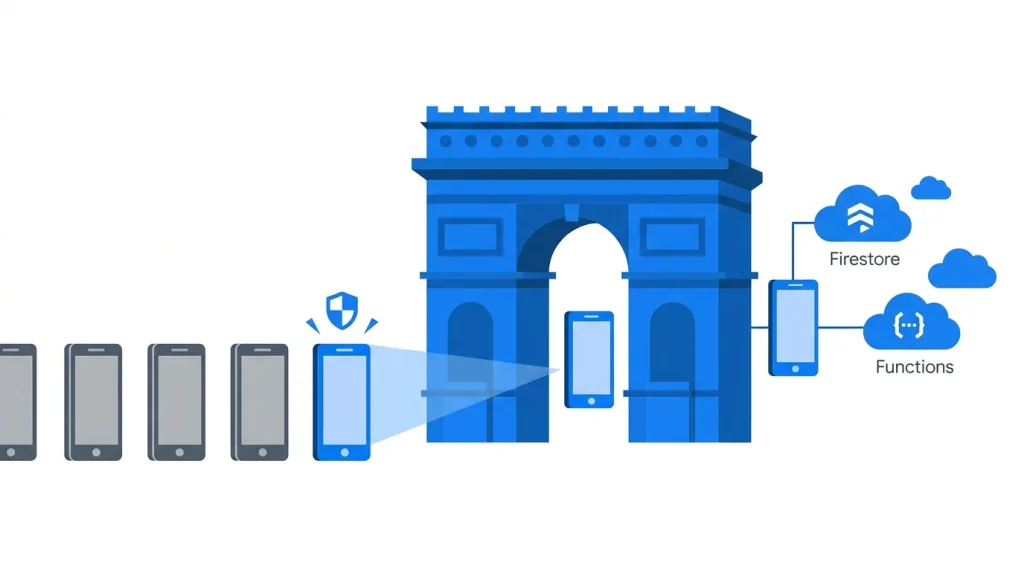
Firebase App Check solves this problem through OS-level hardware attestation. It acts as a cryptographic bouncer for your cloud resources.
When your Flutter app launches, it silently contacts a platform-specific attestation provider. On Android, this is the Play Integrity API. On iOS, it uses DeviceCheck or App Attest. These providers analyze the device hardware and the application signature to ensure the environment is trustworthy.
If the device passes the check, the provider issues a secure token. Your Flutter application automatically attaches this short-lived token to every outbound network request. When Firebase receives a read or write operation, it inspects the token. If the token is missing, invalid, or expired, Firebase instantly drops the request at the gateway. The malicious script is blocked, and you are not billed for the compute time.
Fixing the Handshake Latency Bottleneck
Security introduces overhead. Generating an attestation token requires a full network round-trip to Apple or Google servers before your app even communicates with Firebase. This creates a severe cold-start problem.
If you are building an offline-first Flutter architecture, you are already fighting to keep the UI perfectly synced and immediately responsive. Blocking the user’s initial data sync to wait for a sluggish attestation handshake ruins the user experience. You must keep this token “hot” to ensure fast load times.
You solve this by actively managing the token lifecycle. When initializing the provider, enable automatic background refreshing. This forces the Firebase SDK to renew the attestation token in the background before it expires.
Dart
// Flutter: Initializing App Check with Background Refresh
await FirebaseAppCheck.instance.activate(
  androidProvider: AndroidProvider.playIntegrity,
  appleProvider: AppleProvider.appAttest,
  // Keeps the token warm, eliminating latency on the critical path
  isTokenAutoRefreshEnabled: true,
);
By enabling auto-refresh, the token is always ready when the user triggers a network action. This keeps your application fast and responsive while maintaining strict Flutter Firebase Security.
Handling Edge Cases: The “Permission Denied” Trap
Hardware attestation is strict by design. What happens when a legitimate customer runs your application on a rooted Android device, a custom ROM, or an iOS simulator? The attestation provider flags the environment as untrustworthy and refuses to issue a token.
By default, Firebase responds to this failure with a blunt Permission Denied exception. Your user is permanently locked out of the app. Your crash reporting dashboards will fill up with opaque network failures, and debugging the root cause becomes a nightmare.
You must implement a tiered security approach. Instead of treating attestation as a hard block for the entire application, build graceful degradation into your state management layer.
The Defensive Implementation Strategy
Do not blindly trust the network request to succeed. Listen to the active token state. Use the onTokenChanged stream to detect if the user’s device failed the hardware verification.
If the device is unverified, gracefully restrict access. Disable high-cost server operations like LLM generation or heavy database queries but allow the user to read cached local data. Present a clear, polite UI warning explaining that their device environment is unsupported.
Dart
// Flutter: Monitoring App Check Token Status
FirebaseAppCheck.instance.onTokenChanged.listen((String? token) {
  if (token == null) {
     // The device is rooted, emulated, or attestation failed entirely.
     // Restrict backend write access and alert the user.
     SecurityService.disableHighCostFeatures();
     UIManager.showSecurityWarningDialog();
  } else {
     // Attestation successful. The cryptographic payload is valid.
     SecurityService.enablePremiumFeatures();
  }
});
Managing these complex edge cases takes weeks of engineering effort. Building resilient state management that handles hardware failures, network drops, and token expiration is a massive time-sink for development teams. This is why agencies rely on the production-ready templates and SaaS-in-a-Box bundles engineered by Stacklyn Labs. By using our pre-configured architectures, you bypass these infrastructure headaches entirely. You get robust offline-first syncing, complex security rules, and granular attestation logic out of the box, allowing your team to ship months faster.
Expanding the Unified Security Perimeter
App Check is useless if you leave backdoors open. You must enforce attestation across your entire backend architecture, not just your primary database. Treat your cloud project as a unified security perimeter.
- Cloud Functions: Enforce the check at the function gateway. You must explicitly configure your functions to reject requests that lack a valid
X-Firebase-AppCheckheader. - Firebase Storage: Prevent competitors from running scripts to scrape your media assets. Enforce attestation on all image, video, and file reads to protect your bandwidth.
- Realtime Database: Ensure your low-latency socket connections are established exclusively by genuine, unmodified binaries.
- Custom Backends: If you run custom microservices, verify the tokens yourself. Extract the header in your Express or Django middleware and use the Firebase Admin SDK to validate the cryptographic signature before processing the route.
Bypassing the Wall in CI/CD Environments
You will break your deployment pipeline the minute you enforce App Check. Automated integration tests running on GitHub Actions or Bitbucket Pipelines execute on virtualized servers. These Linux runners cannot pass Play Integrity checks. Firebase will reject every test request, bringing your CI/CD workflow to a halt.
You mitigate this by implementing the App Check Debug Provider. Generate a static Debug Token directly inside the Firebase Console. You then inject this token into your CI environment as an encrypted secret.
YAML
# GitHub Actions: Injecting the App Check Debug Token
- name: Run Flutter Integration Tests
  run: flutter test integration_test/app_test.dart
  env:
    # Injecting the console-generated token to bypass hardware checks
    APP_CHECK_DEBUG_TOKEN: ${{ secrets.FIREBASE_APP_CHECK_DEBUG_TOKEN }}
Inside your Flutter application, read this environment variable during your test configuration. Initialize the DebugAppCheckProviderFactory strictly within your testing or staging environments. This tells Firebase to accept the hardcoded token, allowing your automated tests to interact with the backend securely while keeping production heavily locked down.
Securing the Perimeter Today
Delaying backend security is a gamble you will eventually lose. The moment your application gains traction, automated scripts will target your public endpoints. Implement hardware attestation now, manage your token lifecycle aggressively, and build graceful degradation for unsupported devices. Lock down your cloud resources before an automated scraping attack turns your next billing cycle into an existential threat.
References & Further Reading
- Firebase: App Check Integration Overview
- Android: Play Integrity Technical Guide
- Stacklyn Labs: Request a Full Stack Security Audit for your App
Stacklyn Labs
Developer Notes & Updates