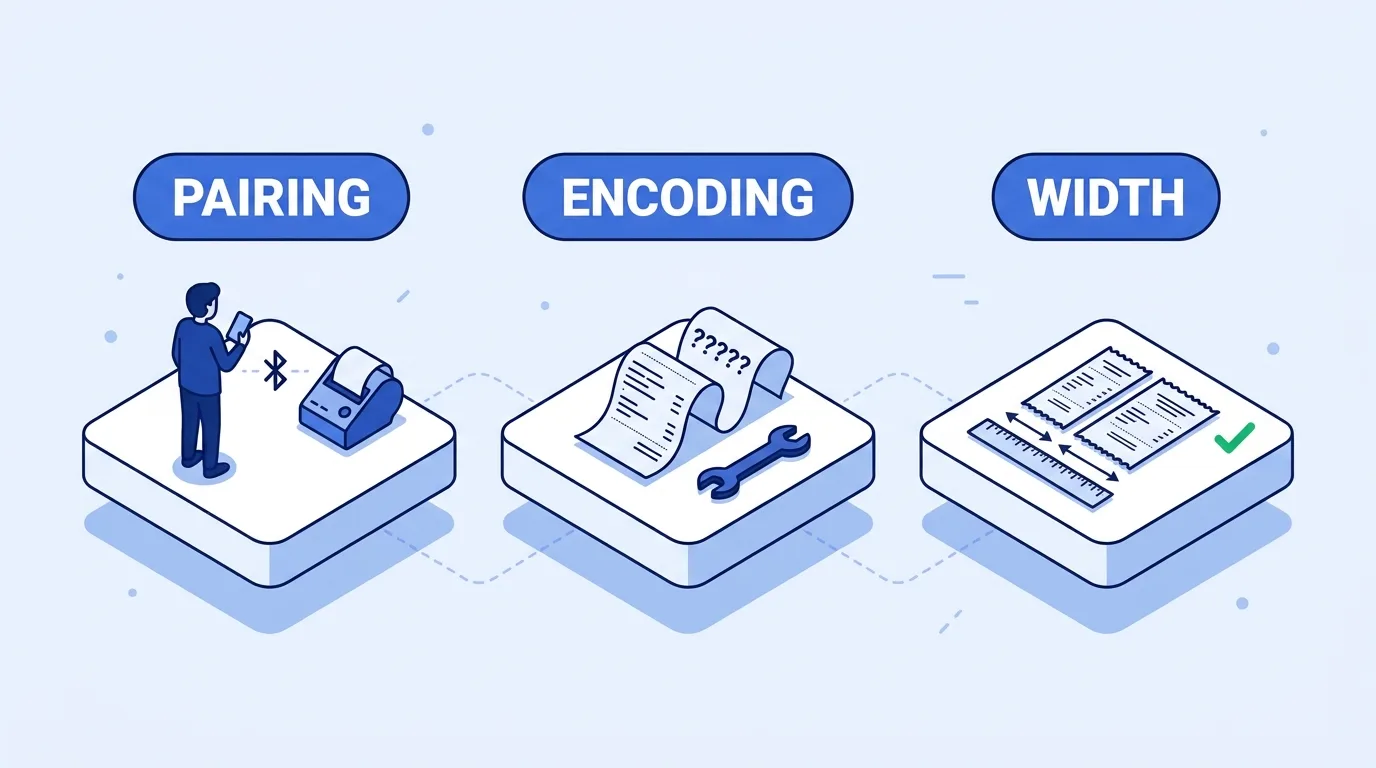
Your client's shop opens tomorrow. The Flutter app finds the receipt printer, Settings says paired, you tap Print, and nothing happens. Or something does: half a logo, a row of ? where the rupee sign should be, every item name wrapped onto two lines. A Flutter Bluetooth thermal printer not printing is rarely one bug. It is usually one of seven, in different layers: the connection, the Bluetooth type, the code page, the document format, the paper width, the image, or a built-in printer that was never Bluetooth.
The pages that rank for this are package READMEs and vendor forum threads. They show how to call a plugin, not why the paper stays blank. This post works backwards from the symptom.
On the evidence: we did not bench-test printers for this post. Versions, platform behaviour and printer specs come from pub.dev, Android and Apple developer docs, package source and vendor spec sheets, checked on October 21, 2026. Some of it we learned the hard way: an earlier version of our own POS app had print errors that failed silently and a ₹ sign that never printed.
Flutter thermal printer not printing: quick diagnosis
| Symptom | Likely cause | First fix to try |
|---|---|---|
| Printer listed, connect fails or times out | Paired but not connected, or another phone holds the link | Turn off Bluetooth on nearby phones, power-cycle the printer, reconnect |
| Works on Android 11, not on Android 12+ | Missing BLUETOOTH_CONNECT / BLUETOOTH_SCAN runtime permission |
Declare and request the Android 12 permissions |
| Works on Android, never appears on iOS | Bluetooth Classic (SPP) printer | BLE-capable or Wi-Fi printer for iOS |
?, wrong letters or an exception on é, €, ₹ |
Wrong code page, or a character no code page has | Select the right page; print other scripts as an image |
| Sent a PDF, nothing printed | ESC/POS printers do not read PDF | Send ESC/POS bytes, or use the system print route |
| Lines wrap, columns drift | Layout for 80 mm on a 58 mm printer, or the reverse | Match paper size in the generator and your column widths |
| Logo prints as noise, cut off, or stops halfway | Not 1-bit, too wide, or sent faster than the link or printer takes it | Resize, dither, send in strips |
| Sunmi-style handheld, no Bluetooth printer found | Built-in printer uses a vendor print service | Use the vendor SDK plugin |
First rule out the boring causes: paper loaded the right way up (thermal paper marks on one side only), cover closed, battery charged. Many printers print a self-test page if you hold the feed button while powering on; the manual will say. If that prints, the hardware is fine and the problem is in your app.
Paired is not connected
Android's Bluetooth docs separate the two. Paired means the devices know each other and share a link key. Connected means they currently share an RFCOMM channel and can send data. A printer can sit in Settings as paired for months while nothing in your app is connected to it.
Another device holds the printer. The Android docs note that RFCOMM allows one connected client per channel at a time. If the owner's personal phone connected yesterday and is still nearby with Bluetooth on, your connect call fails. Android's socket connect gives up after about 12 seconds.
Android 12 permissions. Apps targeting Android 12 (API 31) or higher need BLUETOOTH_CONNECT to talk to paired devices and BLUETOOTH_SCAN to discover new ones. Both are runtime permissions, granted through the Nearby devices prompt; the manifest alone is not enough. On Android 11 and lower, the legacy BLUETOOTH and BLUETOOTH_ADMIN permissions apply, and scanning also needs ACCESS_FINE_LOCATION at runtime.
<!-- Android 11 and lower -->
<uses-permission android:name="android.permission.BLUETOOTH" android:maxSdkVersion="30" />
<uses-permission android:name="android.permission.BLUETOOTH_ADMIN" android:maxSdkVersion="30" />
<uses-permission android:name="android.permission.ACCESS_FINE_LOCATION" android:maxSdkVersion="30" />

<!-- Android 12 and higher -->
<uses-permission android:name="android.permission.BLUETOOTH_CONNECT" />
<uses-permission android:name="android.permission.BLUETOOTH_SCAN"
    android:usesPermissionFlags="neverForLocation" />
Check what your plugin does. print_bluetooth_thermal (1.2.5, published September 28, 2026) has an isPermissionBluetoothGranted getter that checks BLUETOOTH_CONNECT. It only checks, so request the permission yourself first.
Your app ignores the result. In print_bluetooth_thermal, connect and writeBytes both return Future<bool>. If you never read it, a failed connection looks exactly like a printer that ignored you. Test the link with the smallest payload there is:
final connected =
    await PrintBluetoothThermal.connect(macPrinterAddress: mac);
if (!connected) throw StateError('Printer did not accept the connection');

// ESC @ (initialise), "TEST", three line feeds
final ok = await PrintBluetoothThermal.writeBytes(
    [0x1B, 0x40, 0x54, 0x45, 0x53, 0x54, 0x0A, 0x0A, 0x0A]);
if (!ok) throw StateError('Write failed');
If TEST prints, the link works, and everything below is about what you send over it.
Works on Android, invisible on iPhone: Classic vs BLE
This one costs a client conversation, because code cannot fix it.
Plenty of low-cost receipt printers speak only Bluetooth Classic with the Serial Port Profile (SPP): open an RFCOMM socket, stream bytes. iOS does not offer it to ordinary apps. An Apple DTS engineer put it plainly on Apple's developer forums in November 2024: Core Bluetooth can reach a Classic device only if it supports GATT over Classic, and SPP-style communication needs the MFi Program and the External Accessory framework. Apple's External Accessory docs add that the accessory's manufacturer decides which third-party apps may talk to it. A generic marketplace printer is unlikely to have your app on that list.
So ask the client which printer they own before you write a line. For Android only, a Classic SPP printer works. For iOS too, you need a printer that also speaks BLE, an MFi printer whose vendor approves your app, or a network printer.
Packages split on the same line. blue_thermal_printer (1.2.3, last published July 19, 2022) describes itself as Android only. print_bluetooth_thermal lists paired devices on Android but nearby devices on iOS, and its latest changelog is about Core Bluetooth fixes, so its iOS side is BLE. flutter_blue_plus (2.3.14, published October 3, 2026) states that Bluetooth Classic is not supported on any platform. If a printer shows up on Android and not on iOS, check whether it advertises BLE before debugging anything.
Garbage characters: ESC/POS code pages and Flutter encoding
ESC/POS printers do not understand Unicode. They map single bytes to glyphs through a code page selected with ESC t n (bytes 1B 74 n). Bytes 0x20 to 0x7F are ASCII on every page, so English prints. The upper half, 0x80 to 0xFF, differs per page, and that is where é, €, ñ and Cyrillic live.
Three things make this harder than it looks:
- Page numbers are not universal. Epson's table lists
n = 16as WPC1252, 17 as PC866 (Cyrillic) and 19 as PC858 (Latin with €). At least one other vendor's SDK documents 16 as WPC1250, so the same bytes give Central European glyphs on a different printer. - Available pages depend on the model. Epson's reference says so, and tells you to check each model's own list.
- Your Dart library has its own encoder.
esc_pos_utils_plus(2.0.4, published September 1, 2024) has aGeneratorwhose codec defaults to Latin-1, and its source encodes text with Dart'slatin1encoder unless you choose Chinese. That encoder throws anArgumentErroron characters outside Latin-1. ₹ (U+20B9) and € (U+20AC) are both outside it, sogen.text('€5')can throw before a byte leaves the phone, even though the printer's CP1252 page has € at 0x80.
The library's answer is printer profiles plus code tables:
final profile = await CapabilityProfile.load(); // or load('XP-N160I')
final gen = Generator(PaperSize.mm58, profile);

var bytes = <int>[];
bytes += gen.reset();
bytes += gen.setGlobalCodeTable('CP1252');
bytes += gen.text('Café latte   4.50');
The profile tells the library which pages your model has. If your printer is not in CapabilityProfile.getAvailableProfiles(), the default profile is a guess. For a character the page has but Latin-1 lacks, encode the bytes yourself and send them with textEncoded.
When no code page will do
Sinhala, Tamil, Hindi, Arabic and Thai need shaping: letters change form and join depending on their neighbours, and Arabic also runs right to left. A one-byte-per-glyph code page cannot express that.
The fallback is to stop sending text. Draw the line or the whole receipt in Flutter with a font that has the script, convert it to a 1-bit image, and send raster data. The phone's text engine does the shaping, and you inherit the image and buffer problems covered further down.
Sent a PDF, printed nothing: the system print route
A recurring forum report: someone builds a tidy PDF receipt, sends the file's bytes to the printer, and gets a blank roll or a metre of junk. An ESC/POS printer reads incoming bytes as text and commands, and a PDF contains neither in a form it recognises.
The PDF was not the wrong idea, though. The wrong part was where it went. Render the receipt at receipt width with the pdf package (3.13.1, published September 19, 2026), which has roll57 and roll80 page formats, and pass it to Printing.layoutPdf from printing (5.15.1, same day). That opens the iOS or Android print dialog and the OS handles the printer. Code pages stop being your problem, because the receipt is drawn with real fonts.
The trade-off is which printers appear. On Android, a Bluetooth receipt printer needs a print service app that supports it. On iPhone, Apple's guide says the printer must be on the same Wi-Fi network, and the dialog lists AirPrint printers, so a Bluetooth-only thermal printer will not show up.
Staying on raw ESC/POS for one client means a code page table per printer model, an image fallback for every script that needs shaping, and a test print on every printer the shop might buy next year. StockPilot, with printing already wired through the system print dialog, takes that route: receipts at 58 mm, 80 mm or A4, a bundled Noto Sans for Latin, Greek, Cyrillic and symbols like ₹, ₦ and ₱, and complex scripts drawn with the device's own fonts. It does not send raw ESC/POS over Bluetooth, so the same trade-off applies: a Bluetooth-only printer on Android needs a print service app, and on iPhone it prints to AirPrint printers.
58mm vs 80mm receipt: the width maths
If you stay on ESC/POS, width is the next thing to break. Many low-cost thermal printers run at 203 dpi, 8 dots per millimetre, and the printable width is narrower than the paper. Citizen's CT-S300 spec gives:
| 58 mm paper | 80 mm paper | |
|---|---|---|
| Printable width | 48 mm, 384 dots | 72 mm, 576 dots |
| Font A (12 × 24 dots) | 32 characters | 48 characters |
| Font B (9 × 17 dots) | 42 characters | 64 characters |
Characters per line are dots divided by character width: 384 / 12 = 32, 576 / 9 = 64. Not every printer is 203 dpi. Epson's TM-T88VI is 180 dpi and lists 42, 48 or 56 columns on 80 mm paper. Read the spec sheet for the actual model.
esc_pos_utils_plus bakes these in: its PaperSize.width getter returns 384 dots for mm58, 512 for mm72 and 576 for mm80. Two mistakes follow:
- Layout built for 80 mm, printed on 58 mm. A row padded to 48 characters wraps at 32, and the price lands under the item name. Derive column widths from the paper size, not constants.
- Generator set to
mm80on a 58 mm printer. Centring and images are calculated for 576 dots on a 384-dot head. What the printer does with the overflow varies by model, and none of it is a usable receipt.
Make paper size a setting the shop can change, and keep each sale as data rather than as printed bytes, so a receipt can be regenerated at either width. If you are still choosing where that data lives, our comparison of storing sales offline in a Flutter local database covers the options.
Logos that print as noise or stop halfway
A thermal head has two states per dot, so every image has to become 1 bit per dot. A logo with gradients thresholded straight to black and white turns into blobs. Dithering (Floyd-Steinberg or similar) trades grey for a dot pattern. Resize to the final printed size first, then dither.
In raster format each byte carries 8 horizontal dots, and GS v 0 takes the width in bytes, so the width is rounded up to a multiple of 8. esc_pos_utils_plus pads rows for you; if you build bytes yourself, pad every row or the image shears diagonally. Keep the width within the printable dots.
There are two image commands. gen.image() uses ESC *, the older column format. gen.imageRaster() uses GS v 0, which Epson marks obsolete in favour of GS ( L. Printers differ in which they handle well, so if one prints noise, try the other before blaming the image.
Large images over BLE
A 384-dot logo 200 dots tall is 48 bytes × 200 rows = 9,600 bytes. Over BLE, each write carries at most the negotiated MTU minus 3 bytes, and the MTU starts at 23. flutter_blue_plus requests 512 on Android and notes that iOS negotiates its own, typically 135 to 255. Split writes to that size, or use a package that does.
The printer has a receive buffer too. Epson lists the TM-T88VI's as 45 bytes or 4 KB, selectable; budget printer listings may not state it at all. Send faster than the head prints and the overflow is lost, which looks like a receipt that stops halfway. print_bluetooth_thermal 1.2.5 fixed exactly this on iOS: its changelog says raster images, QR codes and payloads over a few KB were silently dropping packets on iOS 18 and later. If big receipts fail on iPhone, update first.
The defensive pattern is several smaller raster commands, each a horizontal strip of the image, written in order with each write awaited. One printer SDK we read uses 24-row strips for this reason.
Sunmi printer in Flutter: built-in printers are not Bluetooth
Android POS handhelds from Sunmi and similar vendors have the printer inside the case. Your app does not pair with it; it binds to the vendor's print service on the device. That is why a Bluetooth scan does not find it.
For Sunmi, sunmi_printer_plus (4.1.1, published September 5, 2025) wraps that service. It is Android only, says it follows Sunmi's official inner printer docs, and exposes calls such as SunmiPrinter.printText(...), lineWrap, printQRCode and cutPaper. It also has printEscPos() for raw bytes, so an existing esc_pos_utils_plus pipeline can be reused. Several methods, including bindingPrinter(), are marked deprecated, and the last release is over a year old, so check the issue tracker against your device model first.
The width and image rules above still apply, and on budget hardware it pays to cache the logo bitmap rather than decode it on every sale.
Where to go from here
If the fix has grown into a full integration across several printer models, we take on custom Flutter printer integration work. And since most of these apps end up on budget POS hardware, read our guide to Flutter performance on older mobile devices before the first rollout.
References
- pub.dev: print_bluetooth_thermal (changelog), esc_pos_utils_plus (source), blue_thermal_printer, flutter_blue_plus, sunmi_printer_plus, printing, pdf
- Android developers: Bluetooth permissions, find Bluetooth devices, connect Bluetooth devices
- Apple: External Accessory, Core Bluetooth, DTS answer on Classic Bluetooth from iOS apps, Print from iPhone
- Epson: ESC t, GS v 0, TM-T88VI specifications

Written by Stacklyn Labs
Stacklyn Labs is a small studio publishing offline-first Flutter templates on CodeCanyon and Codester since 2025, and building custom Flutter and web apps for the teams who buy them.